How LoRA Fine-Tunes Diffusion Models for Image Generation
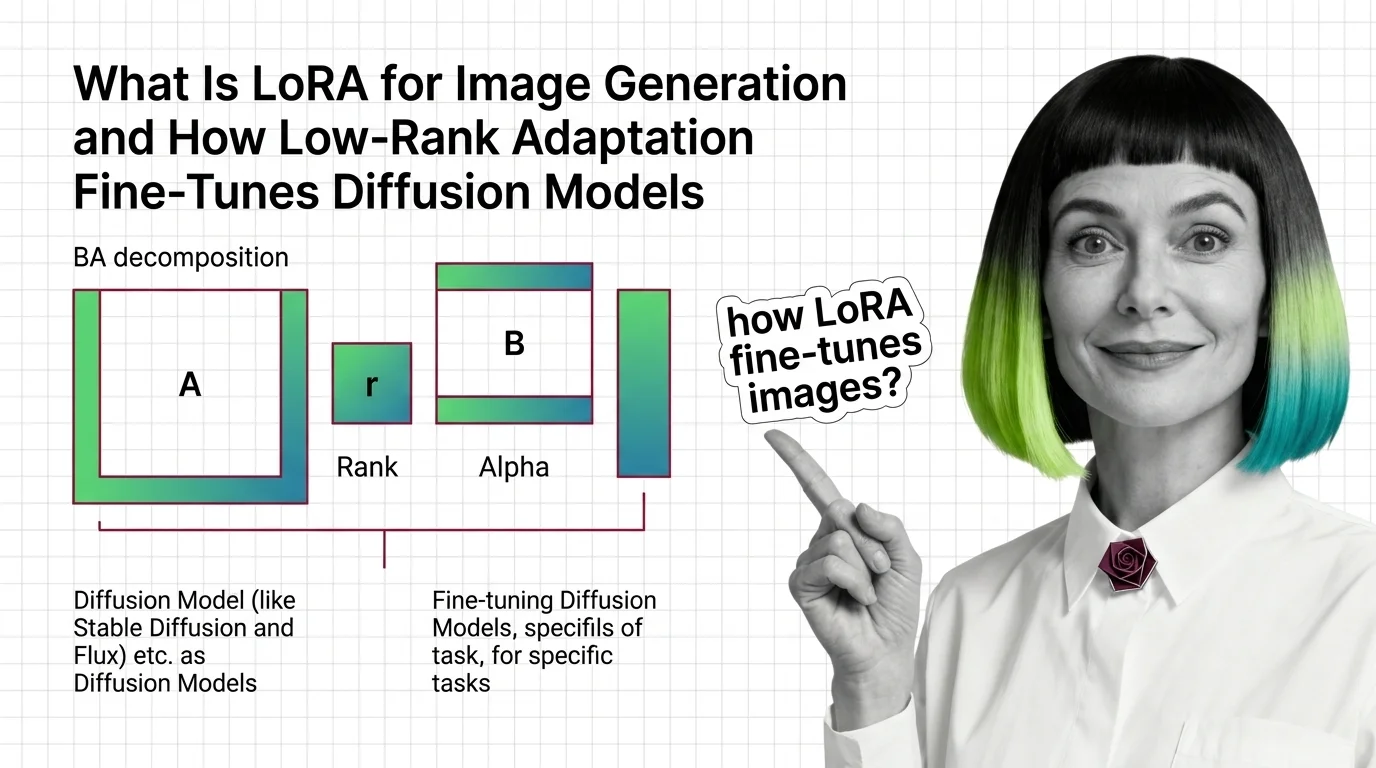
ELI5
LoRA (Low-Rank Adaptation) trains a tiny side network — often just a few megabytes — that injects a style, character, or concept into a frozen multi-gigabyte diffusion model without retraining the original weights.
A 3.29 MB file changes the output of an 8 GB model. Same prompt, same seed, same hardware — yet a particular character appears, or a specific brushwork, or a face the base model could never produce on its own. People talk about these adapters like they’re style packs you swap in and out. The base weights never moved. So where did the new behavior come from?
The Geometry of a Cheap Fine-Tune
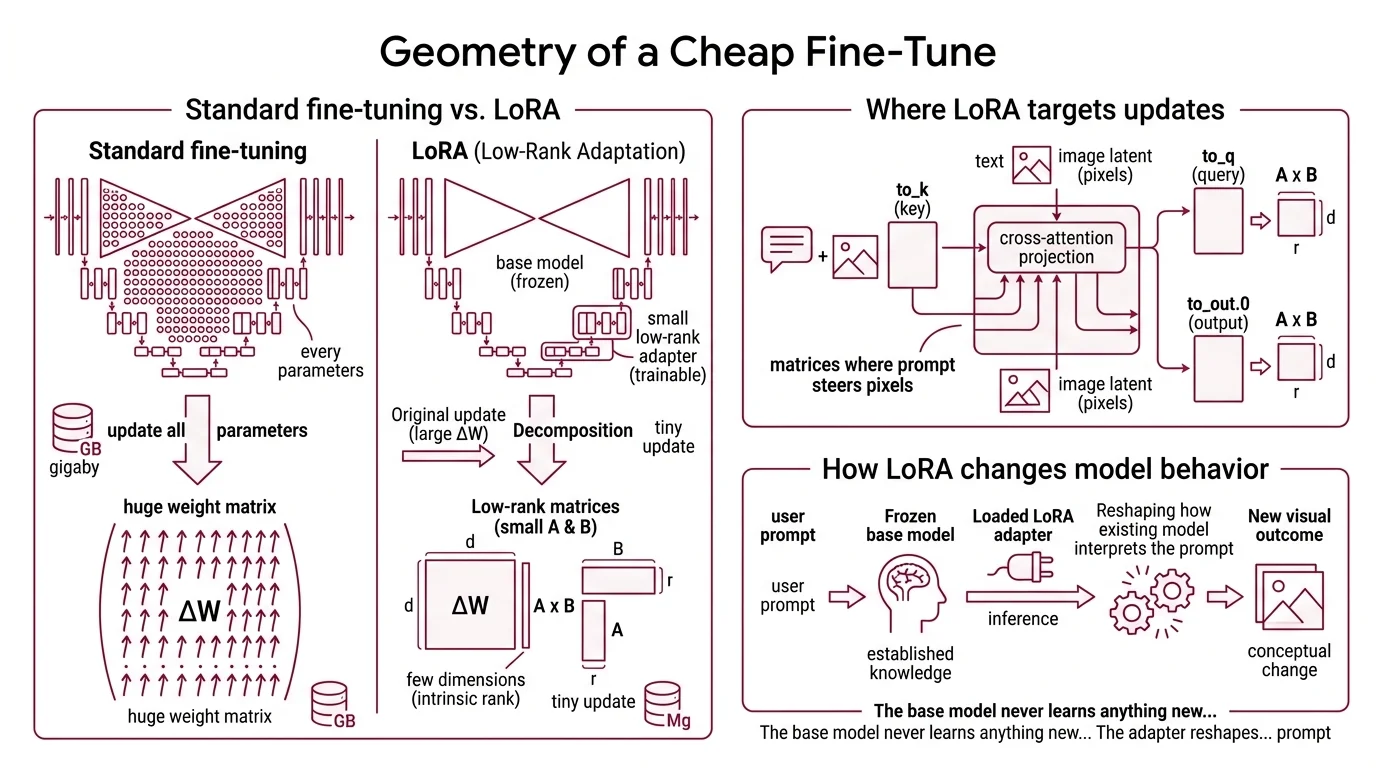
Full fine-tuning of a Diffusion Models like Flux or Stable Diffusion means updating every parameter of a multi-billion-parameter network. The original LoRA paper (Hu et al., 2021) made an empirical observation: when you adapt a pre-trained model to a new task, the change in weights has very low intrinsic rank. Most of the modification can be captured by a tiny number of dimensions. LORA weaponizes that observation, and most production AI Image Editing pipelines now layer two or three of the resulting adapters at once.
What is LoRA for image generation?
LoRA — Low-Rank Adaptation — is a parameter-efficient fine-tuning method that keeps the base diffusion model frozen and trains a small low-rank adapter on top of it. For image models, the adapter is a few megabytes; the base is several gigabytes. At inference time, the adapter is loaded alongside the model and its tiny update is added to specific weight matrices. The visual outcome can be dramatic: a new character, a custom art style, an aesthetic the base model never saw.
The trick is that the update isn’t applied to every weight matrix in the network. For diffusion models, LoRA targets the cross-attention projections inside the UNet — the matrices where text conditioning meets the image latent. The Diffusers default target list is ["to_k", "to_q", "to_v", "to_out.0"] (Hugging Face Diffusers Docs). Those four matrices are where prompts steer pixels, so a small change there produces an outsized change in output.
The base model never learns anything new in the strict sense. The adapter reshapes how the existing model interprets the prompt.
What Actually Changes When You Train a LoRA
The misconception — adapter as style pack, swappable like a costume — falls apart the moment you look at what training actually optimizes. There is no separate “style module” being learned. There is a low-rank matrix being added to existing weights, and the gradient decides where in that matrix the change accumulates.
How does LoRA fine-tune Stable Diffusion and Flux models?
Each targeted weight matrix W of shape d×k is left frozen. In parallel, two small matrices are trained: B of shape d×r, and A of shape r×k, where r is the rank and r ≪ min(d, k). At inference, the effective weight becomes:
W’ = W + ΔW = W + BA
Only A and B receive gradient updates during training. The product BA has the same shape as W, but it is constrained to rank r — a rank-32 update to a 3072×3072 matrix is described by roughly 200K parameters instead of about 9.4M. The expressive power is bounded by design, but for adapting style, character, or composition, low rank turns out to be enough (LoRA paper, Hu et al., 2021).
In practice, you call something like LoraConfig(r=rank, lora_alpha=rank, init_lora_weights="gaussian", target_modules=[...]) from PEFT and attach it to the UNet via unet.add_adapter(...) (Hugging Face Diffusers Docs). On Stable Diffusion 1.5, LoRA training fits on a single GPU with around 11 GB VRAM and finishes in roughly five hours. For FLUX.1-dev, 20–30 reference images, 500–2,000 training steps, and about an hour on a single A100 produce a usable adapter (Black Forest Labs Docs). Black Forest Labs explicitly recommends FLUX.2 [klein] — the smaller undistilled FLUX.2 base — as the official starting point for LoRA fine-tuning.
At inference time:
pipeline.load_lora_weights("path/to/adapter", weight_name="pytorch_lora_weights.safetensors")
The pipeline now produces images influenced by the adapter. If you want zero added latency at inference, merge_and_unload() fuses BA back into W; the adapter disappears as a separate computation and the model behaves as if it had been fully fine-tuned (Hugging Face PEFT Docs).
Not magic. Linear algebra applied selectively.
The Three Numbers That Define a LoRA File
A LoRA adapter is defined almost entirely by three things: the rank r, the scaling α, and the choice of which weight matrices to target. Get those right and the adapter is small, transferable, and well-behaved. Get them wrong and you either underfit, overfit, or produce a file that drags the base model toward incoherent outputs.
What are the components of a LoRA file: rank, alpha, and the BA decomposition?
Rank (r) is the most important hyperparameter. It sets the size of the bottleneck between A and B. Higher rank means more capacity — and more parameters, larger file size, and higher overfitting risk. For image LoRAs, ranks of 4–128 are typical, with 8, 16, and 32 dominating community style and character adapters (Hugging Face PEFT Docs). The 4–128 range is community practice synthesized from Diffusers and PEFT documentation rather than a formal recommendation in any single source.
Alpha (α) is the scaling factor. At runtime, ΔW is multiplied by α/r before being added to W. The rank-stabilized variant uses α/√r instead. This decouples how strongly the adapter influences the output from how many dimensions you trained. The convention diverges by domain: LLMs often use α ≈ 2·r; Diffusers’ reference image-LoRA scripts default to α = r, which gives an effective scale of 1.0 (Hugging Face Diffusers Docs).
The BA decomposition defines the geometry of the adaptation. A is initialized from a Gaussian; B is initialized to zero. That zero initialization is deliberate — when training begins, BA = 0, so the adapter contributes nothing and the model’s pre-trained behavior is preserved. As training progresses, B drifts away from zero in directions the gradient identifies as useful for the new data. The geometry of the adaptation is learned, not declared.
The published file itself is small. A typical Diffusers-trained adapter is saved as pytorch_lora_weights.safetensors. Sizes range from a few megabytes to over 200 MB depending on rank and target modules; one published example is 3.29 MB (Hugging Face Blog (Diffusers + LoRA)). Diffusers supports LoRA targets across Stable Diffusion 1.5, SDXL, SD 3.5, FLUX.1 (dev/schnell), FLUX.2 (dev/klein), DreamBooth, Kandinsky 2.2, and Wuerstchen.
The original LoRA paper claimed up to roughly 10,000× fewer trainable parameters and about 3× less GPU memory versus full fine-tuning of GPT-3 175B with Adam (LoRA paper, Hu et al., 2021). That number is an LLM benchmark, not a diffusion benchmark. For Stable Diffusion and FLUX, the reduction is large but not 10,000× — the headline figure should not be transferred wholesale to image models.
What the Decomposition Predicts
Once you see the decomposition clearly, the math gives you predictions about how an adapter will behave before you’ve even trained it.
- If you raise rank from 8 to 64 with the same dataset, expect more faithful reproduction of training images — and more bleed into unrelated prompts. Higher capacity captures more, including noise.
- If you keep α/r fixed but change r, the strength of the adapter at inference stays roughly constant; only its expressive ceiling changes.
- If you increase α at inference time without retraining, the adapter’s influence amplifies until the output collapses into mode-locked artifacts of the training set.
- If you train on dozens of images of one face but only target
to_kandto_q, expect identity to transfer while pose and composition remain controlled by the base model.
Rule of thumb: Start with r = 16, α = r, target the cross-attention projections, and only scale up if outputs underfit recognizable identity or style.
When it breaks: Low-rank decomposition cannot represent updates whose intrinsic rank exceeds r. For minor stylistic shifts this never matters; for fundamental concept additions it does. An adapter that tries to teach a new object class with rank 4 will either fail to converge or overfit a handful of training images at the expense of generalization. And if you’re following older tutorials, expect them to break against current Diffusers — the legacy attention-processor API was removed in late 2023.
A Trojan in the Adapter Layer
The same property that makes LoRAs safe to share — small file, no base weights — also makes them a clean attack surface. Published research has demonstrated backdoor adapters that masquerade as benign style or character LoRAs while silently steering the base model toward attacker-chosen outputs on specific trigger prompts (“When LoRA Betrays” arXiv). The base model isn’t compromised; the adapter is. From the user’s perspective, they downloaded a small style file. Treat community LoRAs from untrusted sources the same way you’d treat an unverified Python package — inspect or sandbox before merging.
Security & compatibility notes:
- Legacy
LoRAAttnProcessor2_0API: Deprecated and removed in Diffusers 0.26.0. Tutorials and code from before late 2023 that import it will break. Usepipeline.load_lora_weights()/pipeline.unload_lora_weights()andAttnProcessor2_0instead (Diffusers GitHub Issue #5133).- Untrusted community adapters: Backdoor LoRAs that masquerade as benign style or character files have been demonstrated in published research. Treat adapters from untrusted sources as untrusted code; inspect or sandbox before merging into a production pipeline (“When LoRA Betrays” arXiv).
The Data Says
Low-rank adaptation works because the updates a pre-trained diffusion model needs in order to learn a new style or character are themselves low-rank. The base model already encodes the visual world; the adapter only has to bend the cross-attention projections in a few specific directions. That is why a few-megabyte file can rewrite the apparent behavior of a multi-gigabyte model — and why naïvely raising rank to “be safe” usually makes things worse, not better.
AI-assisted content, human-reviewed. Images AI-generated. Editorial Standards · Our Editors