What Is AI Video Editing and How Object Removal, Style Transfer, and Lip Sync Actually Work
ELI5
AI video editing uses diffusion models that treat a clip as one block of frames, not a sequence — removing an object, swapping a style, or syncing lips updates every frame at once, staying consistent over time.
Feed an AI video editor ten seconds of someone walking past a parked bike and ask it to erase the bike. Watch what happens: the pavement, the shifting shadow, the sliver of curb hidden behind the wheel a frame ago — all of it updates and holds the same answer across every frame. Nothing in the footage showed what was underneath. The model had to compute an answer and keep it steady over time. That’s the actual hard problem.
Why One Frame Can’t Lie About What the Next One Knows
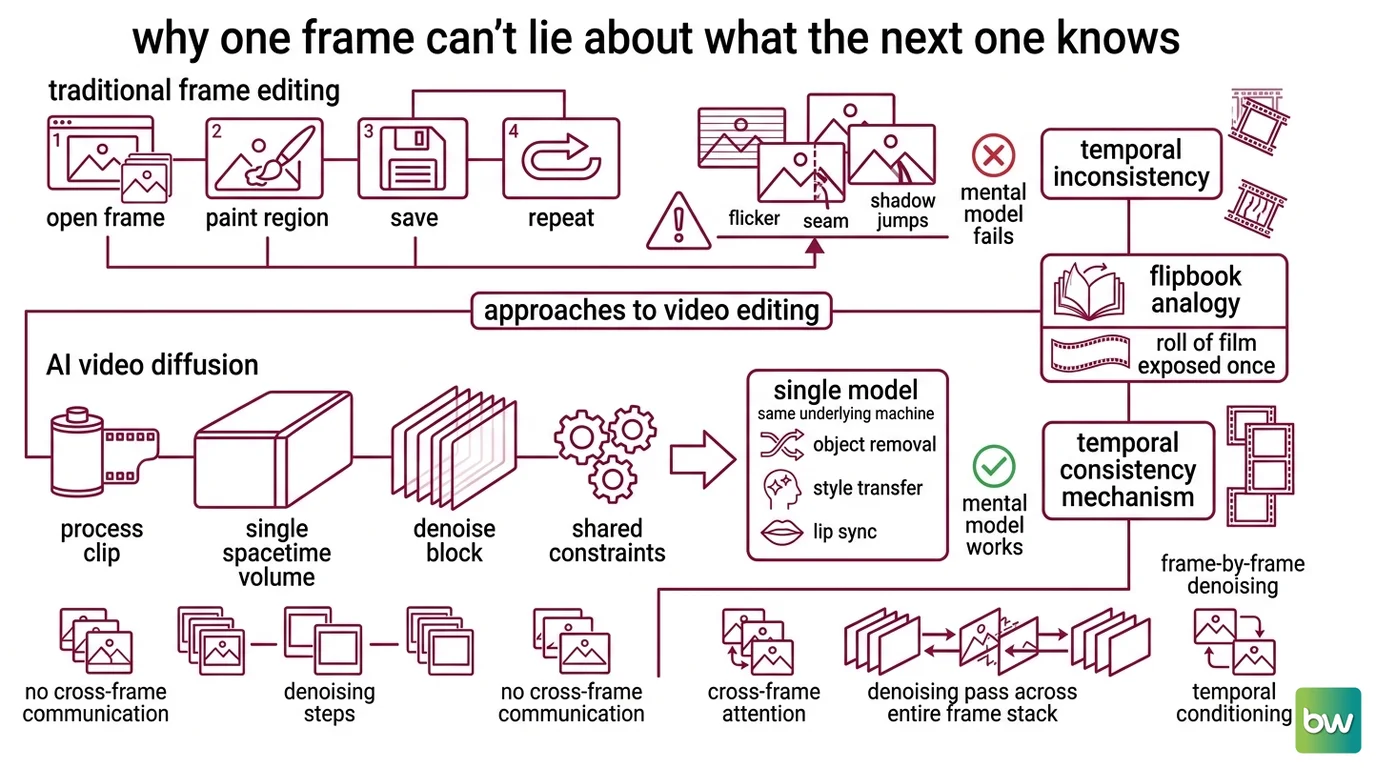
Most people picture video editing software the way they picture photo editing software: open a frame, paint a region, save, repeat for the next frame. That mental model survives exactly until frame two disagrees with frame one — a flicker, a seam, a shadow that jumps half a pixel left and back. AI video editing exists because that disagreement is the actual failure mode, not an edge case of it.
What is AI video editing?
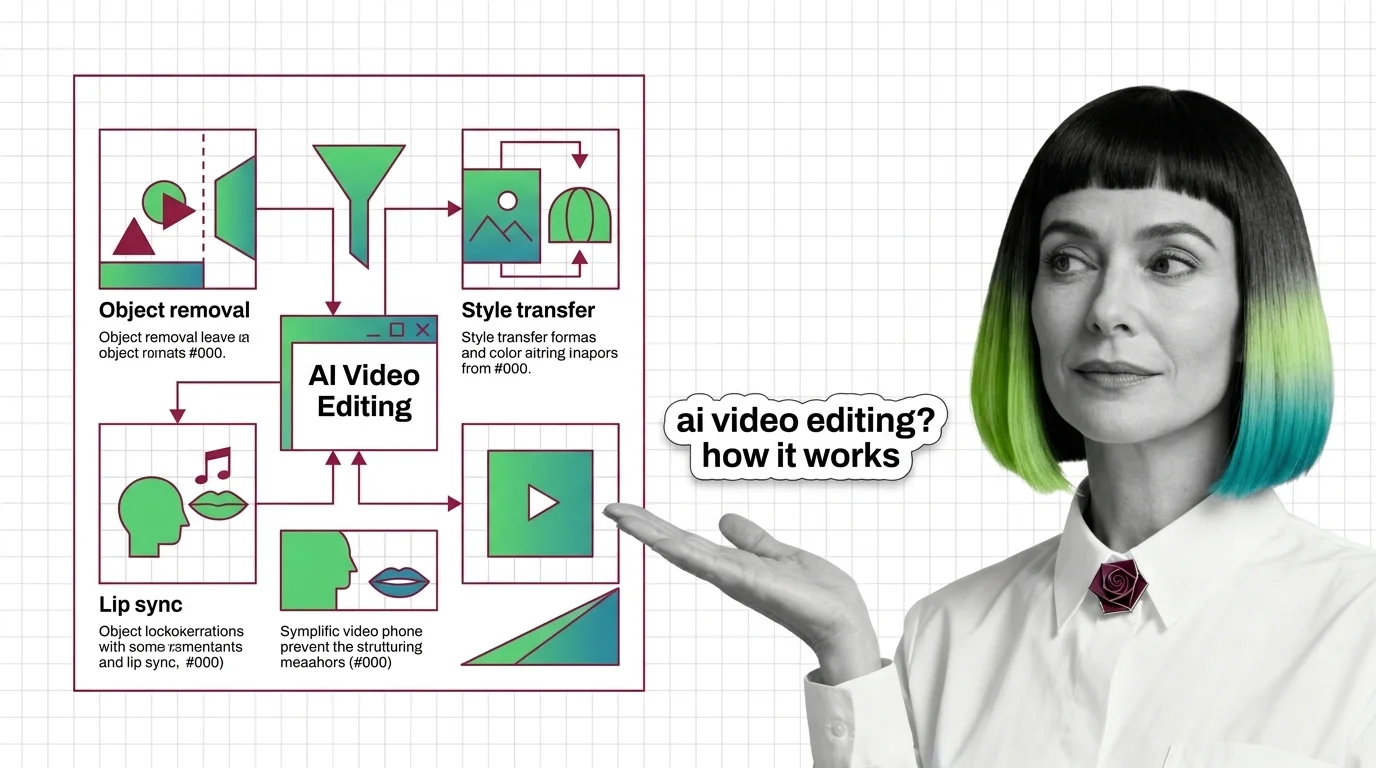
AI video editing is the use of generative models — almost always Video Diffusion Models — to alter footage directly, rather than compositing new elements on top of it frame by frame. A video diffusion model doesn’t process a clip as hundreds of separate images; it processes it as a single spacetime volume, denoising the whole block under one shared set of constraints. Object removal, style transfer, and lip sync are three different prompts applied to the same underlying machine, not three different pieces of software.
Think of editing a printed flipbook versus editing a single roll of film exposed all at once. Touch one page and the rest of the flipbook doesn’t know it happened — the inconsistency between your fixes is exactly the flicker a viewer’s eye catches instantly. A Temporal Consistency mechanism is the model’s way of editing the whole roll at once, so a change visible in frame 40 is already accounted for in the context the model used to generate frame 41.
Not a single watchful process double-checking each frame against its neighbors. A denoising pass that runs across the entire frame stack at once, attending across time roughly the way a language model attends across a sentence — so the noise removed from frame 40 is conditioned on what frame 39 and frame 41 already settled on.
Why this holds up is less settled than the marketing copy suggests. Cross-frame attention is the most cited explanation — frame N’s denoising step can look directly at the representations of frame N-1 and N+1 — but it competes with a second one: that consistency is partly a side effect of training on contiguous footage where adjacent frames are nearly identical by construction, so the model rarely learned to produce frames that disagree in the first place. Both mechanisms plausibly contribute. Neither is cleanly isolated in public research.
The flicker is the failure mode the architecture exists to prevent, not a bug in a separate feature. What that buys you, mechanically, is a model that takes one instruction and applies it everywhere at once. What it costs is the next question: what does “apply it everywhere” actually look like inside a tool you can open today?
Inside the Edit: What Runway Aleph and Pika Actually Touch
Two products dominate the conversation about generative video editing, and they split the same capability differently. One treats editing as a single instruction given to a model that already understands the whole clip; the other packages it as a menu of named, separately branded effects.
How do AI video editing tools like Runway and Pika actually edit footage?
Runway’s flagship is Aleph, described by Runway as a state-of-the-art In Context Video Editing model — one model handling object addition, removal, transformation, new camera angles, and style or lighting changes from a single instruction (Runway Research). Under the hood, removing an object is a constrained form of Video Inpainting: the regions touching the object are masked across the whole spacetime volume, and the denoising process fills them in using only the surrounding frames as evidence — never a stored “true” background, because none exists. Cost tracks how much of the clip gets regenerated, not what kind of edit is requested: a 10-second Aleph edit runs about 150 credits at Runway’s standard rate of 15 credits per second of output, not the specific prompt (Runway’s pricing page).
Style Transfer runs through the same machinery under a different constraint: instead of holding pixel content fixed and changing nothing, the prompt holds structure fixed — edges, motion, composition — while letting color, texture, and lighting drift toward a new description. Pika packages this as a named feature, Pikatwists, alongside Pikaswaps (replacing one object in a scene with another) and Pikadditions (inserting a new object or character into real footage) — narrower, named tools rather than one general instruction layer (Pika’s pricing page).
Lip sync is the odd one out: it isn’t an editing problem, it’s a synchronization problem running its own audio-conditioned model. Runway’s Act-Two is a separate product from Aleph: it captures a full performance — face, gestures, full body — from a driving video or webcam feed, then transfers that performance, lip movement included, onto a target character (Runway Help Center). Pika’s equivalent, Pikaformance, drives lip sync directly from an audio track rather than a recorded performance, priced per second of output rather than per edit (Pika’s pricing page).
Tool freshness note:
- Runway Aleph (original model): Deprecated, with third-party sources citing a deactivation date around July 30, 2026 — Runway’s own API changelog doesn’t list an exact sunset date, only that the original model is now a deprecated alias. New integrations should target Aleph 2.0, released June 2, 2026, which extends the accepted input window to 2–30 seconds and adds support for up to five keyframe images (Runway API Changelog).
Two products, two different ideas of what editing should feel like — one instruction layer against a menu of named effects. Underneath both sits the same stack of components, and naming it draws the boundary to what comes next.
The Parts Bin: What’s Actually Running Under the Hood
Pull the editing layer off and what’s left is recognizable: a video generation backbone, with editing-specific constraints bolted on top. Naming those parts also draws a boundary, because three frequently confused technologies sit right next door, and none of them is video editing.
What are the core components of an AI video editing pipeline?
Every generative video editor is built on a Text-to-Video backbone — the same architecture that turns a text prompt into original footage also generates the pixels an editing tool uses to fill a masked region or repaint a frame’s style. Editing doesn’t require a separate model family; it requires the generation model plus a conditioning signal — a mask, a reference image, a driving video — that constrains what the backbone is allowed to produce. On top of that sits the temporal consistency mechanism already covered, plus a masking layer that decides which pixels are fixed and which are free to change.
That shared backbone is also why it’s worth being precise about what isn’t AI video editing, though it gets bundled into the same marketing category. Text-to-3D generation and NeRF-style reconstruction build an explicit three-dimensional representation of a scene or object — geometry viewable from an angle the camera never captured. AI video editing skips that step; it stays in two-dimensional pixel space, frame by frame, however consistent those frames are kept across time. AI Avatar Generation overlaps the most, since lip sync sits inside both categories, but avatar generation usually solves a narrower problem — reanimating one face from audio — rather than editing arbitrary footage of arbitrary scenes.
Restoration tools occupy a third, frequently conflated category. Topaz Video AI upscales resolution, interpolates frames, and stabilizes shaky footage — real engineering, but none of it generative in the sense Aleph or Pika are: it sharpens and steadies what was already filmed rather than inventing new content for a masked region or repainting a scene’s style (Topaz Labs pricing page). Confusing the two is an easy mistake, since both arrive as a single product promising better-looking video.
One shared backbone, three adjacent fields — same vocabulary, different problems.
What the Mechanism Predicts About Where an Edit Falls Apart
If editing is denoising across a fixed spacetime volume, that mechanism makes a specific, testable prediction: reliability should degrade as the volume the model has to stay consistent across grows — longer clips, faster motion, more occluded geometry that has to be invented rather than inferred from nearby frames. That’s not a hunch; it’s roughly where Aleph 2.0’s own input window sits. The model accepts 2 to 30 seconds of video per pass (Runway API Changelog), a ceiling that exists because the spacetime volume the denoising process has to hold consistent has practical limits, not an arbitrary one.
If the edit needs to run longer than that window, the clip gets cut into segments and stitched back together — reintroducing the frame-to-frame disagreement the architecture exists to avoid, just at the segment seam instead of between adjacent frames.
Rule of thumb: the more of the original frame an edit has to invent rather than preserve — full background removal versus a light style pass — the more credits, compute, and seam risk it costs, regardless of which tool runs it.
When it breaks: the failure mode is almost always occlusion and duration, not the requested edit itself. Remove an object that was hiding a complex, never-filmed background for more than a few seconds, or push past the model’s input window, and the fill becomes visibly approximate — texture that looks plausible in isolation but doesn’t stay consistent with itself from one segment to the next.
The Data Says
AI video editing isn’t a smarter version of frame-by-frame compositing — it’s denoising treated as a global constraint across an entire clip, which is exactly why object removal, style transfer, and lip sync feel like three features but run on one shared mechanism. The boundary that mechanism draws is narrower than the marketing category around it: stay in 2D pixel space, stay inside a duration window, and the math holds. Push past either edge and the same architecture that made the edit look seamless is what makes the seam visible.
AI-assisted content, human-reviewed. Images AI-generated. Editorial Standards · Our Editors