Using AI for Deployment Risk, Flaky-Test Quarantine, and Pipeline Root-Cause Analysis
TL;DR
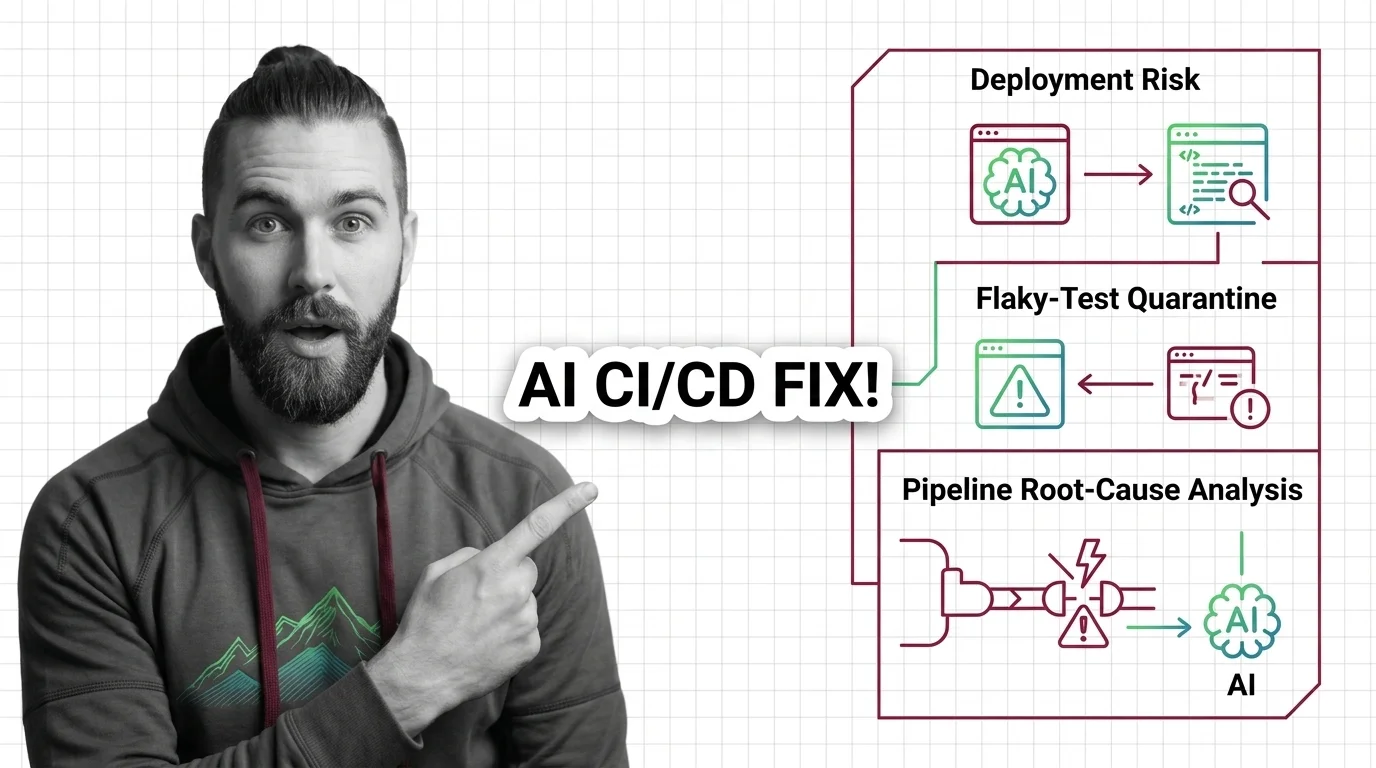
- AI in CI/CD is not one feature. It’s three separate decision points — the release gate, the test layer, and the failure triage — each with its own spec.
- The AI can’t read your mind. It reads your signals, your logs, and your scope. Specify those, or it guesses.
- Roll out in order of blast radius: quarantine flaky tests first, root-cause analysis second, deployment verification last.
The deploy went green on Friday. Monday morning, the on-call engineer is staring at a rollback that fired at 2 AM, three flaky tests that have been failing for a week, and a 400-line job log nobody has time to read. None of these are new problems. What’s new is that AI can now sit at each of these three points and make a call — if you tell it what “good” looks like. Most teams bolt on an AI feature, watch it block a release for the wrong reason, and turn it off. That’s not an AI problem — it’s a specification problem.
Before You Start
You’ll need:
- A CI/CD platform with AI features — Harness, GitLab, CircleCI, or a flaky-test layer like Trunk
- A working understanding of AI in CI/CD Pipelines and how your Continuous Integration and Continuous Deployment stages connect
- An observability stack already emitting signals (metrics, traces, or logs)
This guide teaches you: how to decompose “AI in the pipeline” into three independent decision points, specify what each one needs to make a trustworthy call, and sequence the rollout so a wrong guess never reaches production.
The Release That Rolled Itself Back for No Reason
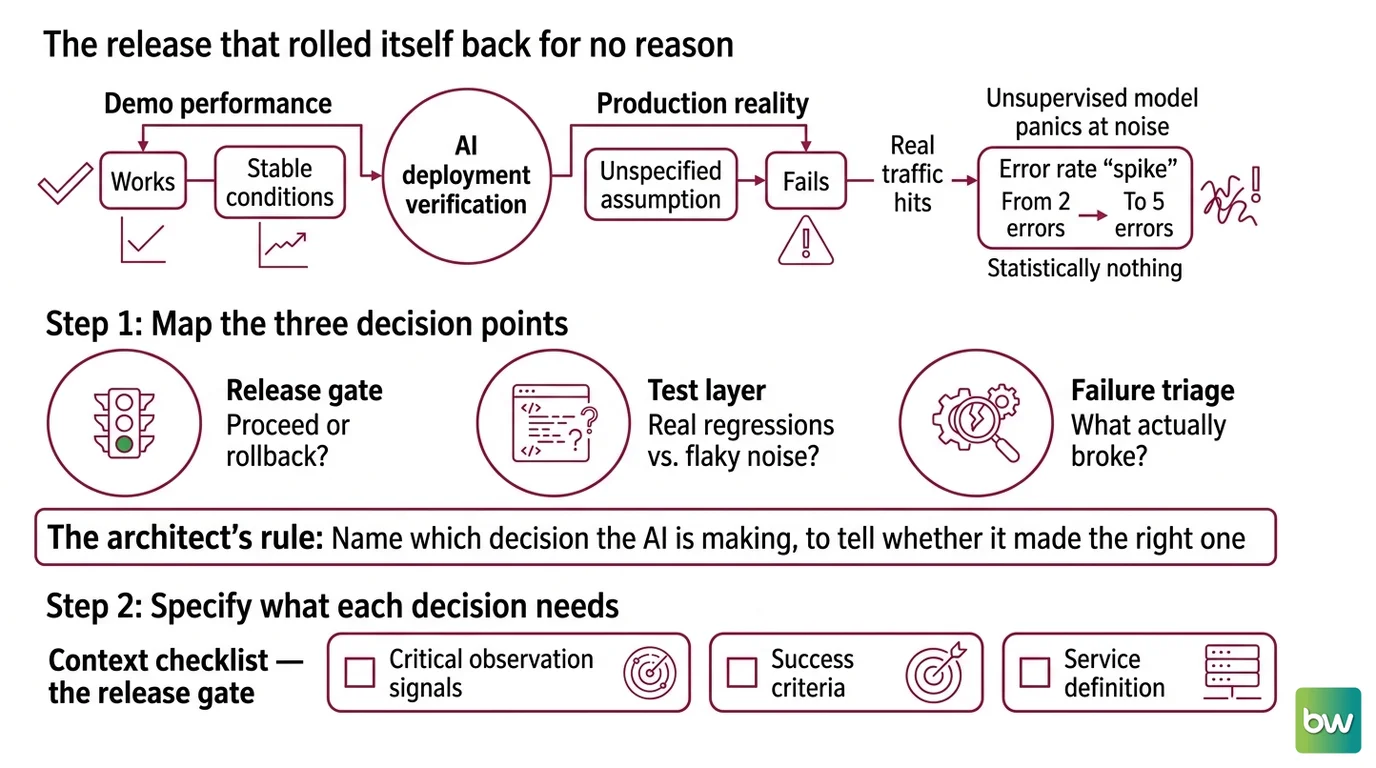
Here’s the failure I see most. A team enables AI deployment verification, ships a normal release, and the AI rolls it back. Error rate “spiked” — from two errors to five. Statistically nothing. But the AI was never told which signals matter for this service, so it watched all of them equally and panicked at noise.
It worked in the demo. In production, the unspecified assumption — “the AI knows what a healthy deploy looks like” — changed the moment real traffic hit. The model wasn’t broken. It was unsupervised.
Step 1: Map the Three Decision Points
“Use AI in CI/CD” is not a task. It’s three tasks wearing one label, and they fail in different ways. Before you specify anything, separate them.
Your pipeline has three places AI makes a decision:
- The release gate — after deploy, does this rollout proceed or roll back? This is Deployment Risk Assessment, and it owns the highest blast radius.
- The test layer — which failing tests are real regressions and which are Flaky Test Detection noise? This decides whether your pipeline even produces a trustworthy signal.
- The failure triage — when a job fails, what actually broke and where? This is root-cause analysis, and it turns a 400-line log into a one-paragraph answer.
These are independent. The release gate doesn’t need to know about flaky tests. The triage agent doesn’t care about rollback logic. Treating them as one “AI pipeline” is exactly why the first rollout misfires.
The Architect’s Rule: If you can’t name which decision the AI is making, you can’t tell whether it made the right one.
Step 2: Specify What Each Decision Needs
Each decision point reads a different input. The AI defaults to guessing when the input is unspecified — and a confident guess at the release gate is how you get a 2 AM rollback. Lock these down before you turn anything on.
Context checklist — the release gate:
- Which observability sources feed it — Datadog, Prometheus, Splunk, or your own. Harness AI Verify connects to these and auto-generates health profiles, working from day one without baseline data (Harness Docs).
- Which signals define health for this service — latency, error rate, saturation. Not all of them equally.
- The rollback authority — can the AI roll back on its own, or does it page a human? In its Q1 2026 release, Harness added AI that identifies which signals matter per release and decides in real time whether a rollout proceeds or rolls back (Harness Blog). Decide if you want that autonomy on day one.
Context checklist — the test layer:
- Test history access, so the AI can see which tests flip pass/fail across runs.
- A quarantine policy. Trunk groups failures by pattern (“failure fingerprinting”) to find root causes, and auto-quarantines: quarantined tests keep running but stop breaking the main branch or failing CI, with no code modification required (Trunk Docs).
- Your CI provider, because coverage varies. Trunk supports GitHub Actions, CircleCI, Jenkins, GitLab, Buildkite, Semaphore, and Harness, across any language or test runner (Trunk Docs).
Context checklist — the failure triage:
- Read access to job logs, error messages, and recent diffs. GitLab Duo Root Cause Analysis scans exactly these and runs a three-phase method: summarization, analysis, then a fix proposal (GitLab Docs).
- The tier and add-on, which gate availability — Root Cause Analysis requires a Premium or Ultimate plan plus the GitLab Duo Enterprise add-on (GitLab Docs). Confirm your entitlement before you build a workflow around it.
The Spec Test: If your release-gate config doesn’t name the signals that matter for this service, the AI weighs every metric equally — and rolls back on noise the first time error count ticks from two to five.
Step 3: Sequence the Rollout by Blast Radius
Turn these on in the wrong order and your first bad call lands in production. Order the rollout so the AI earns trust where mistakes are cheap before it touches releases.
Rollout order:
- Flaky-test quarantine first — because a wrong call here costs you one muted test, not a customer-facing outage. It also cleans your CI signal, which everything downstream depends on. Quarantine is also a path toward Self Healing Pipelines — the pipeline stops failing itself.
- Root-cause analysis second — because it’s advisory. The AI proposes a cause and a fix; a human still merges. Wrong guesses cost reading time, not uptime. CircleCI’s Insights API detects tests flipping pass/fail across runs, and its AI assistant analyzes pipelines for flaky tests, failed builds, and config drift, proposing fixes in natural language (CircleCI Blog).
- Deployment verification last — because this is the decision with production consequences. Only let the AI gate releases after you trust its read on the test layer and its triage calls. This is also where Test Prioritization pays off: a clean, ordered test signal makes the gate’s verdict trustworthy.
For each decision point, your spec must state:
- What it receives (which signals, logs, or test history)
- What it returns (a verdict, a quarantine action, a proposed fix)
- What it must NOT do (e.g., never auto-rollback without paging; never quarantine a test tagged
critical) - How to handle uncertainty (escalate to a human, or fail open)
Step 4: Validate That the AI Is Making the Right Call
You don’t validate an AI gate by watching it pass three green deploys and nodding. You validate it by checking each decision against a known answer.
Validation checklist:
- Replay a known-bad release through the gate — failure looks like: the AI passes a deploy you know degraded latency. Your signal spec is wrong.
- Feed it a known-flaky test — failure looks like: it quarantines a real regression, or lets a known-flaky test keep failing the branch. Your history window or policy is off.
- Hand the triage agent a failure with a known cause — failure looks like: the proposed fix points at the wrong file or rephrases the error without locating it. Its log or diff access is too narrow.
Before you wire any of this into a live CI/CD pipeline, check the platform’s current release notes — a couple of recent changes affect the config you’ll write.
Compatibility notes:
- CircleCI: The
trigger_parameterspipeline field is deprecated in favor of pipeline VCS fields. Migrate any integration that references it (CircleCI Changelog).- GitLab: GitLab 19.0 ships roughly 15 breaking changes. Verify Duo and CI feature flags against your target version before you quote config or entitlements (GitLab Blog).
Common Pitfalls
| What You Did | Why AI Failed | The Fix |
|---|---|---|
| Enabled “AI verification” with default signals | It weighs every metric equally and rolls back on noise | Specify which signals define health for this service |
| Turned on auto-rollback day one | A wrong call hit production before you trusted the gate | Sequence by blast radius — gate releases last |
| Pointed the triage agent at logs only | No diff access, so it describes the error without locating the cause | Grant read access to logs and recent code changes |
| Quarantined tests with no escape policy | Real regressions get muted alongside flaky noise | Tag critical tests as never-quarantine; review the quarantine queue |
Pro Tip
Treat every AI decision point as a service with a contract, not a feature you flip on. A contract has inputs, outputs, and forbidden actions. The moment you write “the AI must never roll back without paging a human” into your config, you’ve turned an unpredictable assistant into a bounded one. That single sentence — naming what the AI must not do — does more for trust than any model upgrade. The pattern transfers to every AI tool you’ll add to your stack next.
Frequently Asked Questions
Q: How do you use AI for deployment risk assessment and release verification with Harness? A: Connect Harness AI Verify to your observability stack and it auto-generates health profiles, then verifies each rollout without baseline data. The watch-out: it weighs all signals equally unless you specify which ones define health for that service, so scope the signal set per service first.
Q: How do you use AI to detect and quarantine flaky tests in CI? A: Tools like Trunk group failures by pattern and auto-quarantine unreliable tests so they keep running without failing the branch — no code change needed. Watch out for muting real regressions: tag critical tests as never-quarantine and review the quarantine queue weekly, not never.
Q: How do you use AI for automated root-cause analysis of failing pipelines? A: GitLab Duo Root Cause Analysis scans job logs, error messages, and recent diffs, then summarizes, analyzes, and proposes a fix. Give it diff access, not just logs — without recent code changes it describes the error instead of locating it. Confirm your tier and add-on entitlement first.
Your Spec Artifact
By the end of this guide, you should have:
- A map of the three AI decision points in your pipeline, each named by the decision it owns
- A per-decision context spec: the signals, logs, or history each one reads, and the actions it must never take
- A validation plan that replays a known-bad release, a known-flaky test, and a known-cause failure through each AI gate
Your Implementation Prompt
Drop this into Claude Code, Cursor, or Codex when you’re drafting the config and guardrails for one AI decision point. Fill every bracket with your own values — each one maps to a checklist item from Step 2.
You are helping me configure ONE AI decision point in my CI/CD pipeline.

Decision point: [release gate | test-layer quarantine | failure triage]
Platform: [Harness | Trunk | GitLab Duo | CircleCI]

INPUTS this decision reads:
- Observability / data sources: [Datadog | Prometheus | Splunk | test history | job logs + diffs]
- Signals or scope that define "correct" for THIS service: [latency | error rate | saturation | flaky-flip threshold]

OUTPUT this decision returns:
- [proceed/rollback verdict | quarantine action | proposed cause + fix]

CONSTRAINTS (what it must NOT do):
- [e.g., never auto-rollback without paging a human]
- [e.g., never quarantine a test tagged "critical"]

UNCERTAINTY handling:
- On low confidence: [escalate to human | fail open | fail closed]

Generate the config and the guardrail rules for this single decision point.
Then write a validation step that replays a [known-bad release | known-flaky
test | known-cause failure] and tells me what a wrong call looks like.
Ship It
You now see “AI in CI/CD” for what it is: three contracts, not one button. You can decompose any AI pipeline feature into the decision it makes, the inputs it needs, and the actions it must never take — and you can prove it works before it ever gates a real release.
AI-assisted content, human-reviewed. Images AI-generated. Editorial Standards · Our Editors