MLflow vs W&B vs SageMaker vs DVC: Choosing the Right Model Registry for Your ML Stack in 2026
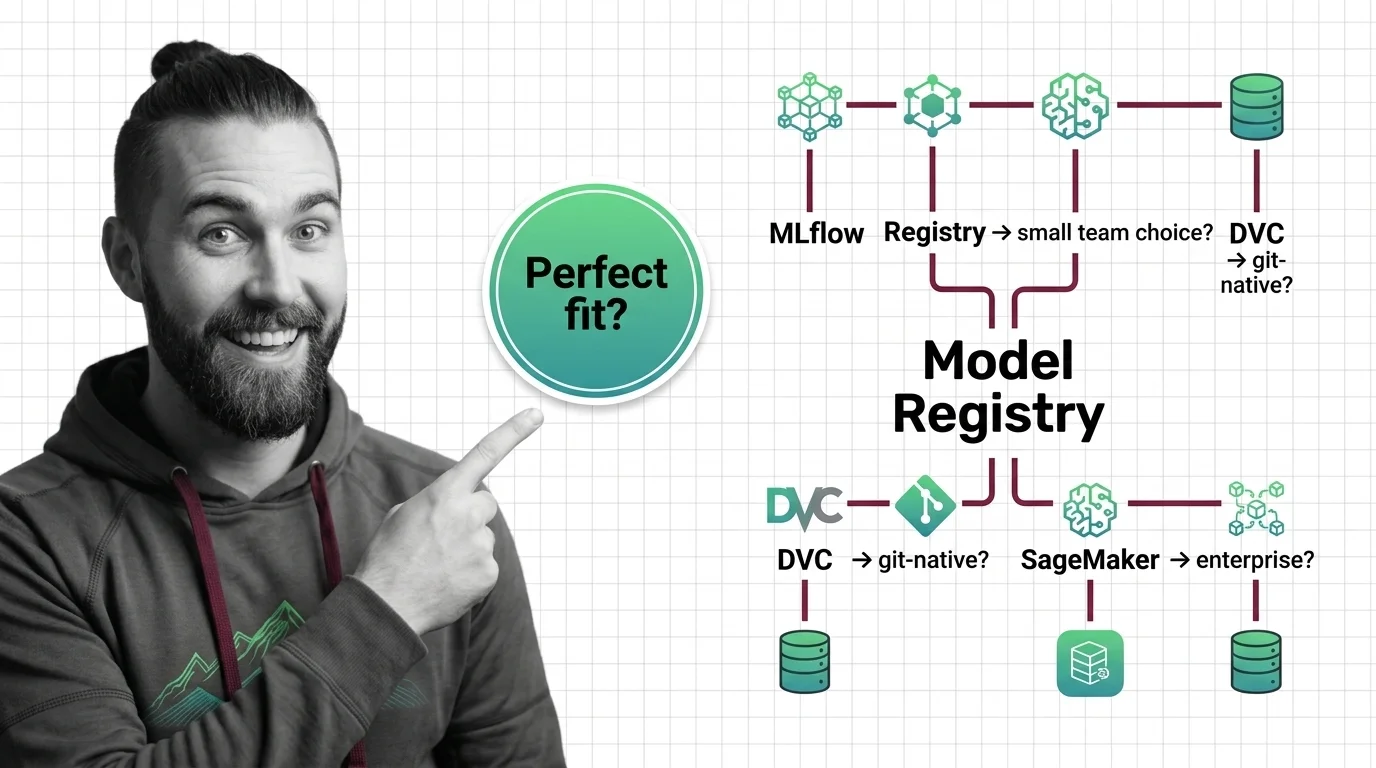
TL;DR
- MLflow model Stages are deprecated — migrate to aliases and tags before upgrading to MLflow 3.x or your promotion pipelines break
- Team size and cloud commitment are the two decision variables that narrow this from four tools to one
- DVC works best as a complement, not a replacement — pair it with a dedicated registry for approval workflows and deployment hooks
Here’s what I see in ML teams that skip the registry decision until it bites them. Production model was rolled back last Thursday. Nobody could find which experiment produced the current champion. The training run was in one engineer’s local MLflow instance. The artifact was in an S3 bucket with no version tag. Two days lost reconstructing what should have been a two-minute lookup.
The fix is a Model Registry — a single source of truth for model versions, promotion state, and deployment lineage. But four tools compete for that role in 2026, and picking the wrong one doesn’t just waste budget. It creates a second class of problem: lock-in to workflows that don’t match how your team actually ships.
Before You Start
You’ll need:
- Access to your current ML stack: training environment, artifact storage, deployment target
- Understanding of Experiment Tracking, Model Artifact management, and Model Staging
- A clear picture of your deployment pattern — batch, real-time endpoint, or serverless
This guide teaches you: how to map your team’s size, cloud commitments, and deployment patterns to the registry that won’t become a constraint in six months.
The Decision You Keep Postponing
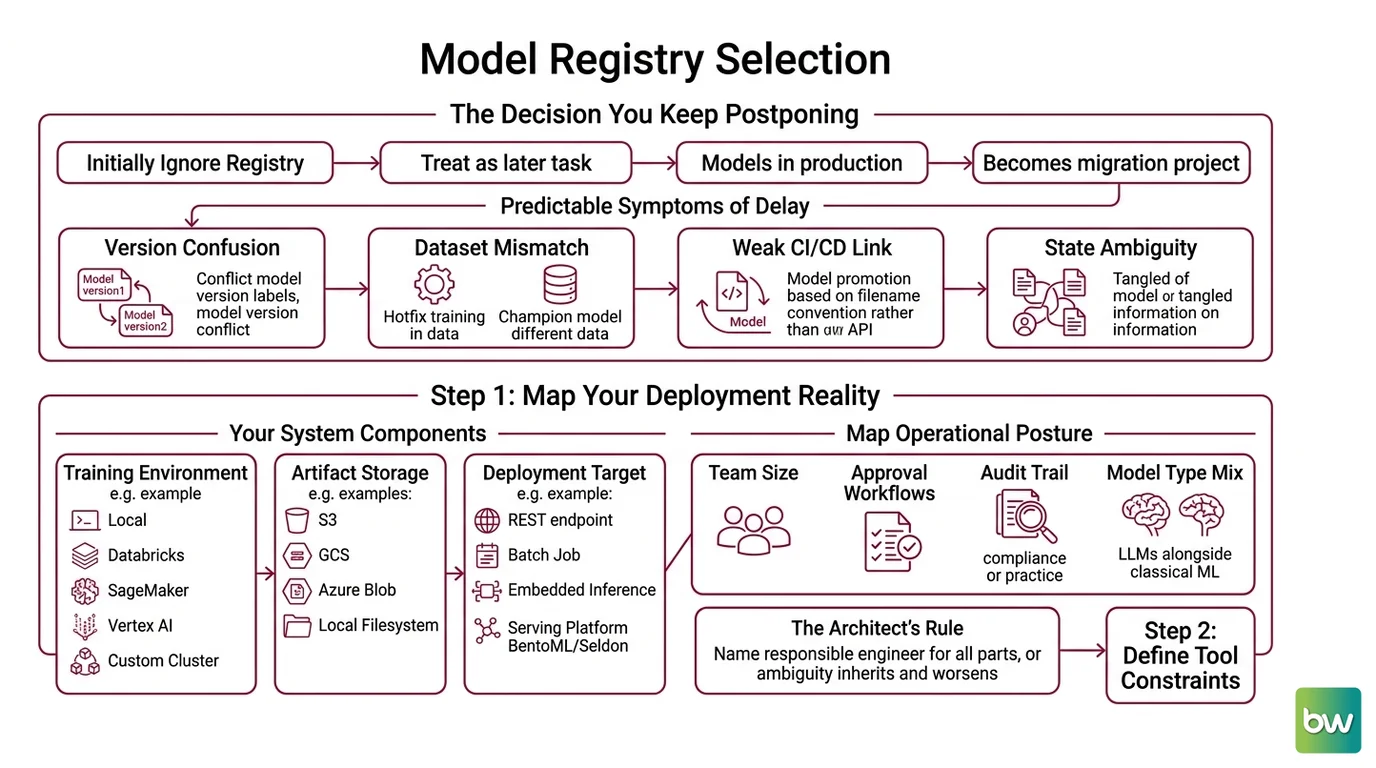
Most teams treat model registry selection like they treat monitoring — something to add later, once the models are working. Then the models are working, they’re in production, and the registry becomes a migration project instead of a setup task.
The symptom is predictable. Two engineers can’t agree on which version is deployed. A hotfix was trained on a different dataset than the current champion. Your CI/CD pipeline promotes models by filename convention, not by registry API. You know the state is messy; you just don’t know how messy.
Step 1: Map Your Deployment Reality
Before you compare tools, write down three things: where your models train, where they’re stored, and where they run. The registry has to sit in the middle of all three.
Your system has these parts:
- Training environment — local, Databricks, SageMaker, Vertex AI, or a custom cluster. Determines which tracking integrations work without configuration overhead.
- Artifact storage — S3, GCS, Azure Blob, or a local filesystem. MLflow supports all four; some registries assume their cloud provider’s storage.
- Deployment target — REST endpoint, batch transform job, embedded inference, or a serving platform like BentoML or Seldon. This is the hardest constraint. A registry with no deployment hook forces you to build one.
Also map your team’s operational posture:
- How many engineers touch the registry regularly?
- Do you need approval workflows before production promotion?
- Is audit trail a compliance requirement or just good practice?
- Are you running LLMs alongside classical ML models, or purely one or the other?
The Architect’s Rule: If you can’t name the engineer responsible for each of the three parts above, the registry you choose will inherit that ambiguity — and make it worse at scale.
Step 2: Define Your Constraints by Tool
Each registry has a constraint profile. Matching your constraints to the tool’s profile is faster than benchmarking features.
MLflow 3.14.0 (MLflow Releases) is the default choice for teams already using it — but MLflow 3.x has two breaking constraints you need to resolve before committing.
Breaking change 1: Stages are gone.
Mlflow deprecated model Stages (Staging, Production, Archived) in v2.9.0 (MLflow GitHub). If your promotion pipeline uses stage="Production", it breaks on MLflow 3.x. The replacement is aliases (@champion, @challenger) and tags. Migrate before upgrading.
Breaking change 2: File-based store raises errors. MLflow 3.x throws an error by default when using a file-based tracking store. Set MLFLOW_ALLOW_FILE_STORE=true to preserve the behavior, or migrate to a proper backend store — PostgreSQL, MySQL, or the Databricks-managed option (MLflow Breaking Changes).
Beyond the breaking changes, MLflow is free and self-hosted. The Databricks-managed version ties into Databricks Premium or Enterprise workspaces; Community Edition does not include Model Registry (Databricks Docs). Databricks Standard tier was sunset on AWS and GCP in October 2025, with Azure following in October 2026 — if you’re on Standard, factor that migration into your MLflow planning timeline. If you’re not already on Databricks, self-hosted MLflow on your own infrastructure is the default path.
Context checklist for MLflow:
- Aliases and tags schema defined (replace Stages before v3 upgrade)
- Backend store configured — not file-based for any team beyond solo exploration
- Artifact store: S3, GCS, or Azure Blob with appropriate credentials
- LLM tracing plan if running LLMs — MLflow 3.x steers toward LLM Observability integrations in 2026
W&B Registry (GA 2025) replaced the legacy W&B Model Registry deprecated end of 2024 (W&B Docs). The new product includes model versioning, Model Lineage, and CI/CD automations. The Free plan gives you 5 GB storage and model versioning at no cost. Pro runs $60/user/month, adds 100 GB storage, team access controls, and CI/CD webhook integrations (W&B Pricing). Enterprise pricing is not publicly listed — W&B quotes custom.
W&B’s strength is the tracking-to-registry pipeline. If your team uses W&B for experiment tracking, the registry is a natural extension — artifacts flow from runs to registry versions without additional tooling. For teams not using W&B for tracking, the integration overhead increases.
Context checklist for W&B:
- Current W&B tracking usage? Zero additional setup if yes; integration work required if no.
- Team size under ~50 engineers? Pro plan is positioned for early-stage teams — it’s not designed for large enterprise rollouts.
- CI/CD automations needed? Pro tier required.
- HIPAA or SSO compliance? Enterprise plan only.
SageMaker Model Registry is the AWS-native option. The registry itself is free — you pay only for compute and storage used to host and deploy models (AWS Docs). The integration with SageMaker deployment is the differentiator: one-click promotion to a real-time endpoint, batch transform job, or serverless inference directly from the registry UI. This only matters if your deployment target is SageMaker. If you’re deploying to a non-AWS runtime, SageMaker Model Registry adds overhead without adding value.
Context checklist for SageMaker:
- Is your deployment target SageMaker Endpoints? If no, this tool loses its primary advantage.
- AWS account with appropriate IAM policies for model package creation and endpoint deployment.
- SageMaker domain configured with Model Registry enabled.
- Approval workflow needed? SageMaker’s registry includes pending/approved/rejected states — built-in, not bolted on.
DVC 3.67.1 (PyPI) is the outlier. It’s not a model registry in the traditional sense — it’s Git-native version control for large files and models. Model versions are stored as Git tags. Artifacts live in S3, GCS, or Azure Blob. There is no registry UI without DVC Studio (Iterative has free and paid Studio tiers, but exact per-seat pricing for paid plans is not publicly confirmed — check iterative.ai/pricing directly).
DVC answers a different question. If your team’s primary need is reproducibility and artifact versioning without a dedicated server, DVC fits. If you need approval workflows, deployment hooks, or a UI non-engineers can navigate, DVC alone is insufficient.
Context checklist for DVC:
- Git-heavy workflow? DVC integrates directly into your existing version control discipline.
- Large file versioning needed beyond models (datasets, preprocessing artifacts)? DVC handles this where MLflow’s artifact store does not.
- No dedicated registry server budget? DVC core is free and serverless.
- Approval workflows and deployment automation required? Add a dedicated registry alongside DVC — DVC for versioning, registry for promotion.
The Spec Test: If your team can’t answer “what Git commit produced the current production model,” you need reproducibility tooling. If they can answer that but can’t answer “who approved this version and when,” you need an approval workflow. These are different problems, and DVC solves the first — not the second.
Step 3: Match Tool to Team Profile
Four team profiles cover most ML teams. Pick the one that fits closest.
Build order for your decision:
- Cloud commitment first — if you’re deep in AWS or GCP, start with the cloud-native option and work backward to cost.
- Tracking integration second — if you already use W&B or MLflow for experiments, the registry extension is the path of least resistance.
- Reproducibility vs. deployment emphasis third — DVC for reproducibility-first teams; SageMaker/MLflow/W&B for deployment-first.
- Breaking constraints last — MLflow’s Stage deprecation and file-store change are migration blockers. Check these before committing to an upgrade path.
Team profile mapping:
| Team Profile | Primary Tool | Why |
|---|---|---|
| Small team, cloud-agnostic, open-source budget | MLflow (self-hosted) | Free, mature, integrates with any cloud |
| ML/DL team already tracking in W&B | W&B Registry | Zero additional integration, Pro at $60/user/month |
| Enterprise team deep in AWS | SageMaker Model Registry | Native deployment to SageMaker endpoints |
| Enterprise team deep in GCP | Vertex AI Model Registry | Native deployment to Vertex, artifact metadata free |
| Reproducibility-first team, Git-heavy | DVC + minimal registry for approvals | Git-native versioning; add approval layer separately |
For each tool, you also need to specify:
- What triggers a version promotion (manual approval, CI test pass, metric threshold)
- Who has write access to production aliases or stages
- What rollback looks like — both the technical steps and who can execute them
- How this registry connects to your Canary Deployment process, if any
Step 4: Validate Before You Commit
Don’t evaluate these tools by reading their docs. Evaluate them by running a version promotion end-to-end in your own environment.
Validation checklist:
- Register a test model version from your training environment — failure looks like: authentication errors, missing backend configuration, or artifact upload failures that indicate storage policy problems
- Promote to a staging alias or approval state — failure looks like: missing permission scopes, or (for MLflow pre-migration) Stage-based code that errors on 3.x
- Trigger a deployment from the registry — failure looks like: deployment hook not configured, manual steps required that should be automated
- Roll back to a previous version — failure looks like: the rollback requires engineer intervention that isn’t documented anywhere
- Verify audit trail — failure looks like: no record of who promoted what and when
Compatibility note: MLflow Stages (
stage="Production",stage="Staging") are fully removed in MLflow 3.x. Test your promotion code against the current MLflow 3.14.0 (MLflow Releases) before any upgrade. Any pipeline using Stages will fail silently or raise errors depending on your configuration.
Common Pitfalls
| What You Did | Why the Registry Failed | The Fix |
|---|---|---|
| Kept using MLflow Stages after v2.9.0 | Stage-based promotion code breaks on MLflow 3.x upgrade | Migrate to aliases and tags before upgrading |
| Used file-based store with MLflow 3.x | Raises error by default | Set MLFLOW_ALLOW_FILE_STORE=true or migrate to proper backend store |
| Chose SageMaker registry without deploying to SageMaker | Registry overhead without deployment benefit | Use cloud-native registry only when your runtime is also cloud-native |
| Relied on DVC alone for promotion workflows | DVC versions artifacts but has no approval state machine | Add W&B Registry or MLflow alongside DVC for approval workflows |
| Skipped W&B legacy migration | W&B legacy Model Registry deprecated end of 2024; old API references don’t work against new W&B Registry (W&B Docs) | Follow W&B Registry migration guide; old automation webhooks need updating |
Pro Tip
The registry you choose is a deployment contract, not just a storage layer. Before you finalize the choice, write down exactly what “model in production” means in your team: which version tag, which artifact hash, which approval record, which deployment endpoint. If you can specify that clearly, any of these four tools can implement it. If you can’t, no tool will save you — because the problem is the missing specification, not the missing software.
Frequently Asked Questions
Q: MLflow model registry vs W&B model registry — which is better for small ML teams in 2026?
A: MLflow (self-hosted) has zero licensing cost and works with any cloud, making it the default for small teams on a budget. W&B Registry becomes the better fit once your team is already using W&B for experiment tracking — the integration removes a full layer of setup. The real tie-breaker: if you need CI/CD automations in W&B, that’s the Pro tier at $60/user/month. MLflow is free at any team size. Start with MLflow; switch to W&B when your tracking workflow demands it and budget allows.
Q: DVC vs MLflow for model versioning — when should you choose Git-native versioning over a dedicated model registry?
A: Choose DVC when your team’s priority is reproducibility and your workflows are already Git-centric — DVC stores model versions as Git tags and manages large artifacts in cloud storage without a dedicated server. Choose MLflow when you need a promotion state machine, a UI non-engineers can navigate, or deployment hooks. A common pattern that works well in practice: DVC for artifact versioning and dataset lineage, MLflow or W&B for approval workflows and deployment tracking. They solve adjacent problems, not competing ones.
Q: SageMaker model registry vs Vertex AI model registry — how do you choose between cloud-native options for enterprise ML in 2026?
A: The decision is almost entirely determined by where your models run. SageMaker Model Registry’s strongest feature is one-click deployment to SageMaker real-time endpoints, batch transform, or serverless inference — that advantage evaporates if you’re not deploying to AWS. Vertex AI Model Registry similarly integrates tightly with Vertex AI endpoints and Cloud Storage for artifacts. Both registries are free for the registry itself (you pay for compute and storage). If your team spans both clouds, you’re better served by a cloud-agnostic tool like MLflow or W&B rather than managing two native registries in parallel.
Your Spec Artifact
By the end of this guide, you should have:
- Team profile map — your cloud commitment, tracking tool, and deployment target written down and matched to the decision table above
- Constraint checklist — the breaking changes and integration requirements checked against your current stack
- Validation run record — a completed end-to-end promotion from training environment to deployment target using your chosen registry
Your Implementation Prompt
Use this prompt in your AI coding tool (Claude Code, Cursor, Codex) to generate a registry integration spec for your team. Fill in the bracketed values before running.
You are a senior MLOps engineer helping set up a model registry integration.

Context:
- Training environment: [Databricks / local Python / SageMaker Training / Vertex AI Training]
- Artifact storage: [S3 bucket name / GCS bucket name / Azure Blob container]
- Deployment target: [SageMaker Endpoint / Vertex AI Endpoint / custom REST server / batch job]
- Registry choice: [MLflow self-hosted / W&B Registry / SageMaker Model Registry / DVC + registry]
- MLflow version (if applicable): [3.x — do NOT use Stage-based promotion; use aliases and tags]
- Approval workflow: [required with named approver roles / CI test gate only / no approval needed]
- Audit requirements: [full audit trail required / basic version history sufficient]

Generate:
1. A registry integration module that registers a model version from a training run.
   - Input: run ID, artifact path, evaluation metrics dict
   - Output: registered model version with alias set to "challenger"
   - Constraint: no Stage-based API (deprecated); use model aliases and version tags only

2. A promotion function that moves "challenger" to "champion" after approval.
   - Input: model name, challenger version number, approver ID
   - Output: updated alias assignment and audit log entry
   - Constraint: must record approver identity and timestamp as version tags

3. A rollback function that restores the previous "champion" version.
   - Input: model name
   - Output: previous champion alias restored, incident tag added to demoted version
   - Error case: no previous champion version exists — raise with clear message

4. A validation test that checks the full promotion cycle works end-to-end.
   - Register a dummy model version
   - Promote it to champion
   - Roll it back
   - Assert all alias states and audit tags are correct

Follow the build order: registration → promotion → rollback → validation. Do not generate deployment code — only registry interaction.
Ship It
You came in with four tools and no clear winner. You’re leaving with a decision framework tied to your team’s actual constraints — cloud commitment, tracking workflow, and deployment target. The registry choice is now a derived output of your spec, not a gut call.
AI-assisted content, human-reviewed. Images AI-generated. Editorial Standards · Our Editors