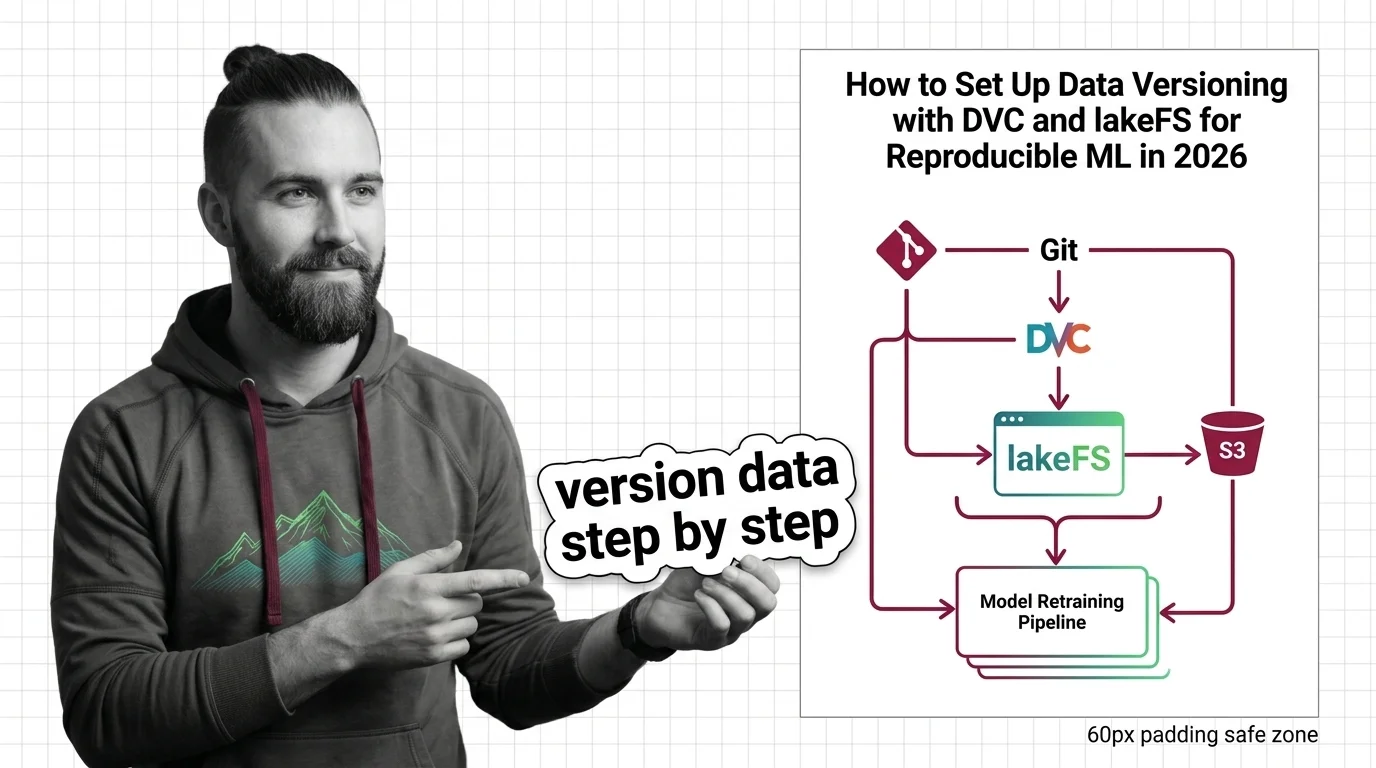
How to Set Up Data Versioning with DVC and lakeFS for Reproducible ML in 2026
TL;DR
- Data versioning is two problems, not one: file-level reproducibility (DVC) and data-lake state (lakeFS). Decide which tool owns which layer before you build anything.
- A model is only reproducible if every run records the exact data snapshot that produced it. Pin the pointer, not the payload.
- DVC and lakeFS are now one company and complementary by design. Don’t make your AI tool choose between them — make it wire them in the right order.
You retrained the fraud model on the same S3 bucket you used in March. Same code. Same pipeline. The new model flags twice as many legitimate transactions. Nothing in Git changed, so by your reasoning nothing should have. Except the data did — three teammates appended rows over the quarter, and the data changed while nothing recorded it.
Before You Start
You’ll need:
- An AI coding tool (Claude Code, Cursor, or Codex)
- An object store you control (S3, GCS, or Azure Blob)
- A working grasp of MLOps and what Reproducibility actually requires
- A clear picture of which datasets feed which model
This guide teaches you: how to decompose data versioning into layers an AI tool can scaffold correctly, instead of firing off one vague “set up versioning” prompt that returns a half-working, laptop-only config.
The Model You Can’t Rebuild
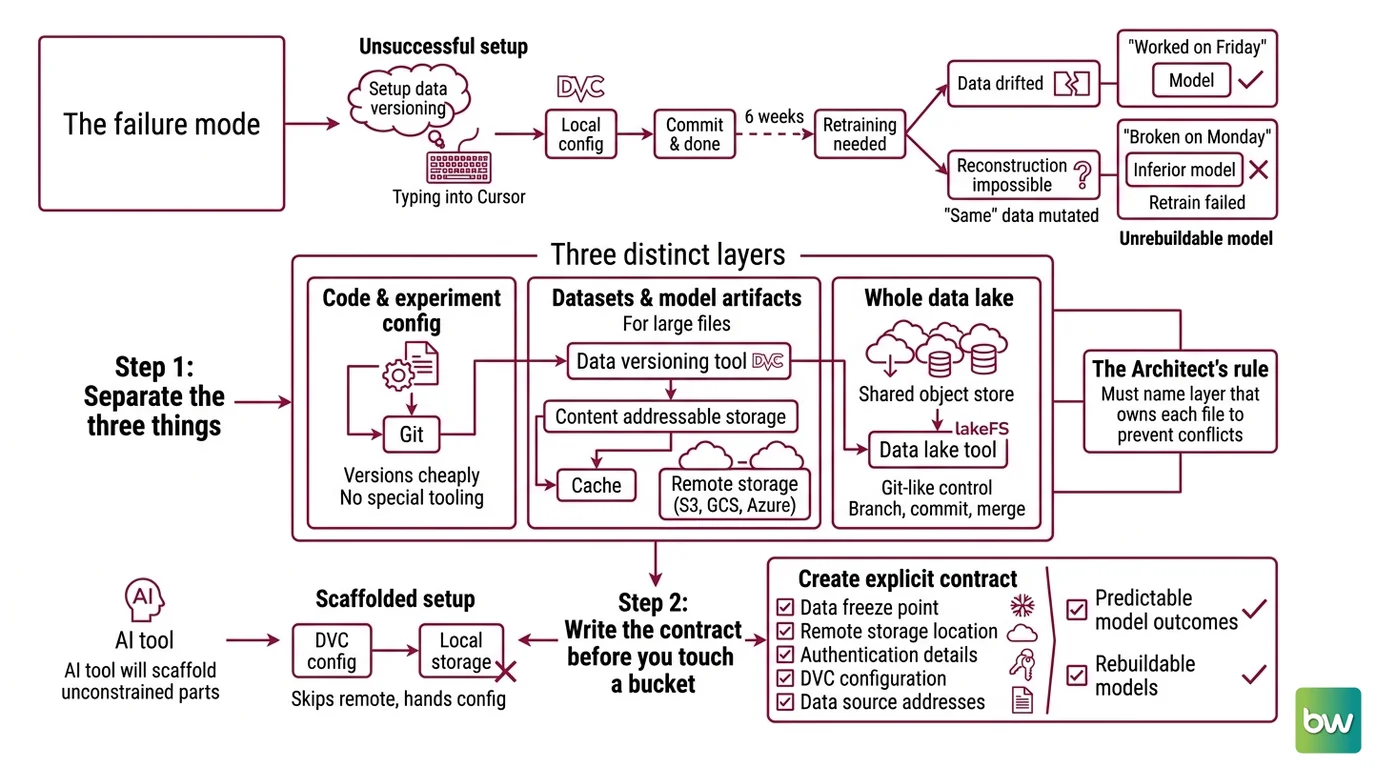
Here is the failure mode I see most. Someone types “set up data versioning for my ML project” into Cursor, gets a local DVC config, commits it, and calls it done. Six weeks later the model needs retraining, the bucket has drifted, and there is no way to reconstruct the dataset that produced the original results.
It worked on Friday. On Monday the retrain produced a worse model because the “same” data had quietly mutated, and the spec never said the data needed to be frozen and addressable.
Step 1: Separate the Three Things You’re Actually Versioning
“Set up data versioning” sounds like one task. It is three. Most setups break because the developer treats code, files, and the whole data lake as a single thing to track, then points two tools at the same bytes and wonders why the cache doubles. Name which layer owns each file first.
Your system has these parts:
- Code and experiment config — lives in Git. It versions cheaply because it is text, and it needs no special tooling.
- Dataset files and model artifacts — too large for Git. This is Data Versioning territory, and where DVC lives: it keeps a Content Addressable Storage cache and backs it with a remote like S3, GCS, or Azure, a model the DVC Docs describe directly.
- The whole data lake — the shared object store many jobs read from and write to. This is lakeFS territory: Git-like branch, commit, and merge over the bucket itself, per the lakeFS Docs.
The Architect’s Rule: If you can’t name which layer owns a given file, neither tool can version it without stepping on the other.
Once the layers are named, the next failure to prevent is the one that happens before you touch a bucket: an underspecified contract.
Step 2: Write the Contract Before You Touch a Bucket
Your AI tool will scaffold whatever you leave unconstrained. Left to guess, it wires DVC to local storage, skips the remote, and hands you a config that works on your machine and dies in CI. The contract is the set of facts the tool needs before it generates a single line. Specify which tool owns the raw data, and a whole class of errors disappears.
Context checklist:
- Storage backend and exact path — S3 versus GCS versus Azure, the bucket name, the region. lakeFS supports AWS S3, Azure Blob, Google Cloud Storage, and any S3-compatible store, per the lakeFS Docs.
- Layer ownership — DVC owns model artifacts and training files; lakeFS owns the lake’s branch state. State this so the tool never points both at the same path.
- Tool versions — DVC 3.67.1 and the lakeFS 1.8x line as of 2026 (the DVC version is published on DVC’s GitHub repository; the lakeFS release line on lakeFS’s GitHub repository). Pin them so the scaffold matches current commands.
- The reproducibility contract — every model run records its Git commit, its DVC lock hash, and its lakeFS commit id. That triple is your Data Provenance record.
- Edge cases — large files, interrupted uploads, two people writing the same dataset at once.
- Cost boundary — the open-source cores of both tools are free under Apache 2.0; lakeFS Cloud and DVC Studio are quote-based with a free tier, not a fixed published price (lakeFS’s pricing page and the DVC Docs both list the paid tiers as contact-sales).
The Spec Test: If your context doesn’t say whether DVC or lakeFS owns the raw data, the AI will wire both to the same S3 path — and you’ll pay to store the same gigabytes twice.
Compatibility note: DVC was acquired by lakeFS’s parent company, Treeverse, announced in late 2025, a change covered on the DVC Blog. Commands and workflows are backward-compatible and the license is unchanged, so existing specs keep working. Still, pin versions and prefer dvc.org doc links in your context, since some repository URLs are migrating to the Treeverse org.
That acquisition is the reason you no longer have to bolt together rival tools. Treat them as one stack. Now sequence the build so the tool scaffolds it in an order that actually holds together.
Step 3: Build the Layers in Dependency Order
Order matters more in AI-assisted setup than in manual setup, because the tool will happily scaffold layer three before layer one exists and leave you with dangling references. Build bottom-up.
Build order:
- Git plus DVC first — because DVC’s content-addressable cache is the foundation and has no upstream dependency. Get file tracking working locally before anything touches the network.
- The remote storage next — because DVC needs somewhere to push to. Without a configured remote, your versioning is a single-machine diary that nobody else can read.
- lakeFS over the same object store — because it sits above the lake and references data the lower layers already produce. It branches the bucket; it does not replace DVC’s cache.
- The reproducibility link last — because the metadata that ties a model artifact to its Git commit, DVC hash, and lakeFS commit can only exist once all three are real.
For each component, your context must specify:
- What it receives (inputs)
- What it returns (outputs)
- What it must NOT do (constraints — for example, DVC must not re-upload unchanged files)
- How to handle failure (interrupted push, missing remote credentials)
A reader usually asks here why not just use Git LFS. Git LFS versions large files inside Git, but it has no dataset-aware caching and no concept of branching a lake, so it solves a narrower problem. And if your lake layer leans on table formats like Delta Lake or Apache Iceberg, say so in the contract — lakeFS sits over them rather than competing with them. Spell out the integration; don’t make the tool infer it.
With the layers built in order, the only question left is the one that actually matters: can you get the model back?
Step 4: Prove You Can Rebuild the Model
A versioning setup you haven’t tested is a backup you haven’t restored. The point is not that files exist somewhere. The point is that you can return to an exact past state and get the same model. Check that directly.
Validation checklist:
- Check out an old commit and confirm the data restores byte-for-byte — failure looks like: files missing or the wrong size, which means the remote was never synced.
- Branch the lake, run an experiment, then confirm production data is untouched — failure looks like: the main path changed, which means you wrote to main instead of a branch.
- Retrain from a recorded snapshot and compare metrics — failure looks like: metrics drift on identical code, which points to Data Leakage or an unversioned preprocessing step.
- Confirm every run carries its reproducibility metadata — failure looks like: a model artifact with no lakeFS commit id, which means the pipeline never captured the lake state.
- Spot-check label balance and bias across versions — failure looks like: a new dataset version that silently shifts Class Imbalance or introduces Dataset Bias, which retraining will bake straight into the model.
Common Pitfalls
| What You Did | Why AI Failed | The Fix |
|---|---|---|
| One-shot “set up data versioning” | Tool picks one tool, ignores the file-versus-lake split | Decompose into file-level (DVC) and lake-level (lakeFS) first |
| No storage backend specified | Tool scaffolds local-only DVC that breaks in CI | State the exact remote (bucket + region) in the contract |
| DVC and lakeFS pointed at the same path | Same bytes versioned twice, cache bloat | Assign ownership per layer in the spec |
| No reproducibility metadata captured | Model artifact can’t be traced to its data | Require the Git + DVC hash + lakeFS commit triple per run |
Pro Tip
Version the transformation, not just the raw bytes. The preprocessing code that turns raw data into training data is part of that dataset’s identity. Pin it in the same commit, or two “identical” snapshots will still produce different models because the recipe between them changed. This is the single discipline that saves most Model Retraining pipelines from silent regressions.
Frequently Asked Questions
Q: How to set up data versioning with DVC step by step? A: Initialize DVC inside an existing Git repo, tell it which files to track, then configure a remote to push the cache to. Order matters: track first, add the remote second. Never commit the data itself to Git — only the small pointer files that reference the cache.
Q: How to version data in an S3 data lake using lakeFS? A: Point lakeFS at your S3 bucket as a repository, then treat it like Git: branch before an experiment, commit when a dataset state is stable, merge to main once it is validated. The discipline that makes it work is never writing experiments directly to the main branch.
Q: How to use data versioning for reproducible machine learning experiments? A: Record three identifiers with every run: the Git commit, the DVC lock hash, and the lakeFS commit id. Reproducibility usually fails not on the model code but on an unversioned preprocessing step that quietly changes the data between two otherwise identical runs.
Q: How to version datasets for model retraining pipelines? A: Snapshot the dataset on a lakeFS branch the moment retraining triggers, and store that commit id alongside the resulting model. When metrics regress, you diff the new data branch against the last good one instead of guessing what changed in the bucket.
Your Spec Artifact
By the end of this guide, you should have:
- A layer-ownership map naming which tool versions code, which versions files, and which versions the lake
- A context contract listing the storage backend, the pinned tool versions, and the three reproducibility identifiers every run must record
- A validation checklist with the specific failure symptom attached to each check
Your Implementation Prompt
Paste this into Claude Code or Cursor inside a repo that already has Git and your training code. Fill every bracket with your own values before you run it — each bracket maps one-to-one to an item in the Step 2 contract. The prompt sets up versioning only; it does not write training code.
You are setting up data versioning for an ML project. Do not write
training code — configure versioning only.

LAYERS (version these separately, no overlap):
- Code + experiment config: Git (already initialized)
- Dataset files + model artifacts: DVC, content-addressable cache + remote
- Data-lake state: lakeFS, Git-like branches over object storage

CONTRACT:
- Storage backend: [S3 | GCS | Azure Blob], bucket [bucket-name], region [region]
- Layer ownership: DVC owns [paths for artifacts + training files];
  lakeFS owns the lake branch state for [bucket/prefix].
  Never point both at the same path.
- Tool versions: DVC [3.67.1], lakeFS [1.8x line]
- Reproducibility identifiers to record per run: Git commit, DVC lock
  hash, lakeFS commit id
- Edge cases to handle: [large files over X GB], interrupted uploads,
  concurrent writers
- Cost boundary: OSS cores only (free); no paid Cloud/Studio features

BUILD ORDER:
1. Git + DVC local file tracking
2. DVC remote on [bucket]
3. lakeFS repository over [bucket]
4. A metadata step that writes the three reproducibility identifiers
   for every run

VALIDATE: produce a checklist proving that an old commit restores data
byte-for-byte, that a lakeFS branch leaves main untouched, and that every
run records its three identifiers.
Ship It
You now see data versioning as layered ownership, not one tool to install. You can decompose any setup into Git, file cache, and lake state, name which layer owns what, and hand an AI tool a contract it can build without guessing. Reproducibility stops being luck and starts being a property of your spec.
AI-assisted content, human-reviewed. Images AI-generated. Editorial Standards · Our Editors