How to Prioritize Refactoring and Set Up Debt Quality Gates with SonarQube and CodeScene in 2026
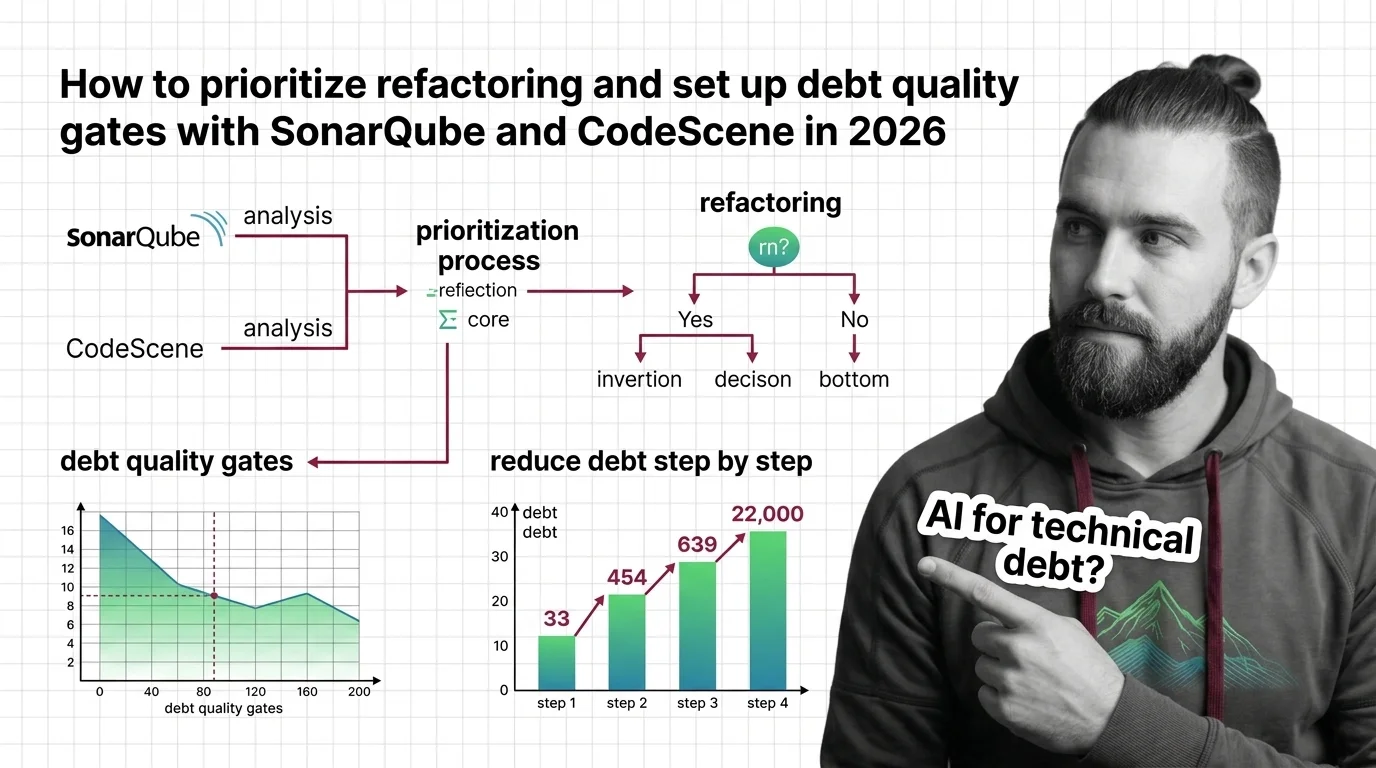
TL;DR
- Technical debt isn’t one number. Static analysis measures code quality; behavioral analysis tells you which debt actually costs you money.
- Prioritize by hotspot impact — refactor the low-health files you touch every week, not the worst-scoring files nobody opens.
- A quality gate only works when it guards new code. Block fresh debt at the merge; pay down old debt by ranked priority.
Your scanner reports 4,127 issues. The dashboard is a wall of red. Someone schedules a “refactoring sprint,” picks files at random, and burns two weeks polishing code that ships once a year. Meanwhile the payment module — the one three engineers fight every Monday — never gets touched. The tool measured everything and prioritized nothing.
Before You Start
You’ll need:
- SonarQube (Server or Cloud) for static quality measurement
- Codescene for behavioral analysis and hotspot ranking
- A CI/CD platform that supports pull-request decoration (GitHub, GitLab, Bitbucket, or Azure DevOps)
- Optional: Codeant AI or an AI coding assistant powered by Code LLMs to execute the refactors
- A working grasp of Static Code Analysis and what a Quality Gate does
This guide teaches you: how to separate measuring debt from prioritizing it, so your AI tools refactor what matters and your pipeline stops new debt at the door.
The 4,000-Issue Backlog Nobody Touches
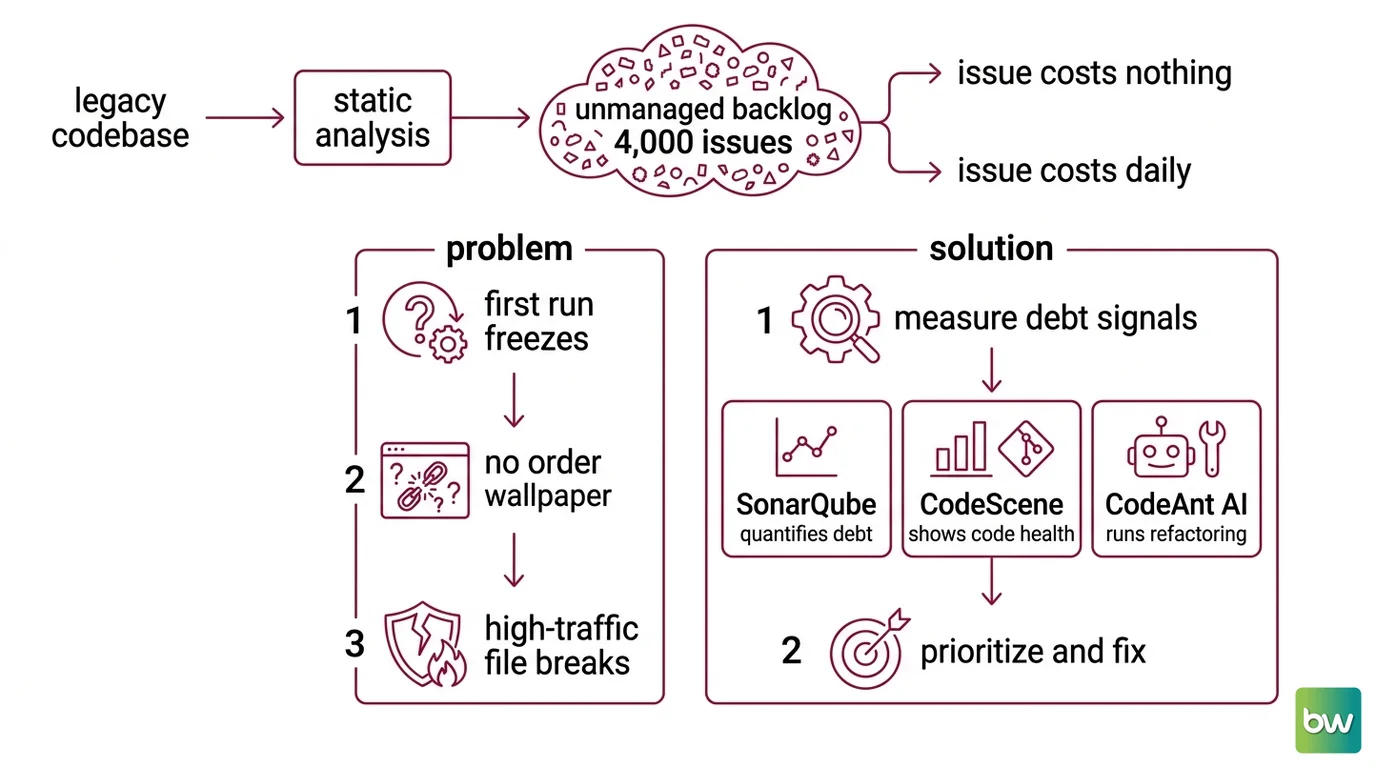
Here’s the failure I see in every legacy codebase. A team runs static analysis for the first time, gets a five-figure issue count, and freezes. The list has no order. Every issue looks equally urgent and equally ignorable, so the backlog becomes wallpaper.
The problem isn’t the tool. A raw issue count answers “where is the code ugly?” — but the question you need answered is “where is the ugly code hurting me?” One Code Smell buried in a file you edit twice a year costs you nothing. The same smell in a file you touch daily costs you on every commit.
It worked on Friday. On Monday, a one-line change to that daily-touched file broke three things downstream — because nobody could see it was both fragile and high-traffic until it was already on fire.
Step 1: Map What “Debt” Actually Means in Your Stack
Before you fix anything, decompose the measurement. “Technical debt” is not a single metric — it’s three different signals that answer three different questions. Treat them as separate layers or you’ll conflate “messy” with “expensive.”
Your debt-measurement system has these parts:
- Static quality (SonarQube) — measures intrinsic code properties: Cyclomatic Complexity, duplication, test coverage, and rule violations. SonarQube quantifies debt as estimated remediation time and rolls it into an A–E maintainability rating, a detail confirmed in SonarQube Docs. This answers how bad is the code?
- Behavioral health (CodeScene) — scores each file’s Code Health on a 1–10 scale (10 = highly maintainable), color-coded green/yellow/red across 25+ factors, per CodeScene. Then it overlays your Git history. This answers which bad code do you actually live in?
- Execution layer (CodeAnt AI / AI assistant) — reviews pull requests and runs the AI-Assisted Refactoring once you know what to fix. This answers who does the work?
The first two are not redundant. SonarQube tells you the code is unhealthy. CodeScene tells you whether that unhealthy code sits in your daily path.
The Architect’s Rule: If you can’t say which file costs you the most per change, you don’t have a refactoring plan — you have a cleanup wish list.
Step 2: Lock Down the Gate Contract
A quality gate is a set of conditions your code is measured against during analysis; it returns Passed or Failed, per SonarQube Docs. Before you wire anything into CI, specify exactly what the gate enforces — because a vague gate either blocks every merge or blocks nothing.
The single most important specification decision: the gate guards new code, not the whole repo. SonarQube evaluates both new-code and overall conditions on main and long-lived branches, but pull requests and short-lived branches apply only the new-code conditions (SonarQube Docs). That’s deliberate. You cannot hold a developer’s three-line PR hostage to a decade of inherited mess.
Context checklist — what your gate must specify:
- Scope: new code only on PRs. Overall conditions stay as a reporting metric, never a merge blocker.
- Thresholds: the default “Sonar way” gate on new code requires Reliability A, Security A, Maintainability A, all security hotspots reviewed, coverage at or above 80%, and duplication at or below 3% (SonarQube Docs). Start here. Adjust only with evidence.
- Decoration: PR decoration must post the gate status back to the merge request and fail the pipeline on a Failed result (SonarQube Docs).
- Behavioral guard: CodeScene runs automated code-health checks in PRs and CI, with the IDE acting as a local gate (CodeScene). Add a rule that fails the build if a change drops a file’s health.
- Debt policy: measure technical debt on new code only — don’t let the gate demand you repay the entire historical balance before merging a bugfix.
The Spec Test: If your gate evaluates the whole codebase on every PR, the first developer to touch a legacy file gets blocked by debt they didn’t write. They’ll disable the gate by Friday. Scope it to new code, or it won’t survive contact with the team.
Before you pin versions, know what changed in the 2025 platform — the old guidance you’ll find in blog posts is stale:
Version & migration notes (SonarQube Server 2025.x LTA):
- Clean Code model: Issue types are deprecated. Issues are now classified by Clean Code attributes and software qualities; type and severity are no longer editable in the UI. Rule-tuning guides written before 2025 no longer apply.
- “Sonar way” gate redefined: The default gate now uses a zero-issues-on-new-code condition. The previous gate is preserved as “Sonar way (legacy).” Any tutorial built around the old “technical debt ratio” gate is outdated — verify against the current definition before copying thresholds.
- Database requirement: PostgreSQL 11 and 12 are dropped; 13–17 are supported. Check your DB version before upgrading the server.
Step 3: Sequence the Rollout
Order matters. Wire the gate before you know your priorities and you’ll block merges on noise. Refactor before you measure and you’ll polish the wrong files.
Build order:
- Measure first — run SonarQube and CodeScene across the repo to establish a baseline. No gate yet. You’re collecting data, not enforcing rules. This is foundational and has no dependencies.
- Prioritize by hotspot impact — this is the step everyone skips. CodeScene’s Hotspot Analysis ranks files by change frequency combined with low health, so the most expensive refactoring targets surface first (CodeScene Docs). A low-health file inside a hotspot is where your money leaks. Depends on Step 1’s baseline data.
- Wire the new-code gate — now that you know your priorities, enforce the Step 2 contract in CI. PR decoration blocks merges that introduce fresh debt. Depends on a defined gate contract.
- Automate the refactors — point your AI tooling at the ranked list. CodeScene’s ACE auto-refactors specific patterns — Large Method, Deep Nested Logic, Bumpy Road, Complex Conditional, and Complex Method — for Java, JavaScript, TypeScript, JSX, TSX, and C#, with each result LLM-validated (CodeScene). Depends on a prioritized target list, or the AI refactors low-value files.
For each stage, your context must specify:
- What it receives — Git history, baseline scan, ranked hotspot list
- What it returns — a prioritized backlog, a configured gate, a verified refactor
- What it must NOT do — the gate must not block on legacy code; the AI must not refactor outside the ranked list
- How to handle failure — a dropped health score fails the PR; an unvalidated AI refactor never auto-merges
Step 4: Prove the Gate Blocks the Right Things
A gate you haven’t tested is a gate you’re trusting on faith. Verify it does what you specified — and only that.
Validation checklist:
- New debt is blocked — open a PR that adds a deliberately complex method. Failure looks like: the pipeline goes green and the merge button stays active.
- Legacy code is not blocked — open a trivial PR that touches an old, low-health file without adding debt. Failure looks like: the gate fails on pre-existing issues the PR didn’t introduce.
- Health regressions are caught — submit a change that lowers a file’s CodeScene health score. Failure looks like: the build passes despite the drop.
- The status reaches the reviewer — check that PR decoration posts Pass/Fail to the merge request itself. Failure looks like: the result lives only in the SonarQube dashboard, where no reviewer looks.
- AI refactors are validated — confirm no auto-refactor merges without passing the same gate. Failure looks like: a tool-generated change skips the check that human changes must pass.
Common Pitfalls
| What You Did | Why It Failed | The Fix |
|---|---|---|
| Sorted the backlog by issue count | Volume ≠ cost; you fixed cheap files | Rank by hotspot impact — change frequency × low health |
| Gated the whole repo on every PR | First dev to touch legacy code gets blocked | Scope the gate to new code only |
| Copied a pre-2025 “Sonar way” config | Old technical-debt-ratio gate is now legacy | Use the current zero-issues-on-new-code definition |
| Let the AI refactor unranked files | Tool polished low-traffic code | Feed it the prioritized hotspot list |
| Trusted AI refactors without re-gating | Tool-generated debt slipped through | Run auto-refactors through the same quality gate |
Pro Tip
Measurement and prioritization are different jobs — never let one masquerade as the other. Any analyzer can tell you code is bad. The expensive question is where bad code intersects your daily work, and that answer lives in your version-control history, not a static scan. This principle outlasts any specific tool: prioritize by the cost of carrying the debt, not its size.
Frequently Asked Questions
Q: How do you use AI to prioritize which technical debt to fix first? A: Combine behavioral analysis with health scoring: CodeScene’s hotspot analysis cross-references how often a file changes against its code health, surfacing the files where refactoring pays back fastest. Watch out for “god files” that score badly but rarely change — they look urgent and almost never are. Spend your AI refactoring budget on hotspots, not on the worst absolute score.
Q: How do you use SonarQube and CodeScene to track and reduce technical debt? A: Run them as two lenses. SonarQube quantifies debt as estimated remediation time and enforces ratings through a quality gate; CodeScene tracks code health on a 1–10 scale and flags hotspots. Track the SonarQube new-code rating to stop the bleeding, and use CodeScene trends to confirm your targeted refactors are actually lifting health where it counts — not just moving numbers in files nobody touches.
Q: How do you set up an AI technical debt quality gate in a CI/CD pipeline step by step? A: Measure a baseline, define a new-code-only gate (Sonar way defaults are a safe start), then enable PR decoration so a Failed gate blocks the merge and posts status to the pull request. Add a CodeScene check that fails when a change lowers file health. The non-obvious part: never gate on overall conditions in PRs, or legacy debt blocks unrelated work and the team disables the gate within a week.
Your Spec Artifact
By the end of this guide, you should have:
- A prioritized refactoring backlog ranked by hotspot impact, not raw issue count
- A gate contract specifying new-code scope, thresholds, decoration, and a health-regression rule
- A validation set of test PRs that prove the gate blocks new debt and ignores untouched legacy
Your Implementation Prompt
Drop this into your AI coding assistant (Claude Code, Cursor, or Codex) once you’ve run your baseline scans. It encodes the decomposition from this guide — fill the brackets with your own values.
You are setting up a technical-debt quality gate for my CI/CD pipeline.
Follow this exact structure.

LAYER 1 — MEASURE (baseline, no enforcement)
- Static source: SonarQube [Server | Cloud], project key [your-project-key]
- Behavioral source: CodeScene analysis of repo [repo-url]
- Output: a baseline report. Do NOT add any gate yet.

LAYER 2 — PRIORITIZE
- Rank refactoring targets by hotspot impact = change frequency × low code health.
- Exclude files below [change-frequency threshold] commits in [time window].
- Return the top [N] hotspots only.

LAYER 3 — GATE CONTRACT (new code ONLY)
- Scope: new-code conditions on pull requests; overall = reporting only.
- Thresholds: Reliability [A], Security [A], Maintainability [A],
  coverage ≥ [80]%, duplication ≤ [3]%, all security hotspots reviewed.
- Decoration: post Pass/Fail to the PR and fail the pipeline on Failed.
- Health rule: fail the build if a change lowers a file's CodeScene health.

LAYER 4 — VALIDATE
- Generate test PRs that: (a) add new debt [expect block],
  (b) touch legacy code without new debt [expect pass],
  (c) lower a file's health score [expect block].
- Confirm no AI-generated refactor merges without passing this gate.

Constraints: never gate PRs on overall/legacy conditions. Never auto-merge
an unvalidated refactor.
Ship It
You now have a mental model that separates the two questions every debt program confuses: how bad is the code and where is bad code costing me. Measure with both lenses, prioritize by the cost of carrying the debt, and gate only what’s new. Do that and your backlog stops being wallpaper and starts being a plan.
AI-assisted content, human-reviewed. Images AI-generated. Editorial Standards · Our Editors