How to Deploy Continuous Batching with vLLM, TensorRT-LLM, and SGLang in 2026
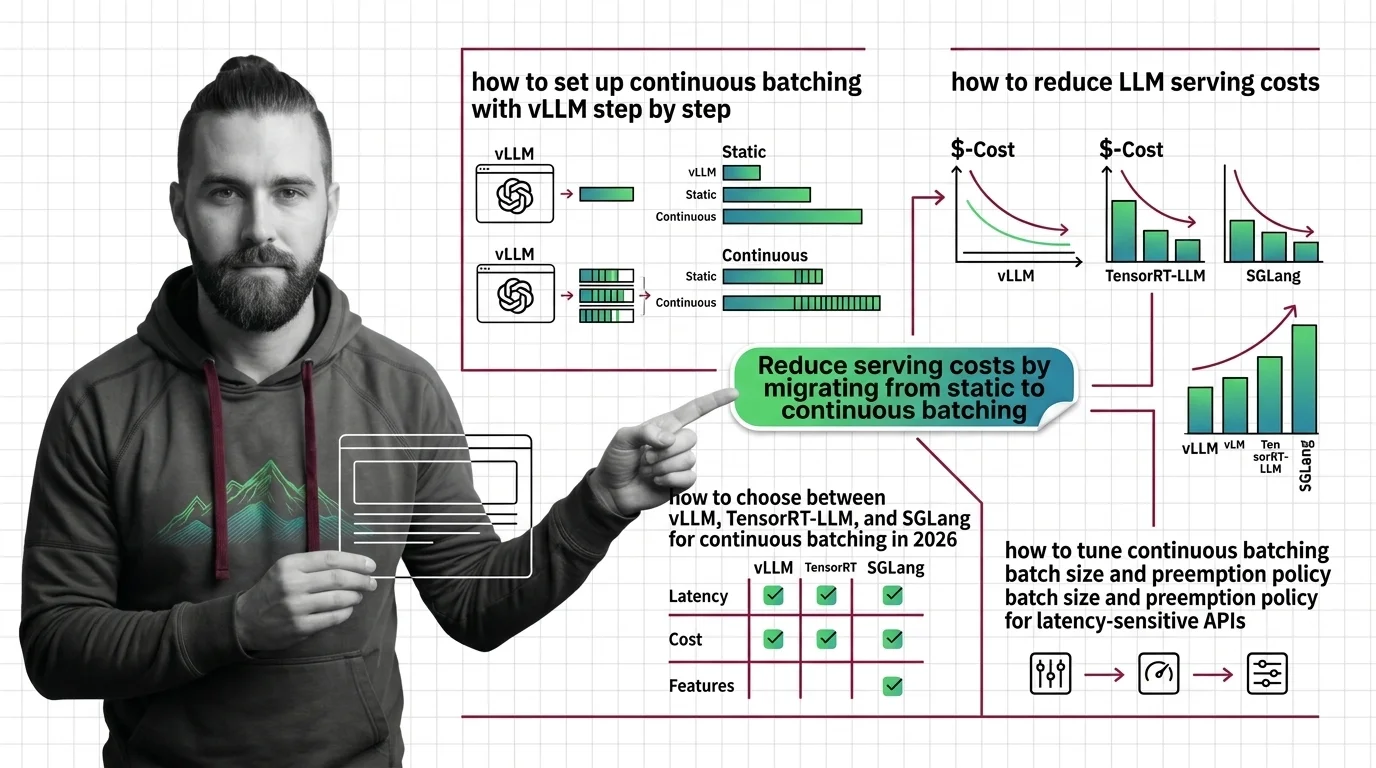
Table of Contents
TL;DR
- Continuous batching replaces pad-and-wait static batching with per-token scheduling — pick the engine that matches your latency and throughput constraints
- vLLM, TensorRT-LLM, and SGLang handle batching differently under the hood — engine choice depends on cold start tolerance, GPU vendor, and workload shape
- Specify max_num_seqs, memory fraction, and preemption policy before deployment — defaults optimize for throughput, not your SLA
You spun up vLLM with default settings. Throughput looked fine in testing. Then production traffic hit, tail latency spiked past your SLA, and the on-call engineer spent three hours discovering that the batch ceiling was flooding the KV cache. The engine was doing exactly what it was configured to do. Which was not what you needed.
Before You Start
You’ll need:
- One of the three engines installed: vLLM, TensorRT-LLM, or SGLang
- A clear understanding of Continuous Batching vs Static Batching — and why the difference matters for GPU Utilization
- Your latency SLA and throughput target. Actual numbers, not “as fast as possible”
This guide teaches you: how to decompose the engine selection and parameter specification problem so you deploy the right engine with the right config on the first attempt.
The Defaults That Blow Your Latency Budget
Here is what happens when you skip parameter specification.
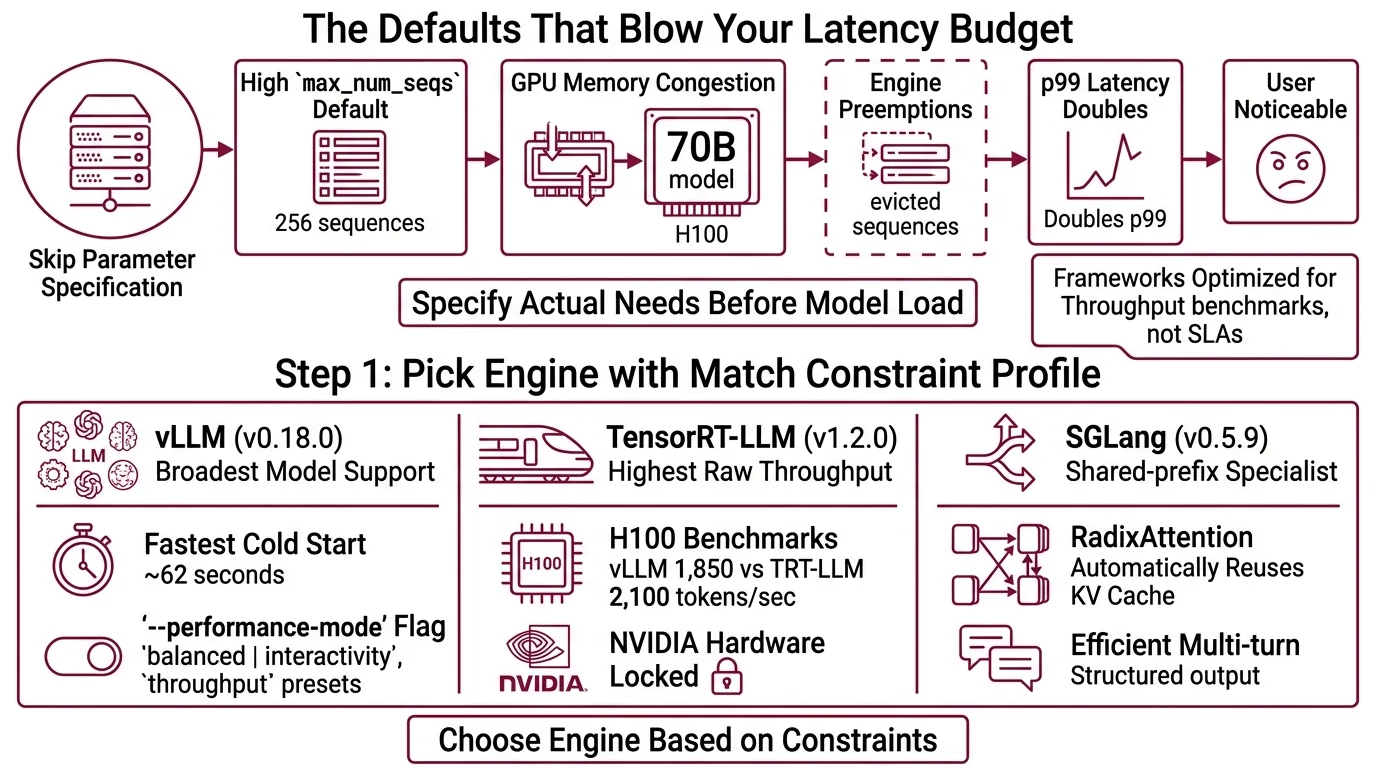
vLLM ships with max_num_seqs set to 256 (vLLM Docs). That means up to 256 sequences share your GPU memory simultaneously. For a 70B model on a single H100, that is aggressive. The engine starts preempting — evicting partially computed sequences to make room for new ones. Your p99 latency doubles. Your users notice.
Text Generation Inference and other serving frameworks have similar defaults tuned for throughput benchmarks, not production SLAs. Every engine assumes you want maximum throughput unless you tell it otherwise.
The fix is not “try lower numbers until it stops crashing.” The fix is specifying what you actually need before the engine loads a model.
Step 1: Pick the Engine That Matches Your Constraint Profile
Not every engine fits every workload. The choice is not about which one is “best.” It is about which constraints matter most to you.
Three engines. Three trade-off profiles.
vLLM (v0.18.0) — the ecosystem default. Broadest model support, fastest cold start (~62 seconds), largest community. If you need flexibility and fast iteration, start here. The --performance-mode flag introduced in v0.17.0 lets you switch between balanced, interactivity, and throughput presets — though production reports on this feature are still limited (vLLM GitHub).
TensorRT-LLM (v1.2.0) — NVIDIA’s optimized path. Highest raw throughput at high concurrency. In H100 benchmarks running Llama 3.3 70B FP8 at 50 concurrent requests, it pushed 2,100 tokens per second compared to vLLM’s 1,850 (Spheron). The cost: ~28-minute cold start for first engine compilation, and you are locked to NVIDIA hardware. NVIDIA calls their implementation “in-flight batching” — same concept, different label (NVIDIA TRT-LLM Docs).
SGLang (v0.5.9) — the shared-prefix specialist. RadixAttention automatically reuses KV cache entries across requests that share prompt prefixes, with LRU eviction and zero manual configuration (Inference.net). If your workload is RAG or multi-turn chat with repeated system prompts, SGLang’s automatic cache sharing is the differentiator.
Decision filter:
| Constraint | vLLM | TensorRT-LLM | SGLang |
|---|---|---|---|
| Cold start < 2 min | Yes (~62s) | No (~28 min first) | Yes (~58s) |
| Non-NVIDIA GPUs | Yes | No | Yes |
| Shared-prefix workloads | Manual | Manual | Automatic (RadixAttention) |
| Max throughput (NVIDIA) | Good | Best | Good |
| Community & model breadth | Broadest | NVIDIA models | Growing |
The Architect’s Rule: If you cannot name which row in this table decided your engine choice, you picked based on a blog post. Go back.
Step 2: Lock the Memory and Batch Parameters
This is where deployments succeed or fail. Every parameter you leave at default is a parameter tuned for a benchmark, not your workload.
For vLLM — three parameters that matter:
gpu_memory_utilization: defaults to 0.9 (vLLM Docs). Leave it unless you run sidecar processes on the same GPU. Lower to 0.85 if you see OOM during traffic spikes.max_num_seqs: defaults to 256. For latency-sensitive APIs, drop to 64–128. For batch Inference pipelines, 256 is reasonable.max_num_batched_tokens: set above 8,192 for throughput workloads. Drop to ~2,048 when inter-token latency matters more than total throughput (vLLM Docs).
For TensorRT-LLM — the API has changed:
The legacy batch_manager API is deprecated. Use the C++ executor API with SchedulerConfig instead (NVIDIA TRT-LLM Docs). The default backend is now PyTorch, promoted from the TRT engine path in v1.x. If you are following a 2024 tutorial, the API surface has shifted underneath you.
For SGLang — memory and chunking:
mem_fraction_static: defaults to 0.9. Lower to 0.7–0.8 if you hit OOM under load (Inference.net).chunked_prefill_size: 4,096 is the recommended starting point. Drop to 2,048 for severe memory pressure.max_running_requests: reduce to 128 if decode-phase OOM occurs.
The Spec Test: If your deployment config does not specify at least the memory fraction and batch ceiling, you are running on someone else’s assumptions about what “good enough” means.
Step 3: Sequence the Deployment Pipeline
Order matters. Deploying an engine before specifying its parameters is like compiling before writing the spec — you will iterate more than you need to.
Build order:
- Parameter specification first — write the config file with your values from Step 2 before loading any model. Document why each parameter deviates from default.
- Single-request validation second — confirm the engine loads, serves one request, and returns a correctly formatted response. This catches model compatibility issues before concurrency enters the picture.
- Load test third — ramp concurrent requests to your expected peak. Watch for preemption events (vLLM logs them), KV cache eviction rates, and p99 latency divergence from p50.
For each engine, your config must specify:
- What the max concurrent sequences are (inputs)
- What the memory ceiling is (resource constraint)
- What happens when memory runs out — preempt or reject (failure mode)
- How Quantization affects available memory headroom (dependency)
vLLM’s V1 architecture uses RECOMPUTE as the default preemption mode — meaning evicted sequences are recomputed from scratch rather than swapped to CPU (vLLM Docs). Faster for short sequences. Expensive for long ones. If your average output exceeds 1,000 tokens, benchmark SWAP mode explicitly.
Step 4: Prove It Holds Under Your Traffic Shape
Do not validate with synthetic uniform load. Production traffic is bursty, variable-length, and impolite.
Validation checklist:
- p99 latency under burst — send 3x your average QPS for 30 seconds. If p99 exceeds your SLA, reduce max_num_seqs or add GPU capacity. Failure looks like: latency spike with no error, because the engine preempts silently.
- Memory stability over time — run for one hour at sustained load. Watch for memory drift. Failure looks like: gradual throughput degradation as fragmented KV cache accumulates.
- Cold restart recovery — kill the process and time the reload. TensorRT-LLM takes ~90 seconds on reload after the initial ~28-minute compilation. vLLM and SGLang recover in about a minute (Spheron). Failure looks like: an availability gap you did not budget for.
- Temperature And Sampling consistency — verify that sampling parameters produce the expected output distribution across batch sizes. Batching can subtly change outputs if the engine reorders sequences.
Security & compatibility notes:
- vLLM V0 Engine (Deprecated): V0 code removal started in v0.10. Only the V1 architecture is supported. Update any V0-era configs and scripts before deploying.
- TensorRT-LLM batch_manager API (Deprecated): Replaced by C++ executor API with SchedulerConfig. Old tutorials referencing batch_manager will not work on v1.x.
- TensorRT-LLM Pickle IPC (CVE-2025-23254, CVSS 8.8): Insecure pickle deserialization in versions below 0.18.2. Current v1.2.0 is patched. Pin to v0.18.2+ if running older builds.
- SGLang Gateway v0.3.0 (Metrics Overhaul): Workers now use UUIDs instead of endpoints. Update Prometheus dashboards and alerting configs after upgrading.
Common Pitfalls
| What You Did | Why It Failed | The Fix |
|---|---|---|
| Deployed with default max_num_seqs=256 | KV cache pressure caused silent preemption spikes | Profile your workload, set batch ceiling to match your latency SLA |
| Picked TensorRT-LLM for a dev environment | 28-minute cold start killed iteration speed | Use vLLM or SGLang for dev; reserve TRT-LLM for production throughput |
| Followed a 2024 TensorRT-LLM tutorial | batch_manager API is deprecated; executor API has different semantics | Use SchedulerConfig with the C++ executor API |
| Left SGLang mem_fraction_static at 0.9 | OOM under traffic spikes with no headroom | Lower to 0.7–0.8, then tune upward from a stable baseline |
Pro Tip
Treat your engine config like an API contract. Version it. Review changes. Deploy it separately from your model weights. When your next latency incident happens — and it will — the first question is always “what changed in the config?” If the answer is “I don’t know,” you have already lost the first hour of the investigation.
Frequently Asked Questions
Q: How to set up continuous batching with vLLM step by step?
A: Install vLLM, write a config specifying max_num_seqs, gpu_memory_utilization, and max_num_batched_tokens for your workload. Load the model, validate a single request, then ramp concurrency. Edge case: the --performance-mode interactivity flag lowers batch ceilings automatically but disables throughput optimizations for offline pipelines.
Q: How to reduce LLM serving costs by migrating from static to continuous batching? A: Replace your fixed-batch serving loop with a continuous batching engine. The savings come from eliminating padding waste — static batching pads every sequence to the longest, burning GPU cycles on empty tokens. Your actual gain depends on sequence length variance in your traffic. Watch for: memory config mismatches that silently increase preemption under mixed-length workloads.
Q: How to choose between vLLM, TensorRT-LLM, and SGLang for continuous batching in 2026? A: Run the constraint filter from Step 1: cold start tolerance, GPU vendor, workload shape. vLLM for flexibility. TensorRT-LLM for peak NVIDIA throughput when cold start is acceptable. SGLang for shared-prefix workloads. On AMD or multi-vendor hardware, TensorRT-LLM is off the table — that single constraint often decides it.
Q: How to tune continuous batching batch size and preemption policy for latency-sensitive APIs? A: Start max_num_seqs at 64, measure p99 under real traffic, increase only within SLA. vLLM V1 defaults to RECOMPUTE — fast for short outputs, expensive for long ones. If median output exceeds 1,000 tokens, benchmark SWAP mode. One thing to watch: preemption events do not throw errors by default, so instrument logging explicitly.
Your Spec Artifact
By the end of this guide, you should have:
- Engine decision record — which engine you chose and which constraint row made the decision
- Parameter specification — max_num_seqs, memory fraction, preemption mode, and batch token ceiling, with rationale for each value
- Validation criteria — p99 latency target, memory stability window, and cold restart time budget
Your Implementation Prompt
Paste this into Claude Code, Cursor, or your AI coding tool after filling in the bracketed values. It encodes the decision framework from Steps 1–4 into a deployment specification your tool can execute against.
You are deploying an LLM inference engine with continuous batching. Generate the deployment configuration and validation suite based on these constraints:

ENGINE: [vLLM | TensorRT-LLM | SGLang]
MODEL: [model name and size, e.g., Llama 3.3 70B FP8]
GPU: [GPU type and count, e.g., 1x H100 80GB]

PARAMETERS:
- max_num_seqs: [your batch ceiling from Step 2, e.g., 64]
- gpu_memory_utilization / mem_fraction_static: [your memory fraction, e.g., 0.85]
- max_num_batched_tokens / chunked_prefill_size: [your token ceiling, e.g., 4096]
- preemption_mode: [RECOMPUTE | SWAP — state your rationale]
- quantization: [FP16 | FP8 | INT8 | none]

SLA CONSTRAINTS:
- p99 latency target: [e.g., 500ms]
- target throughput: [e.g., 1000 tok/s]
- cold restart budget: [e.g., 120 seconds]
- availability target: [e.g., 99.9%]

Generate:
1. Engine config file with the specified parameters and inline comments explaining each value
2. A load test script that ramps to [3x your average QPS] for 30 seconds and reports p50, p90, p99 latency
3. A memory stability check that runs for [1 hour] and alerts if throughput drops more than [10%] from baseline
4. A cold restart test that kills and restarts the engine, measuring recovery time against the restart budget
Ship It
You now have a deployment framework that separates engine selection from parameter tuning from validation. The next time someone asks “which inference engine should we use?” — you do not answer with an engine name. You answer with three questions: what is your latency SLA, what is your cold start budget, and do your requests share prefixes? The engine picks itself.
AI-assisted content, human-reviewed. Images AI-generated. Editorial Standards · Our Editors