How to Build and Fine-Tune Transformer Models with Hugging Face and PyTorch in 2026
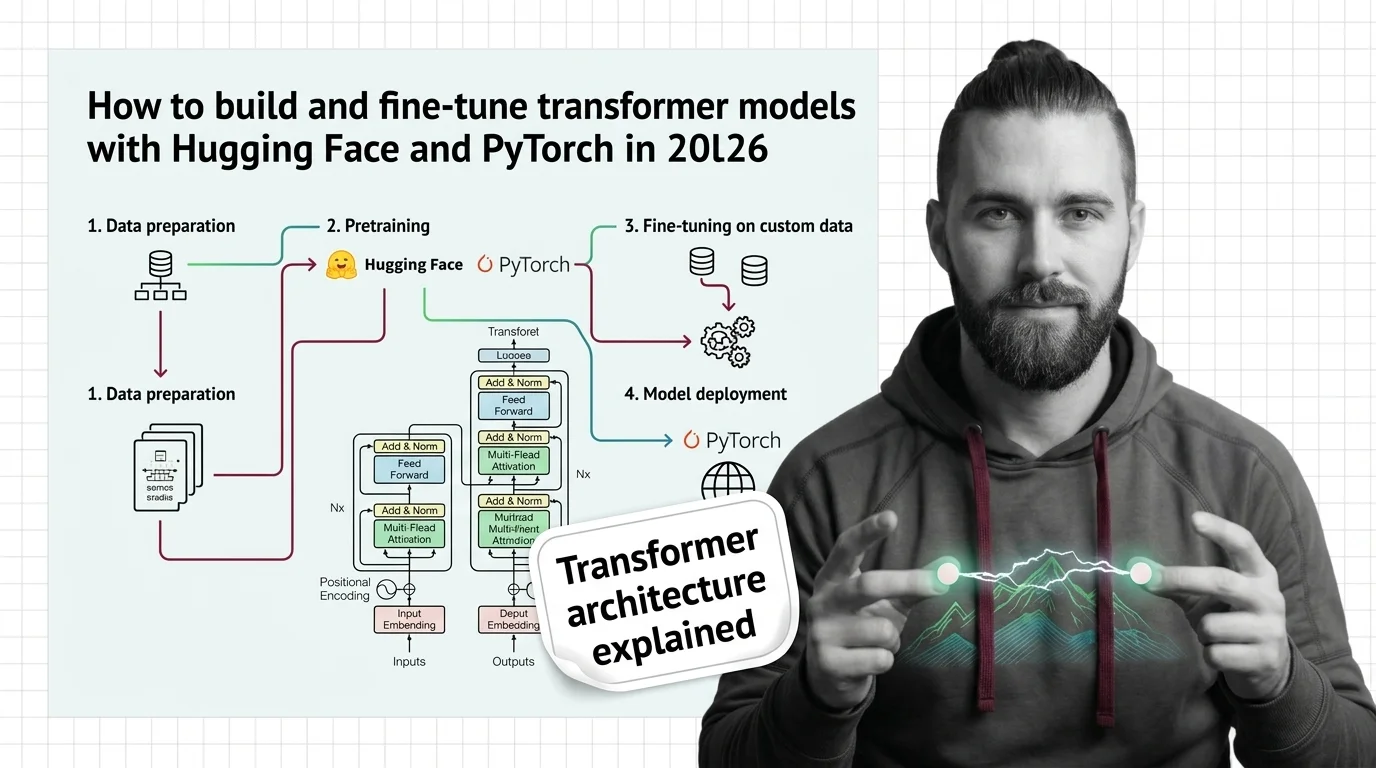
Table of Contents
TL;DR
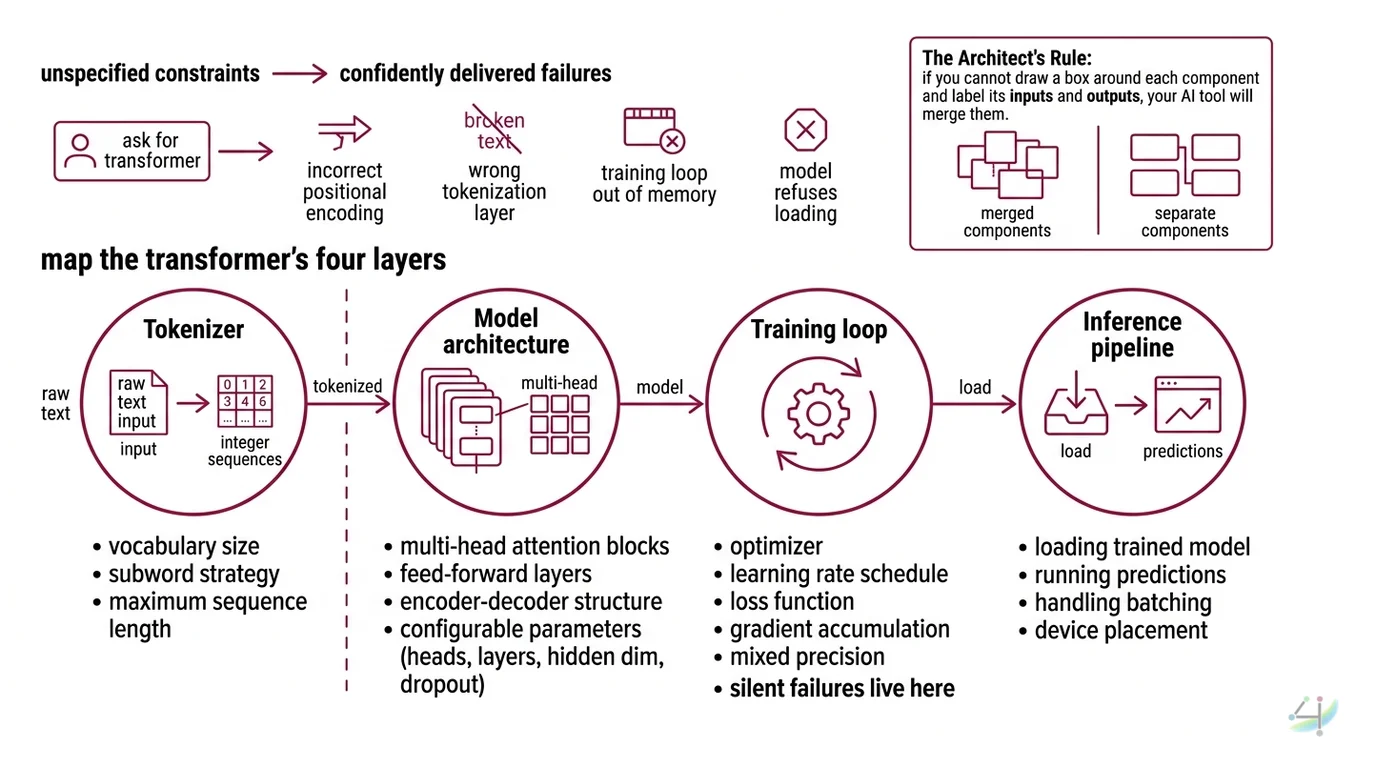
- Decompose the transformer into four layers — tokenizer, model architecture, training loop, inference — and specify each one separately
- Lock your stack versions before the AI invents them: PyTorch 2.10, Hugging Face Transformers v5, Python 3.10+
- Validate outputs against loss curves and token-level predictions, not vibes
You typed “build me a transformer model” into your AI coding tool last Tuesday. It generated something. Looked like PyTorch. Had attention heads. It also imported tensorflow.keras alongside torch.nn in the same file. The model compiled, but the loss curve flatlined at epoch two, and the tokenizer was encoding text with a vocabulary it invented. The spec was the problem. It always is.
Before You Start
You’ll need:
- An AI coding tool: Claude Code, Cursor, or Codex
- Understanding of Transformer Architecture fundamentals — what attention does, why position matters
- A dataset you want to fine-tune on (text classification, summarization, or translation)
- Python 3.10+ installed
This guide teaches you: how to decompose a transformer pipeline into specifiable components so your AI tool generates working code instead of confident fiction.
The “Build Me a Transformer” Disaster
Here is what happens when you skip the spec.
You ask the AI for a transformer model. It gives you one. The Attention Mechanism looks right. The forward pass compiles. You feel good for about forty seconds.
Then you check the Positional Encoding and discover it is using learned embeddings when your sequence length requires sinusoidal. The Tokenization layer is using a character-level tokenizer on a corpus that needs subword. The training loop has no gradient accumulation, so your 8GB GPU runs out of memory on batch three.
It worked on Friday. On Monday, you updated PyTorch and the model refused to load because torch.load changed its default behavior for security reasons.
Three components. Three unspecified constraints. Three failures the AI delivered with absolute confidence.
Step 1: Map the Transformer’s Four Layers
Before you tell the AI to build anything, you need to know what you are building. A transformer architecture is not one thing. It is four things wired together, and the AI needs to know the boundary between each one.
Your system has these parts:
- Tokenizer — converts raw text into integer sequences. Determines vocabulary size, subword strategy, and maximum sequence length. This is a separate concern from the model itself.
- Model architecture — the Multi Head Attention blocks, feed-forward layers, and Encoder Decoder structure. Configurable: number of heads, number of layers, hidden dimension, dropout.
- Training loop — optimizer, learning rate schedule, loss function, gradient accumulation, mixed precision. This is where most silent failures live.
- Inference pipeline — loading the trained model, running predictions, handling batching and device placement.
The Architect’s Rule: If you cannot draw a box around each component and label its inputs and outputs, your AI tool will merge them. Merged components mean merged bugs.
Step 2: Lock the Stack Before the AI Invents One
This is the step everyone skips. This is the step that generates the hallucinated imports.
Your AI tool does not know what version of PyTorch you have. It does not know if you are using Hugging Face Transformers v4 or v5. It does not know if you want TensorFlow. Without version constraints, it will default to its training data, and its training data includes every framework version from the last four years.
Hugging Face Transformers v5 is PyTorch-only — TensorFlow and Flax support was removed entirely (HF Blog). If your AI generates TensorFlow imports alongside Transformers v5, it is writing code that cannot run. That is not a bug in the model. That is a missing constraint in your spec.
Context checklist:
- Framework: PyTorch 2.10.0 (PyPI)
- Library: Hugging Face Transformers v5 — minor versions release weekly, so pin the exact minor version you have installed
- Python version: 3.10+
- Hardware: GPU model and VRAM (determines batch size, mixed precision strategy)
- Task type: classification, generation, sequence-to-sequence
- Fine Tuning approach: full fine-tune, LoRA, or frozen backbone
- Dataset format: CSV, JSON, or Hugging Face Datasets
The Spec Test: If your context does not specify PyTorch vs. TensorFlow, the AI will pick one for you. You will not like its choice.
Step 3: Wire the Components in Dependency Order
Order matters. Your tokenizer defines the vocabulary size. Your vocabulary size defines the Embedding layer dimensions. Your embedding dimensions propagate through every attention head. Get the order wrong, and the AI will generate components that do not fit together.
Build order:
- Tokenizer first — because everything downstream depends on its vocabulary size and sequence length. For Hugging Face, this means picking
AutoTokenizerand specifyingmax_lengthandpaddingstrategy. - Model architecture second — because it depends on the tokenizer’s vocabulary for its embedding layer. Use
torch.nn.Transformerfor from-scratch builds (PyTorch Docs), orAutoModelForSequenceClassificationfor fine-tuning pretrained checkpoints. - Training loop third — because it depends on the model’s parameter count for optimizer configuration. The Hugging Face
TrainerAPI handles mixed-precision training, gradient accumulation, and checkpointing (HF Docs). Specify all of it. - Inference pipeline last — because it depends on the trained model artifacts.
For each component, your context must specify:
- What it receives (inputs) — raw text, tokenized tensors, loss values
- What it returns (outputs) — token IDs, logits, predictions
- What it must NOT do (constraints) — no dynamic padding without specifying pad token, no
torch.loadwithweights_only=False - How to handle failure (error cases) — CUDA out-of-memory fallback, checkpoint corruption recovery
Step 4: Prove the Model Is Not Just Confident Noise
Your model compiled. Loss went down. You feel accomplished.
Not so fast.
A loss curve that decreases does not mean the model learned anything useful. It means the optimizer found a lower point. That point might be memorization. It might be a collapsed representation where the model predicts the majority class for every input.
Validation checklist:
- Training loss converges — failure looks like: loss oscillates wildly or flatlines above baseline. Cause: learning rate too high, or batch size too small for gradient estimation.
- Validation loss tracks training loss — failure looks like: training loss drops, validation loss rises after epoch three. Cause: overfitting, need regularization or more data.
- Token-level outputs make sense — failure looks like: model generates repeated tokens or degenerate sequences. Cause: temperature not specified, or top-k/top-p sampling missing from inference spec.
- Model loads on a fresh environment — failure looks like:
ModuleNotFoundErroror shape mismatch on load. Cause: version mismatch between training and inference environments.
Security & compatibility notes:
- PyTorch RCE (CVSS 9.3): Critical remote code execution vulnerability (CVE-2025-32434) in
torch.loadwithweights_only=Falseon versions below 2.6.0. The default is nowweights_only=Truein current releases. Fix: use PyTorch 2.6.0+ and never setweights_only=Falseon untrusted checkpoints (Kaspersky).- HF Transformers v5 breaking changes: TensorFlow and Flax removed entirely.
TRANSFORMERS_CACHEenv var removed — useHF_HOME. Tokenizer “fast/slow” distinction removed. TorchScript andtorch.fxtracing dropped. Ensure your spec explicitly targets v5 conventions.
Common Pitfalls
| What You Did | Why AI Failed | The Fix |
|---|---|---|
| “Build me a transformer” with no stack version | AI mixed PyTorch and TensorFlow imports | Specify framework and version in the first line of context |
| No tokenizer spec | AI defaulted to character-level tokenizer for a subword task | Specify tokenizer class, vocabulary, and max sequence length |
| Skipped mixed precision config | Training ran out of GPU memory on batch four | Specify bf16/fp16 and gradient accumulation steps |
| No validation loop | Model overfits silently, no one notices until production | Specify eval strategy and early stopping criteria |
Used torch.load defaults from old tutorials | Potential remote code execution on untrusted checkpoints | Specify weights_only=True and pin PyTorch 2.6.0+ |
Pro Tip
Every transformer specification is really three documents pretending to be one: a data contract (what goes in), an architecture contract (what transforms it), and a validation contract (what proves it worked). When your AI generates garbage, check which contract is missing. Nine times out of ten, it is the data contract. The tokenizer spec. The input shape. The thing everyone skips because it feels obvious.
It is not obvious to the AI.
Frequently Asked Questions
Q: How to build a transformer model from scratch in PyTorch?
A: Use torch.nn.Transformer — a configurable encoder-decoder with adjustable heads and layers. Your AI tool needs: hidden dimension, number of heads (must divide hidden dimension evenly), feed-forward dimension, and dropout. Skip the positional encoding scheme and the AI picks wrong.
Q: How to use Hugging Face Transformers library for NLP tasks in 2026?
A: Start with AutoModel and AutoTokenizer for your task type. The library supports over 400 architectures on the Hub (HF Blog). Pin your version explicitly. It is PyTorch-only now, so TensorFlow references in your context will generate dead code.
Q: How to fine-tune a pretrained transformer model on custom data?
A: Specify the pretrained checkpoint, dataset format, label column, and Trainer config: learning rate, batch size, epochs, eval strategy. The biggest spec gap: not specifying the loss function. A mismatched model head means the loss computes but gradients point nowhere useful.
Your Spec Artifact
By the end of this guide, you should have:
- A component map — four boxes (tokenizer, model, training, inference) with labeled inputs, outputs, and constraints for each
- A version-locked stack spec — PyTorch version, Transformers version, Python version, GPU hardware, task type, fine-tuning approach
- A validation checklist — training convergence criteria, validation tracking thresholds, output sanity checks, environment portability test
Your Implementation Prompt
Copy this into Claude Code, Cursor, or your AI coding tool. Replace every bracketed placeholder with your specific values from the component map and stack spec above.
Build a transformer-based [TASK TYPE: classification | generation | seq2seq] pipeline with these constraints:

STACK:
- Python [YOUR VERSION, e.g. 3.11]
- PyTorch [YOUR VERSION, e.g. 2.10.0]
- Hugging Face Transformers [YOUR VERSION, e.g. 5.3.0]
- Hardware: [YOUR GPU, e.g. RTX 4090 24GB VRAM]

TOKENIZER:
- Base: [TOKENIZER NAME, e.g. AutoTokenizer from "bert-base-uncased"]
- Max sequence length: [YOUR MAX LENGTH, e.g. 512]
- Padding strategy: [max_length | longest]
- Truncation: True

MODEL:
- Architecture: [FROM SCRATCH: torch.nn.Transformer | FINE-TUNE: AutoModelFor{TaskType} from "checkpoint-name"]
- If from scratch: hidden_dim=[VALUE], num_heads=[VALUE], num_layers=[VALUE], ff_dim=[VALUE], dropout=[VALUE]
- If fine-tune: freeze backbone = [True | False], LoRA = [True | False]

TRAINING:
- Optimizer: AdamW, lr=[YOUR LR, e.g. 2e-5]
- Batch size: [YOUR BATCH SIZE] with gradient_accumulation_steps=[VALUE]
- Mixed precision: [bf16 | fp16 | none]
- Epochs: [VALUE] with eval_strategy="epoch"
- Early stopping: patience=[VALUE]
- Checkpointing: save_strategy="epoch", save_total_limit=[VALUE]
- Dataset: [FORMAT, e.g. CSV] at [PATH], text_column="[NAME]", label_column="[NAME]"

INFERENCE:
- Load with torch.load using weights_only=True
- Device placement: [cuda | cpu | auto]
- Batch inference: [True | False]

VALIDATION:
- Plot training vs validation loss per epoch
- Report per-class precision, recall, F1
- Test model loading in a clean virtual environment
- Verify output token sequences are non-degenerate (no single-token repetition)

Do NOT use TensorFlow or Flax imports. Do NOT use TRANSFORMERS_CACHE — use HF_HOME for cache paths.
Ship It
You now have a decomposition framework for transformer pipelines. Four layers. Each one specified before the AI touches it. Each one validated after.
The next time you tell your AI tool to build a transformer, it will not have to guess your stack, your tokenizer, your training config, or your validation criteria. It will build what you specified. And when something breaks, you will know exactly which contract it violated.
AI-assisted content, human-reviewed. Images AI-generated. Editorial Standards · Our Editors