How to Build an AI Video Editing Pipeline: Removal, Restyling, Lip Sync with Runway and Pika
TL;DR
- Pin a model version before you call anything — Runway’s Gen-4 Aleph API sunsets July 30, 2026, and any pipeline still calling it breaks that day.
- Decompose the work into three independent stages — edit, voice, polish — each with its own API contract, its own cost unit, and its own failure mode.
- Lip-sync precision is a spec decision, not a tool default. Native Pikaformance, Sync Labs, and HeyGen price and perform differently per second of audio.
A pipeline that removed a logo from a product video on Tuesday started returning warped faces by Thursday. Nothing in the code had changed. The team was calling Runway’s editing endpoint by a model ID that quietly stopped behaving the way it used to, and nobody had pinned a version. The fix wasn’t a new prompt — it was a spec naming exactly which model, which resolution, and which lip-sync provider the pipeline was allowed to call.
Before You Start
You’ll need:
- API access to an AI video editing tool — this guide specs against Runway and Pika
- Understanding of Video Diffusion Model — the generative engine underneath every edit and sync call
- A deliverable list: which shots need In Context Video Editing versus which need lip sync
This guide teaches you: how to decompose an AI Video Editing pipeline into independent stages, so a vendor’s model swap or sunset deadline breaks one stage instead of the whole production line.
Scope note: this guide edits existing footage. A Text-to-3D pipeline — generating new geometry from a prompt — needs a different decomposition entirely.
The One-Call Pipeline That Can’t Survive a Vendor Change
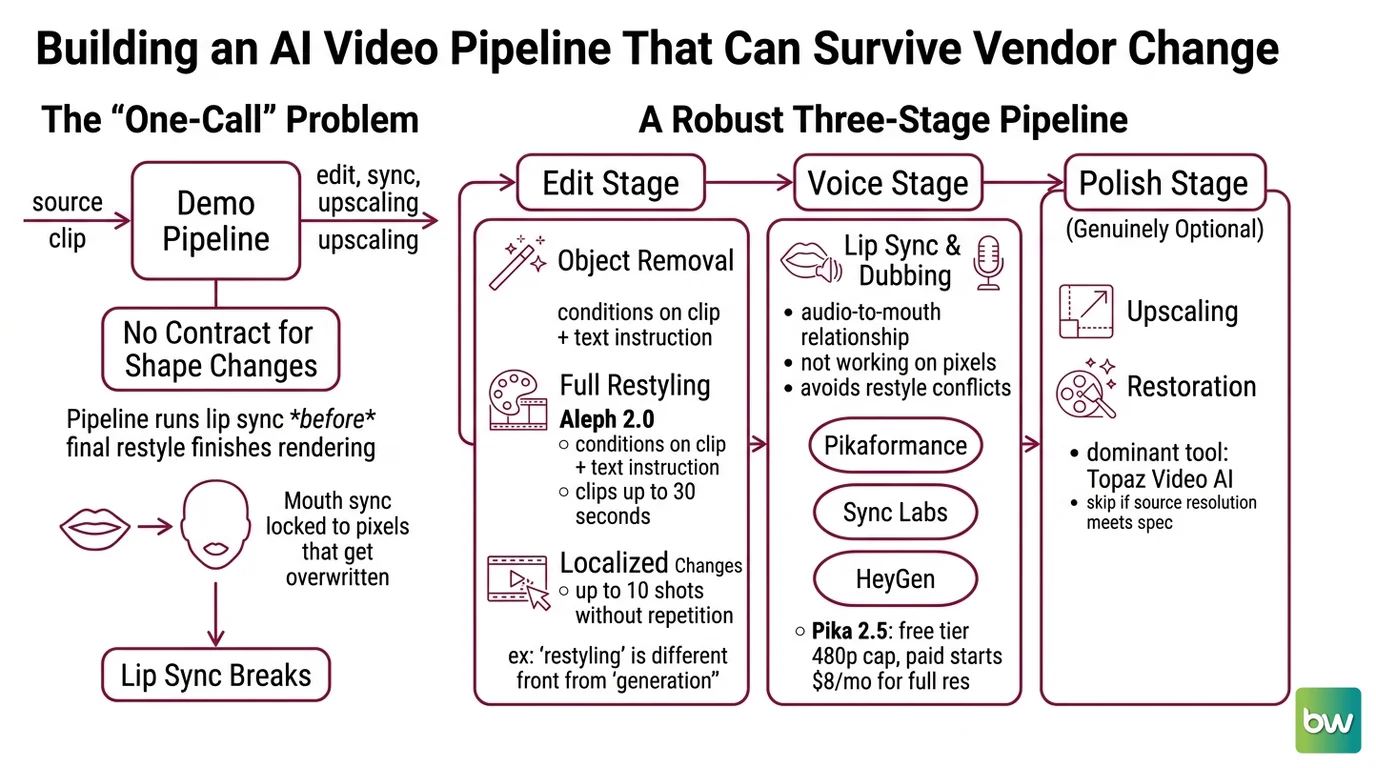
Most teams build their first AI video pipeline as a single call: send the clip, get an edit back. That works for a demo reel. It stops working once a deliverable needs three separate things — object removal from one model, lip sync from a second, upscaling from a third — because a one-call pipeline has no contract for a shape change in any of the three.
One dubbing pipeline ran lip sync before the final restyle finished rendering, locking synced mouth shapes to pixels the next stage then overwrote. The output played fine. The mouth just stopped matching the face.
Step 1: Map the Edit, Voice, and Polish Stages
An AI video editing pipeline isn’t one tool wearing three hats. It’s three independent stages, and each one fails differently. Treat them as separate concerns and a problem in one stays contained instead of cascading through the render.
Your pipeline has these parts:
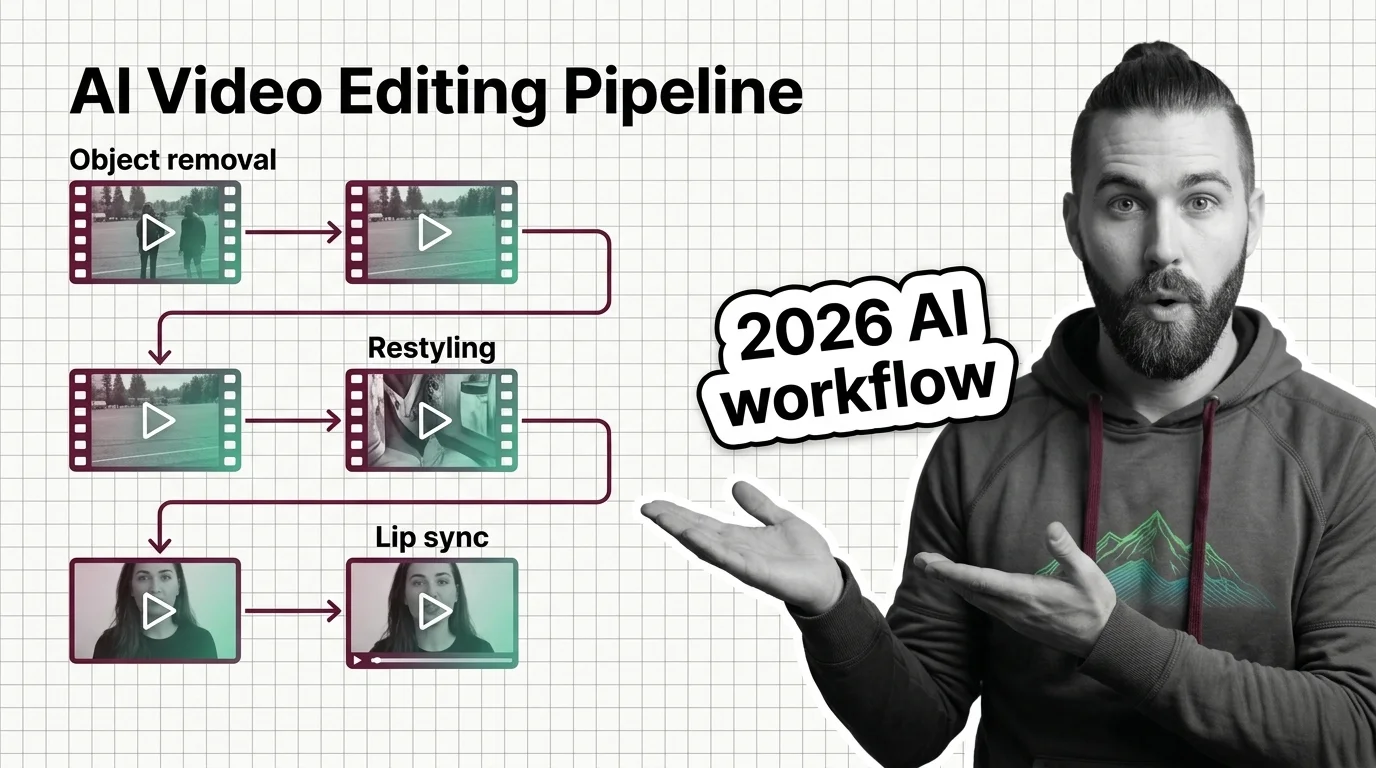
- Edit — object removal, full restyling, and localized changes to footage you already shot. Runway’s Aleph 2.0 conditions on the source clip plus a text instruction, editing clips up to 30 seconds at 1080p across as many as ten shots without per-shot repetition (Runway Blog).
- Voice — lip sync and dubbing, a separate concern since it works on the audio-to-mouth-shape relationship, not the pixels. Pika’s Pikaformance handles it natively; Sync Labs and HeyGen handle it standalone.
- Polish — upscaling and restoration, the only genuinely optional stage. Topaz Video AI is the dominant tool here — skip it if source resolution already meets spec.
Aleph 2.0’s restyling is programmable Style Transfer conditioned on existing frames — different from Text-to-Video generation, Pika 2.5’s job. Pika’s free tier caps output at 480p; paid plans start at $8/month billed yearly for 700 credits to unlock full resolution (Pika’s pricing page). For removal on existing footage, Aleph 2.0 is the matching architecture.
The Architect’s Rule: If you can’t explain which stage owns which pixel or which second of audio, the AI can’t either — and it will guess by overwriting the previous stage’s work.
Step 2: Lock Down the Model and Cost Contracts
Every stage above maps to a specific model version and a specific pricing unit. Skip naming either one, and your pipeline either calls a deprecated endpoint or blows through a budget nobody set.
Context checklist:
- Model version pinned by name, not product — write “Aleph 2.0,” the difference between a working call and a dead endpoint after July 2026
- Cost unit understood per stage — Runway charges 28 credits/sec of edited output, 56-credit minimum per generation, at $0.01/credit: near $0.28/sec, about $2.80 for a 10-second edit (Runway API Docs)
- Lip-sync precision tier chosen explicitly: HeyGen prices speed mode at $0.0333/sec versus $0.0667/sec for precision, Sync Labs prices lipsync-2 at $0.04–0.05/sec (HeyGen Docs; Sync Labs’ pricing page)
- Output resolution and duration specified before the first call
- A price-check step in your spec, since pricing pages change without a version bump
The Spec Test: If your context file doesn’t name “Aleph 2.0” by version, the AI scaffolding your integration code reaches for whatever model ID shows up first in training data — the one Runway is retiring.
Security & compatibility notes:
- Runway Gen-4 Aleph (v1 API) deprecation: Full API sunset July 30, 2026. Any pipeline still calling
gen4_alephbreaks that day. Pin every call to Aleph 2.0 (Runway API Docs).- Topaz Video AI licensing change: Perpetual licenses are discontinued; the tool is subscription-only now, $299–$699/yr. Docs describing a one-time purchase are outdated (Topaz Labs’ pricing page).
- Pricing volatility: Prices here are indicative and can shift. Check each provider’s current pricing page before locking a cost ceiling into your spec.
Step 3: Sequence the Calls — Edit, Then Voice, Then Polish
Order matters here. Run these stages out of sequence and you’ll burn a full render cycle fixing a mismatch the right order would have prevented for free.
Build order:
- Edit first — object removal and restyling change the pixels lip sync depends on. Restyling a face after lip sync locks in desyncs the mouth shape from the new geometry.
- Voice second — once the visual edit is final, sync audio to the locked frames. Choose between Pikaformance’s native pass and a dedicated API like Sync Labs or HeyGen, whose AI Avatar Generation platform also handles synthetic-presenter lip sync standalone.
- Polish last — upscaling runs on the final composite, after edit and voice agree on every frame. Topaz operates on pixels, not semantics, so it’s safe to run last.
For each stage, your context must specify:
- What it receives — source clip, edit instruction, or locked frames
- What it returns — edited clip, synced audio-video pair, or upscaled output
- What it must NOT do — re-edit pixels another stage already locked
- How to handle failure — retry with the same seed, fall back to a second provider, or flag for manual review
Step 4: Validate Frame Consistency and Lip-Sync Offset
How do you know an AI video edit actually worked? Not by hitting play and nodding along for ten seconds. You check the specific failure mode each stage introduces.
Validation checklist:
- Shot-to-shot consistency — failure looks like: a removed object reappearing in a later shot, usually because the edit ran per-shot instead of across the multi-shot batch Aleph 2.0 supports
- Lip-sync offset — failure looks like: audio and mouth movement drifting out of alignment, a sign the voice stage ran before the edit stage finished
- Resolution conformance — failure looks like: a deliverable spec’d at 1080p returning at 480p because the pipeline silently fell back to a free tier
- Cost-per-second drift — failure looks like: the bill landing above your per-second estimate, usually because retries weren’t capped
Common Pitfalls
| What You Did | Why AI Failed | The Fix |
|---|---|---|
| Called the model by product name only | AI scaffolded code against the deprecated gen4_aleph endpoint | Pin the exact version — “Aleph 2.0” — in your context file |
| Ran lip sync before the final restyle | Mouth shape locked to pixels the edit stage later overwrote | Sequence edit before voice, every time |
| Left lip-sync precision unspecified | Pipeline defaulted to the cheapest tier; accuracy suffered on close-ups | Name the precision tier explicitly — HeyGen’s precision mode, for example |
| Treated all lip-sync options as interchangeable | Pikaformance, Sync Labs, and HeyGen price and integrate differently | Choose by integration surface and per-second cost, not by AI’s first suggestion |
Pro Tip
A pipeline spec is a map of what each stage is allowed to touch. Edit touches pixels. Voice touches the audio-to-mouth relationship. Polish touches resolution and noise. The moment two stages touch the same thing — say, voice re-rendering a frame the edit already locked — you’ve got a race condition with no error message, just a slightly wrong video. Write the ownership boundary down before the first API call.
Frequently Asked Questions
Q: How can businesses use AI video editing for content automation workflows? A: Decompose the workflow into edit, voice, and polish stages, each behind its own API contract. Common automated use cases: object removal from product footage, restyling for localization, and bulk dubbing across many clips — all running the same pinned-version spec unattended.
Q: Which AI video editing tool is best for removing objects from footage in 2026? A: Runway’s Aleph 2.0 is the current flagship for object removal and restyling — it edits clips up to 30 seconds at 1080p across as many as ten shots without per-shot repetition. Confirm your integration calls Aleph 2.0 specifically, not the deprecated Gen-4 Aleph endpoint.
Q: How to build a programmatic AI video editing pipeline with Runway Aleph and Pika APIs? A: Spec each stage independently: Aleph 2.0 for edit calls, priced near $0.28 per second of output, and Pika or a dedicated provider for voice. Sequence edit before voice, cap retries per stage, and validate shot consistency before a clip reaches the polish stage.
Q: How to set up an automated lip-sync and dubbing workflow using AI video editing tools? A: Pick a precision tier up front: Pika’s native Pikaformance for speed inside an existing generation, or a dedicated API like Sync Labs or HeyGen when timing control and per-second pricing matter more. Always run lip sync after the visual edit is locked, never before.
Your Spec Artifact
By the end of this guide, you should have:
- A three-stage pipeline map — edit, voice, polish — with the model version pinned for each
- A cost contract — per-second pricing for edit and voice stages, with a ceiling and a retry cap
- A validation checklist — shot consistency, lip-sync offset, resolution conformance, cost drift
Your Implementation Prompt
Drop this into Claude Code, Cursor, or Codex once you’ve made the decisions above. It mirrors the three-stage decomposition and ends with Step 4’s validation pass.
Scaffold an AI video editing pipeline with three independent stages: edit, voice, polish.

## Stage 1 — Edit
Model: Runway Aleph 2.0 (NOT gen4_aleph — deprecated, sunset July 30 2026)
Source clip: [path or upload spec]
Edit instruction: [object removal | restyling | localized edit]
Output constraints: duration [≤30s], resolution [≤1080p], shots [≤10/batch]
Cost ceiling: [USD — ~$0.28/sec as a starting estimate]

## Stage 2 — Voice (runs only after Stage 1 is locked)
Lip-sync provider: [Pikaformance | Sync Labs lipsync-2/-pro/sync-3 | HeyGen speed/precision]
Precision tier: [specify explicitly — no provider default]
Audio source: [path or TTS spec]
Cost ceiling: [USD per second of audio, provider-specific]

## Stage 3 — Polish (optional, only if source resolution < deliverable spec)
Tool: Topaz Video AI (subscription only — no perpetual license)
Target resolution: [deliverable spec]

## Validation
  - shot-to-shot consistency (no reappearing removed objects)
  - lip-sync offset (alignment holds past the first few seconds)
  - resolution conformance (no silent tier fallback)
  - actual cost vs. ceiling (flag if retries pushed cost over estimate)

Output: working call sequence + validation report. No stage touches another stage's locked output.
Ship It
You now have a pipeline, not a single API call wearing three hats. Edit, voice, and polish each have a named model, a cost unit, and a failure mode — so a Runway deprecation or a Pika price change breaks one stage, not the whole line.
AI-assisted content, human-reviewed. Images AI-generated. Editorial Standards · Our Editors