How to Build a Multi-Vector Retrieval Pipeline with RAGatouille, ColBERTv2, and Qdrant in 2026
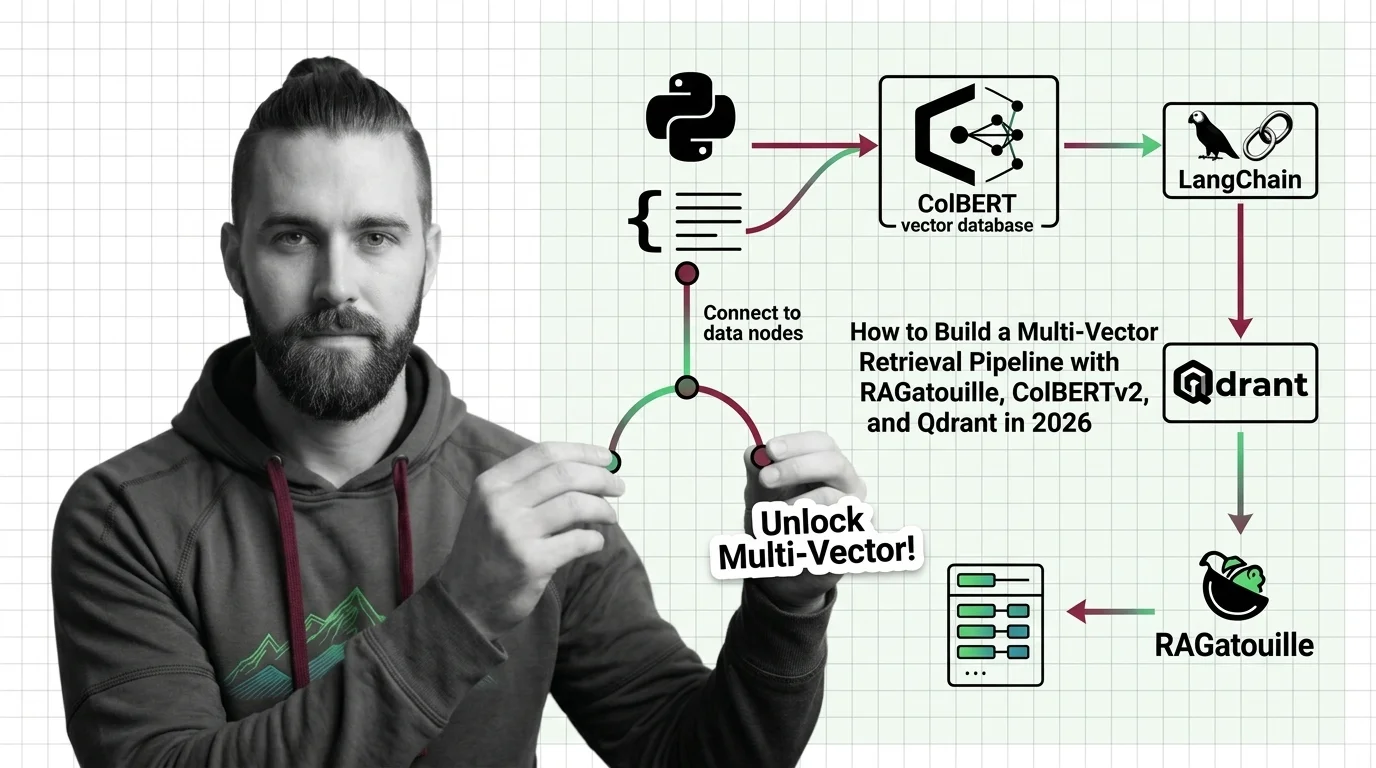
Table of Contents
TL;DR
- Multi-vector retrieval matches at the token level — one embedding per token, not one per document — and that changes your entire pipeline architecture
- RAGatouille wraps ColBERTv2 for indexing and search, but compatibility gates (LangChain v1 breakage, Python version locks) must be specified upfront
- Qdrant’s native MaxSim operator handles late-interaction scoring — your spec needs vector dimensions, comparator config, and upgrade path defined before you write a line of code
You built a RAG pipeline. Dense embeddings, cosine similarity, top-k retrieval. It worked on your test set. Then someone asked a question with a single critical keyword buried in a long document, and your pipeline returned everything except the right answer.
Single-vector search compresses an entire document into one point. That point cannot represent every word that matters. Multi Vector Retrieval fixes this by keeping one vector per token — and that architectural difference changes what you need to specify before your AI tool generates a single line of code.
Before You Start
You’ll need:
- An AI coding tool (Claude Code, Cursor, or Codex)
- A working understanding of Embedding and Similarity Search Algorithms
- Python 3.9, 3.10, or 3.11 (RAGatouille PyPI)
- A clear picture of your document corpus and query patterns
This guide teaches you: how to decompose a multi-vector retrieval pipeline into specifiable components so your AI tool builds it correctly the first time.
The Pipeline That Retrieved Everything Except the Answer
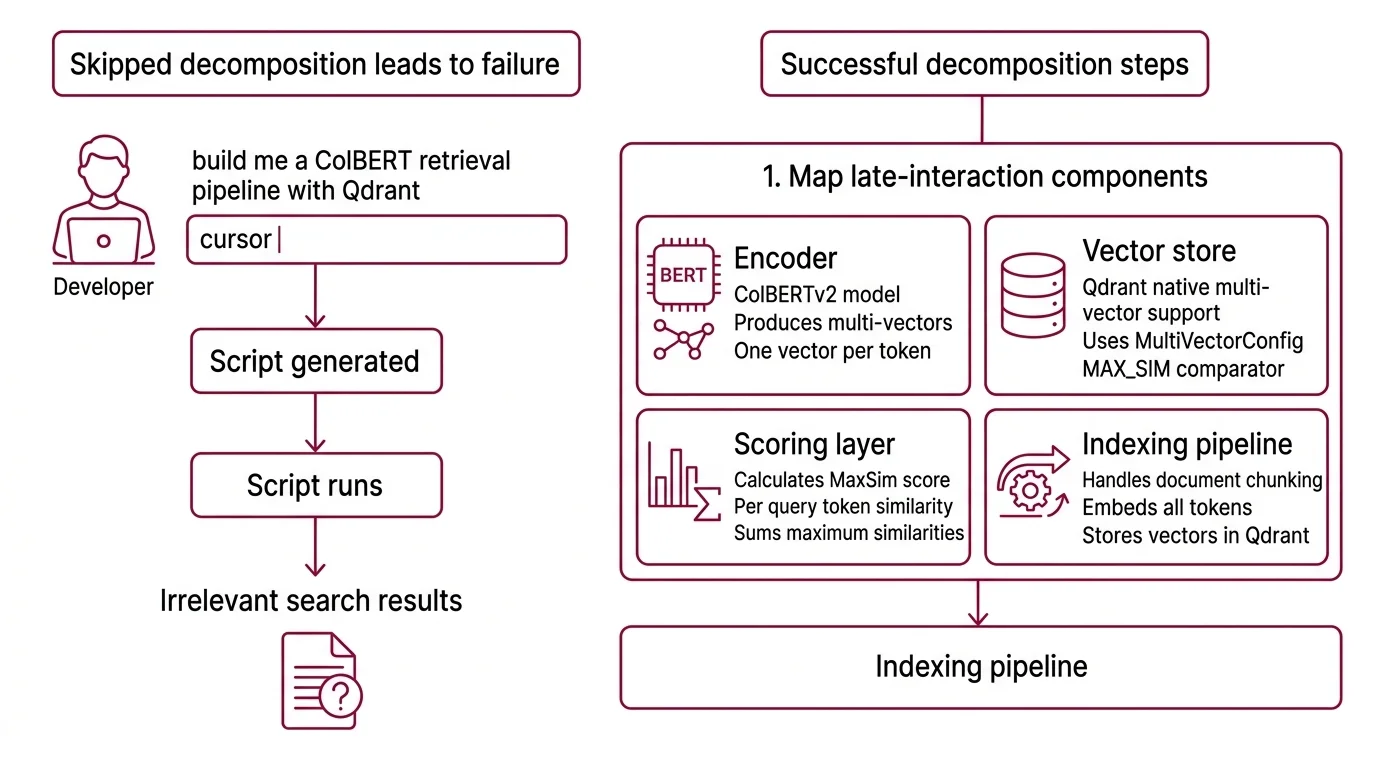
Here’s what happens when you skip the decomposition.
Developer types “build me a ColBERT retrieval pipeline with Qdrant” into Cursor. Gets a script. Runs it. The model loads. The index builds. The first query returns results. Ship it.
Monday morning. A user searches for “PyTorch MPS compatibility issue.” The pipeline returns four documents about PyTorch installation and zero about the MPS bug that’s been breaking builds all week. The dense embedding averaged away the one token that mattered.
The retrieval worked. The specification didn’t. The developer never told the AI tool that this pipeline scores at the token level, that the vector database needs a specific comparator, or that the indexing library has version constraints that break silently.
Step 1: Map the Late-Interaction Components
Multi-vector retrieval has more moving parts than a standard dense pipeline. Before your AI tool generates anything, you need to know what those parts are and where they connect.
Your system has these parts:
Encoder — ColBERTv2 takes a query and a document and produces one 128-dimensional vector per token, not one vector per document. That is the fundamental difference. The model is ~110M parameters, BERT-based. Ragatouille wraps this into a
RAGPretrainedModelclass that handles both indexing and search.Vector store — Qdrant stores multi-vector representations natively. Since v1.10, it supports
MultiVectorConfigwith theMAX_SIMcomparator — the operator that sums per-query-token maximum similarities across all document tokens (Qdrant Blog). As of March 2026, the current release is v1.17.0.Scoring layer — MaxSim is not cosine similarity applied once. It runs per query token, finds the best-matching document token for each, then sums those scores. This is why multi-vector retrieval catches keywords that dense search averages away.
Indexing pipeline — The step where your documents become multi-vector representations. ColBERTv2 uses 2-bit residual compression to shrink each vector from 256 to 36 bytes (ColBERTv2 Paper). This matters when your corpus grows past a few thousand documents.
The Architect’s Rule: If you can’t name the encoder, the store, the scoring operator, and the compression scheme, your AI tool will guess — and it will guess wrong on at least one.
Step 2: Lock Down Versions and Compatibility Gates
This is the step most tutorials skip. Multi-vector retrieval in 2026 has specific version constraints that break silently. Your spec must name every one of them.
Context checklist:
- RAGatouille version: 0.0.9 — pre-1.0, API may change. Python 3.9-3.11 only. Windows not supported, WSL2 required (RAGatouille PyPI).
- ColBERTv2 model ID:
colbert-ir/colbertv2.0on HuggingFace. Vector dimension: 128, distance metric: cosine. - Qdrant collection config:
multivector_config=MultiVectorConfig(comparator=MAX_SIM), vector size 128, cosine distance (Qdrant Docs). - Qdrant client version must match your server. v1.17.0 removed RocksDB in favor of gridstore — you cannot jump directly from v1.15.x to v1.17.x. Upgrade one minor version at a time.
The Spec Test: If your context doesn’t specify
MAX_SIMas the comparator, the AI will default to cosine similarity on the full vector — which collapses your multi-vector advantage into single-vector search. You’ll get results. They’ll be wrong.
Security & compatibility notes:
- RAGatouille + LangChain v1: The
langchain.retrieversimport path was removed in LangChain v1 (October 2025). RAGatouille’s LangChain integration crashes on import. The LangChain team closed this as “NOT PLANNED” (LangChain Issue #35405). Use RAGatouille standalone or the PyLate backend.- Qdrant v1.17.x storage migration: RocksDB removed. Cannot upgrade directly from v1.15.x to v1.17.x — must upgrade one minor version at a time.
- Qdrant v1.18.x (upcoming): All deprecated search methods (
search,recommend,discovery,upload_records,*_batch) will be removed. Migrate to the current query API before upgrading.
Step 3: Wire the Components in Dependency Order
Build order matters. Each component depends on the previous one’s interface being locked.
Build order:
Qdrant collection first — because every other component writes to it or reads from it. Your spec must include the
MultiVectorConfigwithMAX_SIM, vector size 128, and cosine distance. If the collection config is wrong, everything downstream produces silent garbage.Encoder next — RAGatouille’s
RAGPretrainedModelloadscolbert-ir/colbertv2.0and handles tokenization, Vector Indexing, and compression. Pin the model ID and Python version in your spec.Indexing pipeline third — takes your documents, runs them through the encoder, and upserts the multi-vector representations into Qdrant. Define chunk boundaries in your spec. ColBERTv2 has a token limit — documents exceeding it need splitting before encoding.
Query pipeline last — encodes the query into per-token vectors, sends them to Qdrant, retrieves documents ranked by MaxSim score. If steps 1-3 are specified correctly, this step is straightforward.
For each component, your spec must define:
- Inputs (document format, query format, vector dimensions)
- Outputs (collection schema, ranked results with scores)
- Constraints (version pins, OS restrictions, token limits)
- Failure handling (what happens when a document exceeds the token limit, when Qdrant is unreachable, when the model fails to load)
Step 4: Prove the Pipeline Retrieves the Right Documents
Running one query and eyeballing the results is not validation. Token-level precision is the whole point — you need test cases that target that advantage specifically.
Validation checklist:
Keyword precision test — query with a rare technical term that appears in one document. If the pipeline returns that document in the top 3, MaxSim is working. If it returns generic documents about the surrounding topic, your scoring config is wrong. Failure looks like: relevant document buried at position 8+.
Long document test — index a document with a critical fact buried deep in the text. Query for that fact. Dense search often misses it because the ScaNN-style single-vector average dilutes the signal. Multi-vector search should surface it. Failure looks like: correct document not in top 5.
Empty result test — query with a term that appears nowhere in your corpus. The pipeline should return low-confidence results or nothing. Failure looks like: hallucinated high-confidence matches.
Latency benchmark — multi-vector scoring is more expensive than single-vector. Measure query latency at your target corpus size. If latency exceeds your SLA, you need to adjust compression or shard the collection.
Common Pitfalls
| What You Did | Why AI Failed | The Fix |
|---|---|---|
| “Build me a ColBERT pipeline” (one-shot) | AI used deprecated LangChain integration | Specify RAGatouille standalone, pin version 0.0.9 |
| No comparator specified | Qdrant defaulted to single-vector cosine | Add MAX_SIM to collection config in your spec |
| Skipped Python version pin | RAGatouille silently fails on 3.12+ | Lock to 3.9-3.11 in your spec |
| Assumed direct upgrade path | Qdrant v1.17.x storage migration breaks from v1.15.x | Specify sequential minor version upgrades |
| Used LangChain retriever integration | Import crashes — path removed in LangChain v1 | Use RAGatouille standalone or PyLate backend |
Pro Tip
Every retrieval pipeline has a scoring operator. In dense search, it’s cosine similarity. In multi-vector, it’s MaxSim. Name the scoring operator in your spec. If you don’t, your AI tool picks the default — and the default is almost never the one you need for late-interaction models. This applies to any retrieval architecture: the scoring function is the specification your AI tool is most likely to guess wrong.
Frequently Asked Questions
Q: How to build a ColBERT multi-vector retrieval pipeline step by step in Python in 2026?
A: Start with the Qdrant collection config — MultiVectorConfig(comparator=MAX_SIM), vector size 128, cosine distance. Load ColBERTv2 via RAGatouille’s RAGPretrainedModel. Index documents, query with MaxSim. Pin RAGatouille to 0.0.9 and Python 3.9-3.11. If you need multilingual support, Jina ColBERT v2 handles 89 languages with an 8192 token context window.
Q: How to add ColBERT retrieval to a LangChain RAG pipeline using RAGatouille?
A: As of March 2026, you cannot use the native integration. LangChain v1 removed the langchain.retrievers import path, and the RAGatouille adapter crashes on import. The issue was closed as “NOT PLANNED.” Use RAGatouille standalone — run your queries through RAGPretrainedModel, collect results, and pass them into your LangChain chain manually.
Q: When should you choose multi-vector retrieval over single-vector dense search for your use case?
A: Choose multi-vector when your queries target specific terms inside long documents — legal clauses, technical specifications, medical records. Single-vector search compresses documents into one point and loses keyword-level precision. If your queries are short and general, and your documents are brief, dense search is simpler and fast enough.
Q: How to deploy Colpali for multimodal document retrieval on PDFs and scanned images?
A: ColPali applies a vision language model with ColBERT-style late interaction directly on page screenshots — no OCR pipeline needed (ColPali Paper, ICLR 2025). The colpali-engine package (v0.3.14) supports ColPali v1.3, ColQwen2.5, ColSmol, and ColQwen3. If you’re on Mac, watch for PyTorch 2.6.0 MPS issues — downgrade to 2.5.1 if you hit errors.
Your Spec Artifact
By the end of this guide, you should have:
- Component map — encoder (ColBERTv2 via RAGatouille), vector store (Qdrant with MaxSim), indexing pipeline, query pipeline — with interfaces defined between each
- Constraint checklist — version pins, Python compatibility, comparator config, upgrade path, known breakages (LangChain v1 integration, Qdrant storage migration)
- Validation criteria — keyword precision test, long document test, empty result test, latency benchmark — each with a specific failure symptom
Your Implementation Prompt
Copy this into Claude Code, Cursor, or Codex after filling in the bracketed placeholders with values from your constraint checklist:
Build a multi-vector retrieval pipeline with the following specification:

COMPONENTS:
1. Qdrant collection:
   - Name: [your-collection-name]
   - multivector_config: MultiVectorConfig(comparator=MAX_SIM)
   - Vector size: 128, distance: Cosine
   - Qdrant server version: [your-qdrant-version, e.g., 1.17.0]
   - Client library: qdrant-client matching server version

2. ColBERTv2 encoder via RAGatouille:
   - Model: colbert-ir/colbertv2.0
   - RAGatouille version: 0.0.9
   - Python: [your-python-version, 3.9/3.10/3.11]
   - Class: RAGPretrainedModel

3. Indexing pipeline:
   - Input: [your-document-format, e.g., list of dicts with 'id' and 'text' keys]
   - Chunk boundary: [your-chunk-strategy, e.g., split at 512 tokens]
   - Error handling: skip documents that fail encoding, log failures

4. Query pipeline:
   - Input: string query
   - Output: top-[your-k, e.g., 10] documents ranked by MaxSim score
   - Include scores in response

CONSTRAINTS:
- Do NOT use LangChain retriever integration — it is broken in LangChain v1
- Do NOT use Python 3.12+
- Pin all dependency versions in requirements.txt
- Handle Qdrant connection failures with retry and exponential backoff

VALIDATION:
- Add a test that queries for a rare term and verifies it appears in top 3 results
- Add a test that verifies empty-corpus queries return no results
- Print query latency per request
Ship It
You now have a decomposition framework for multi-vector retrieval. The encoder, the store, the scoring operator, the compression scheme — each one is a separate concern with its own interface and constraints. Next time you ask an AI tool to build a retrieval pipeline, you won’t type “build me ColBERT search.” You’ll hand it a spec that names every component, every version pin, every failure mode. The AI stops guessing. You start shipping.
AI-assisted content, human-reviewed. Images AI-generated. Editorial Standards · Our Editors