How to Build a Human Evaluation Pipeline with Label Studio, Argilla, and Surge AI in 2026
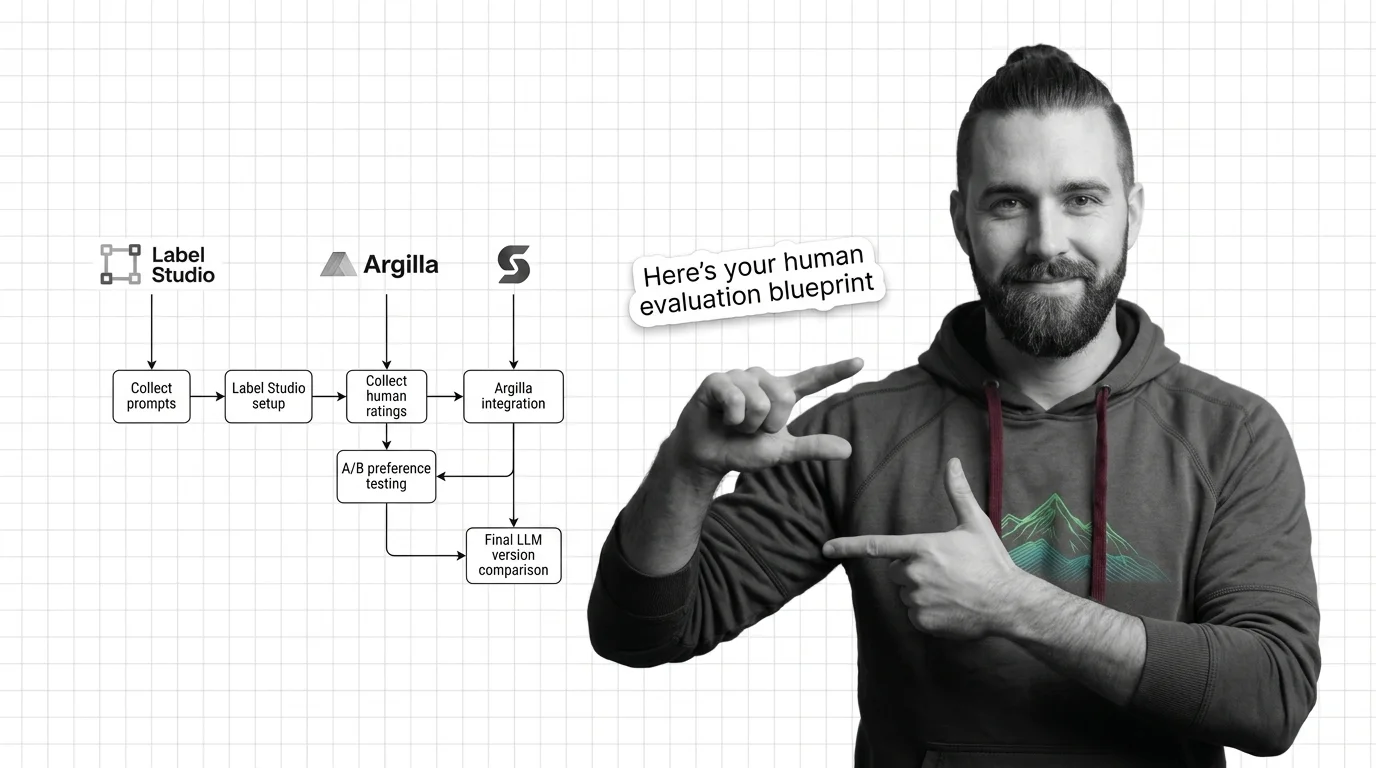
TL;DR
- Write the annotation contract — task type, scale anchors, ambiguous-case protocol — before you configure any tool
- Cohen’s kappa, not raw agreement, is the quality gate: run a calibration batch and require ≥0.6 before the main batch opens
- Three tool tiers serve three different team setups: Label Studio for self-hosted, Argilla for Hugging Face-integrated workflows, Surge AI for managed crowd at scale
Fifty human ratings. Two models. One winner — if your raters were even measuring the same thing.
Here is what usually happens. You collect the labels, compute a win rate, and move on. Three sprints later someone asks “are you sure rater 7 understood the task?” You have no idea. You never specified what the task was.
Before You Start
You’ll need:
- Access to Label Studio, Argilla, or Surge AI (selection guide in Step 3)
- A batch of LLM outputs to evaluate — at least 50 task instances per model comparison
- Understanding of Human Evaluation for AI and how it differs from automated metrics like pass/fail benchmarks
- A concrete definition of what quality means for the task you are evaluating
This guide teaches you: How to decompose a human evaluation system into four distinct layers — task specification, tool configuration, rater calibration, and quality gating — and connect them into a pipeline that produces defensible, reproducible results.
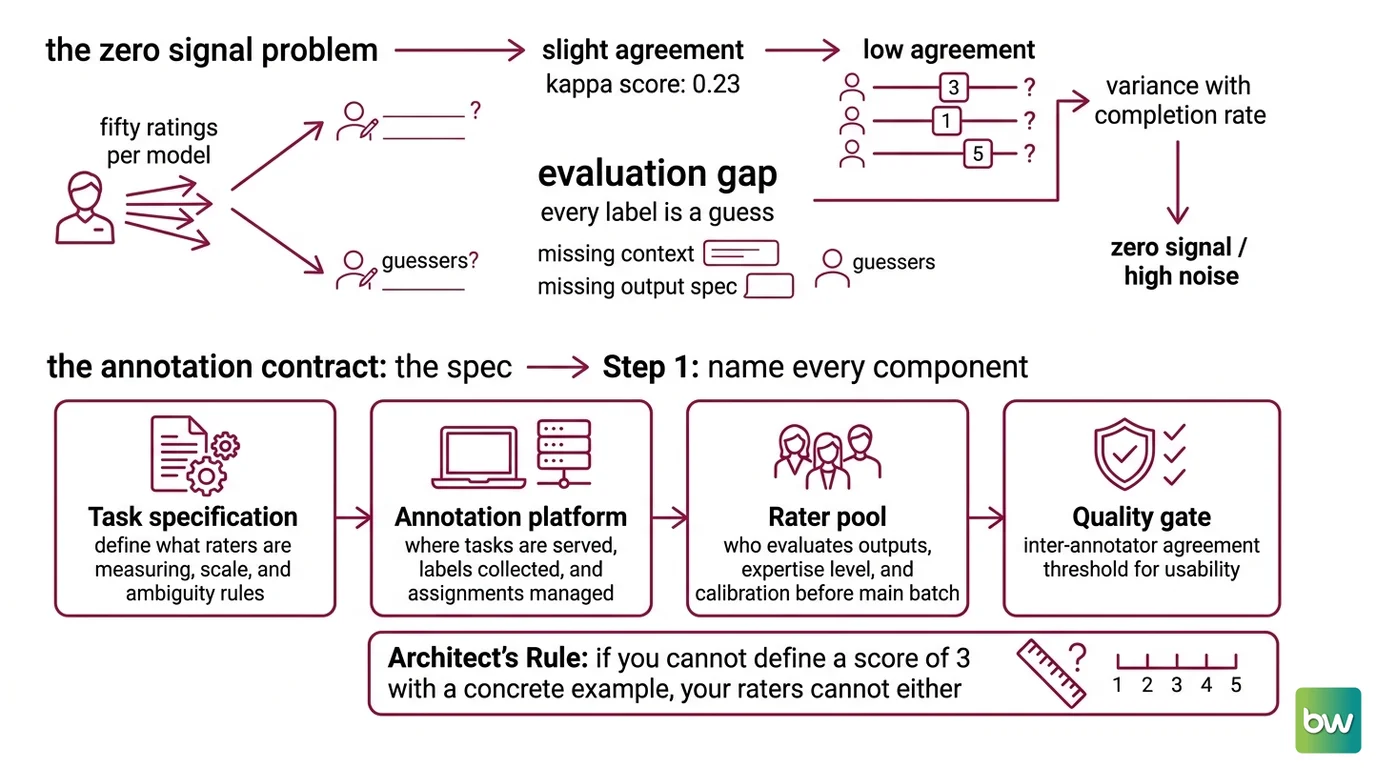
When Fifty Ratings Produce Zero Signal
You ran the study. Fifty ratings per model. Your team spent two weeks coordinating raters.
The kappa score is 0.23. That’s “fair agreement” on the standard scale — one band above chance, but far below the ≥0.6 threshold where labels become usable for downstream purposes. The signal you collected is indistinguishable from noise.
The problem is not the tool. It’s not the raters. It’s that you started with the tool and the raters instead of starting with what you were asking them to measure.
This is the same failure as a prompt with no output specification. Three attempts, three formats, because what “done” looks like was never defined. Human evaluation has the same gap. The annotation contract is the spec. Without it, every label is a guess made in good faith by someone who didn’t have enough context to know what they were guessing.
Teams stand up Label Studio in an afternoon, drop in a five-star scale, and send calendar invites. What they get back is variance with a completion rate.
Step 1: Name Every Component in the Pipeline
Before you configure anything, write down what you are building. A human evaluation pipeline has four components. Each one must be defined before the next one is built.
Your pipeline has these four parts:
- Task specification — what raters are measuring, on what scale, and what counts as ambiguous or unanswerable
- Annotation platform — where tasks are served, how labels are collected, and how rater assignments are managed
- Rater pool — who evaluates the outputs, at what expertise level, and how calibration is enforced before the main batch runs
- Quality gate — the inter-annotator agreement threshold that determines whether labels are usable for any downstream purpose
The Architect’s Rule: If you cannot define what a score of 3 means on your 1-5 scale with a concrete example, your raters cannot either. The AI that trains on these labels certainly cannot.
Start with task specification. Not the tool. The tool is storage for labels — what matters is whether the labels measure the right thing.
Step 2: Lock the Annotation Contract Before Raters Touch a Task
This is where most pipelines fail. The annotation contract defines what raters are comparing, on what scale, and how edge cases are handled. If raters are calibrating against different mental models of quality, kappa collapses.
Context checklist:
- Task type specified: absolute quality rating, pairwise A/B preference, binary pass/fail, or multi-dimensional rubric
- Scale anchors written out: what a 1 means, what a 5 means, with a worked example for each anchor point
- Ambiguous case protocol decided: what happens when raters genuinely disagree because both outputs are comparably good or comparably bad
- Rubric Design criteria explicit: if you are rating “helpfulness,” decompose it into named sub-criteria (relevance, completeness, factual accuracy, tone) and rate each separately
- Target IAA threshold declared before raters see any tasks — revising the threshold after collecting labels invalidates the study
The Spec Test: If a rater can justify giving a “4” and a “2” to the same output without violating your written instructions, your rubric has holes. List every criterion and give each criterion a binary anchor — present vs. absent, meets vs. fails — before you deploy.
Cohen's Kappa is the metric that matters here. Raw agreement inflates when raters default to the midpoint of the scale out of uncertainty rather than judgment — they agree without sharing information. Kappa corrects for chance agreement, which is why it predicts label usefulness and raw agreement does not. The standard scale: Slight (0–0.20), Fair (0.21–0.40), Moderate (0.41–0.60), Substantial (0.61–0.80), Almost perfect (0.81–1.0), per research on IAA metric selection (arXiv 2603.06865). A kappa of ≥0.6 is widely cited as the minimum threshold for publishable evaluation quality (Human Eval Review, MDPI). That is your target before any labels from the main batch count.
Step 3: Configure Your Tool Stack in Order
Three tools. Three tiers. Pick based on your rater pool and infrastructure preferences, not on GitHub stars.
Build order:
- Define the annotation schema first — field names, label types, export format, metadata — before you log in to anything
- Deploy your annotation platform — Label Studio, Argilla, or Surge AI, per the tier guide below
- Run a calibration batch — 20–30 tasks rated by at least 3 raters before opening to the full pool
- Gate on kappa — compute inter-annotator agreement on the calibration set; proceed only if you clear ≥0.6
Which tier you need:
Label Studio (self-hosted tier): v1.23.0 is the current release (Label Studio Docs). Community edition is free and open-source. It supports custom XML labeling interfaces, including a built-in <Pairwise> tag for A/B preference tasks — the pairwise human preference template is available at /templates/generative-pairwise-human-preference (Label Studio Docs). Starter Cloud starts at $99/month base plus $49/month per user for up to 12 users (HumanSignal pricing page). The
LLM as a Judge feature and automated task distribution are Enterprise-only (Label Studio Docs). For self-managed teams running a few hundred tasks per sprint without needing automated judge scoring, Community edition works — but you handle the infrastructure yourself.
Argilla (Hugging Face integration tier): v2.8.0, Apache 2.0 license, free (Argilla on PyPI). Install with pip install argilla (requires Python ≥ 3.9, Argilla Docs). Deploys to Hugging Face Spaces, Docker, or local Python. If your evaluation outputs feed directly into an RLHF preference dataset on Hugging Face, Argilla’s native format skips a conversion step that Label Studio requires. Note: v2.8.0 was released in March 2025. As of June 2026, no new version has shipped in over 15 months — verify current maintenance status and open issues before adopting for a production workflow (Argilla Docs). The Argilla 1.x to 2.x migration has breaking changes; a migration guide is available (Argilla Docs).
Surge AI (managed crowd tier): Pricing is enterprise-only and not publicly listed — contact Surge AI directly for quotes. Their annotator pool has served OpenAI, Anthropic, Google, Meta, and Microsoft (Surge AI Blog). For RLHF-scale preference collection where you need large volumes of pairwise comparisons and do not want to manage rater recruitment, onboarding, or quality control in-house, this is the right tier.
Security & compatibility notes:
- CVE-2026-22033 (CVSS 8.6, exploited in the wild): Persistent XSS vulnerability in Label Studio custom hotkeys. Patched in v1.22.0+. Upgrade to v1.23.0 immediately — do not run any earlier version in a networked environment (PT Security).
- CVE-2025-47783: Reflected XSS in Label Studio versions below 1.18.0. Patched in v1.18.0+ (Pentest Tools).
- CVE-2025-25295: Path traversal in label-studio-sdk below 1.0.10, affecting VOC/COCO/YOLO export functions. Upgrade to SDK 2.0.16. The
/api/projects/{project_id}/exportendpoint is deprecated — use SDK 2.x export methods (GitHub Advisory).- SDK 2.0.0 breaking changes: label-studio-sdk 1.x projects require migration before upgrading to the 2.x series. Follow the migration guide before updating (Label Studio Docs).
Step 4: Gate on Kappa, Not on Confidence
The calibration batch runs before you open to the full rater pool. This is the step that makes the difference between labels you can publish and labels you cannot.
Validation checklist:
- Compute kappa on the 20–30 calibration tasks — failure looks like: kappa below 0.4, which means raters are interpreting the rubric differently; fix the anchors and re-run before proceeding
- Review disagreement patterns — failure looks like: one rater consistently at the extremes while the others cluster in the middle, which signals someone who didn’t internalize the rubric
- Spot-check label rationales — failure looks like: raters justifying opposite scores with identical reasoning, which means a criterion needs a concrete worked example added to the contract
- Verify export format — failure looks like: labels in the wrong field name or outside the valid scale range; catch this in calibration, not after 500 tasks are collected
If kappa clears ≥0.6, open to the full batch. If it doesn’t, stop and fix the rubric. Labels collected below threshold are not recoverable — you cannot bootstrap agreement from a dataset that recorded disagreement.
For pairwise A/B preference testing — comparing two LLM versions head to head — use the <Pairwise> template in Label Studio with position-blind presentation. Position bias inflates one model’s win rate regardless of output quality; always randomize which model appears on the left. Kappa applies here too: if raters do not agree on which model won a given task, the difference is not real.
ELO Rating rankings computed from pairwise preference data only mean something when the underlying labels clear the IAA threshold.
One clarification on scope: SWE Bench and similar automated benchmarks measure pass/fail against defined test cases. Human evaluation captures dimensions that automated benchmarks miss — fluency, tone, implicit instruction-following, contextual appropriateness — things that don’t reduce to a unit test. The two are complementary, not competing. Run both when you can afford it.
Common Pitfalls
| What You Did | Why It Failed | The Fix |
|---|---|---|
| Skipped task specification | Raters invented their own quality criteria | Write rubric anchors with examples before tool setup |
| Used raw agreement as the quality metric | Inflated by scale-midpoint defaults | Switch to Cohen’s kappa, require ≥0.6 |
| Sent 500 tasks before calibrating | Unusable labels, no recovery path | Run 20–30 calibration tasks first; gate before scaling |
| Used Enterprise features on Community tier | Annotation workflow failed silently at volume | Verify your tier against the Label Studio feature matrix before designing the workflow |
| Asked Surge AI for pricing via the website | No public pricing tiers exist | Contact sales directly; plan for a multi-week procurement process |
Pro Tip
Your annotation contract is a living document. The first rubric will have gaps — you will find them in calibration, not in production. Save every disagreement pattern from your calibration batch. Each one becomes a worked example that prevents the same disagreement in the next evaluation cycle. The richer your example bank, the faster new raters calibrate — and the more reliable your kappa scores become over time.
Frequently Asked Questions
Q: How to set up a human evaluation pipeline for an LLM step by step? A: Write the annotation contract before touching any tool: define task type, scale anchors with examples, ambiguous-case protocol, and target kappa (≥0.6 minimum). Deploy your platform, run a 20–30 task calibration batch with at least 3 raters, compute kappa, fix the rubric if needed, then open to the full batch. One common miss: if kappa stays below threshold after two rubric revisions, the task is probably too subjective to rate reliably — split it into narrower binary sub-questions instead.
Q: How to use Label Studio and Argilla to collect human ratings of AI outputs? A: Label Studio works best when you control rater assignment and want a self-managed workflow — Community edition is free, Starter Cloud starts at $99/month base plus $49/month per user (HumanSignal pricing page). Argilla is better when outputs feed directly into a Hugging Face training pipeline; its native export format avoids the manual conversion that Label Studio requires. The practical tradeoff: Label Studio offers more annotation UI flexibility; Argilla gives tighter Hugging Face Dataset integration out of the box. Verify Argilla’s maintenance status before adopting — no release since March 2025.
Q: How to run A/B preference testing to compare two LLM versions with human raters?
A: Use Label Studio’s built-in <Pairwise> tag with position-blind randomization — always randomize which model appears on the left to control for position bias. The often-skipped step: include a tie option. Forcing raters to pick when outputs are genuinely equivalent creates artificial signal. Allow “no preference” as a valid label and factor ties into your win-rate calculation before declaring a winner. Compute statistical significance on the win-rate difference before reporting.
Your Spec Artifact
By the end of this guide, you should have:
- A task specification document: rating type, scale with named anchors and worked examples for each anchor point, ambiguous-case protocol, and minimum kappa threshold
- A tool configuration decision: Label Studio (self-hosted), Argilla (HF-integrated), or Surge AI (managed crowd), with the tier requirements and security versions documented
- A validation plan: calibration batch size (20–30 tasks minimum), minimum kappa threshold (≥0.6), and a documented disagreement review process for when calibration fails
Your Implementation Prompt
Use this prompt when briefing an AI coding tool (Claude Code, Cursor, Codex) to scaffold the integration layer between your annotation platform and your analysis pipeline:
You are building a human evaluation pipeline integration for LLM output assessment.

Task specification:
- Rating type: [pairwise preference / absolute quality / binary pass-fail / multi-dimensional rubric]
- Scale: [define your scale range, anchor at minimum, anchor at maximum, example for each]
- Ambiguous case handling: [no preference allowed / forced choice with rationale / exclude from analysis]
- IAA threshold: ≥0.6 Cohen's kappa — compute on calibration batch before opening main batch

Annotation platform: [Label Studio v1.23.0 / Argilla v2.8.0 / Surge AI managed]
- Tier: [Community free / Starter Cloud $99/mo base + $49/user / Enterprise / Argilla self-hosted / Surge AI managed]
- Export format: [JSON / CSV] with required fields: [task_id, rater_id, label, optional_rationale]
- Position randomization: [yes — required for pairwise; no — for absolute rating]

Build in this order:
1. Schema definition: export field names, label types, and task metadata structure
2. Platform configuration: [Label Studio XML interface / Argilla dataset schema / Surge task template]
3. Calibration batch: 20–30 tasks, minimum 3 raters per task, kappa computation script
4. Quality gate: reject batches below ≥0.6 kappa and output a report of disagreement patterns
5. Main batch export: joined output file with rater IDs, labels, batch kappa score, and disagreement flags

Constraints:
- SDK version: label-studio-sdk 2.0.16+ using SDK 2.x export methods only (deprecated endpoint: /api/projects/{id}/export — do not use)
- Error handling: flag tasks with missing rationales and tasks below minimum rater count separately
- Output format: [analysis-ready CSV / Hugging Face Dataset format]
- Do not implement any LLM-as-judge scoring — keep automated and human signals in separate columns
Ship It
You have a four-layer spec: task contract, tool tier, calibration gate, and quality threshold. The next evaluation you run won’t land at a kappa of 0.23 with a list of questions you can’t answer. It will produce labels with a documented quality floor — and when something slips, you’ll know exactly which layer to fix.
AI-assisted content, human-reviewed. Images AI-generated. Editorial Standards · Our Editors