DOM Trees vs Screenshots: Prerequisites and Technical Limits of Computer Use Agents in 2026
ELI5
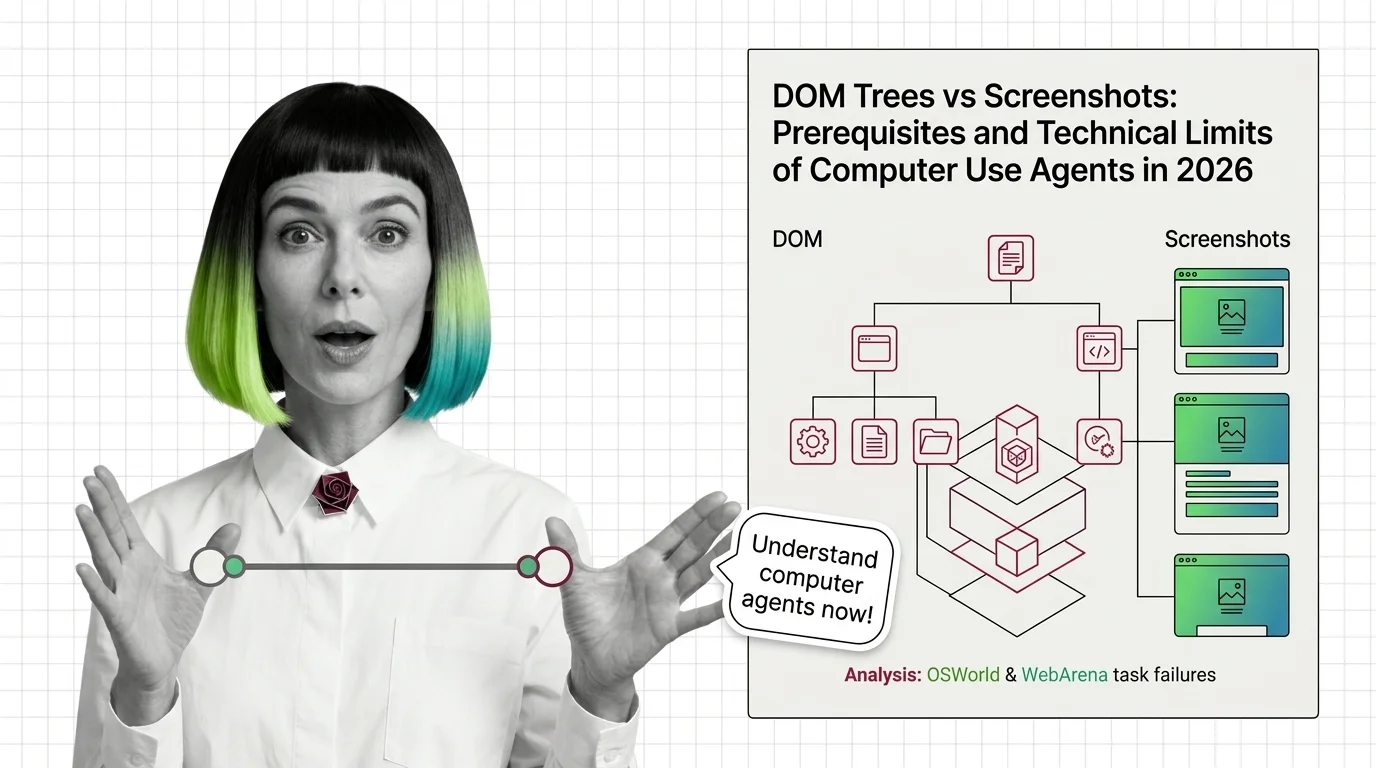
A computer use agent is an AI that perceives a screen — either as a structured DOM tree or as a raw screenshot — then issues clicks and keystrokes. The grounding choice shapes everything that follows.
Late in 2025, Simular’s Agent S2 became the first Browser and Computer Use Agents system to cross the OSWorld human baseline. The headline read like a finish line had been broken. Yet a few months later, the same class of agent still consumes roughly 1.4 to 2.7 times the number of steps a person needs to finish the same task. Something passed. Something else did not. And the gap between those two facts is the most interesting thing happening in agent research right now.
Two Eyes, One Screen, Different Worlds
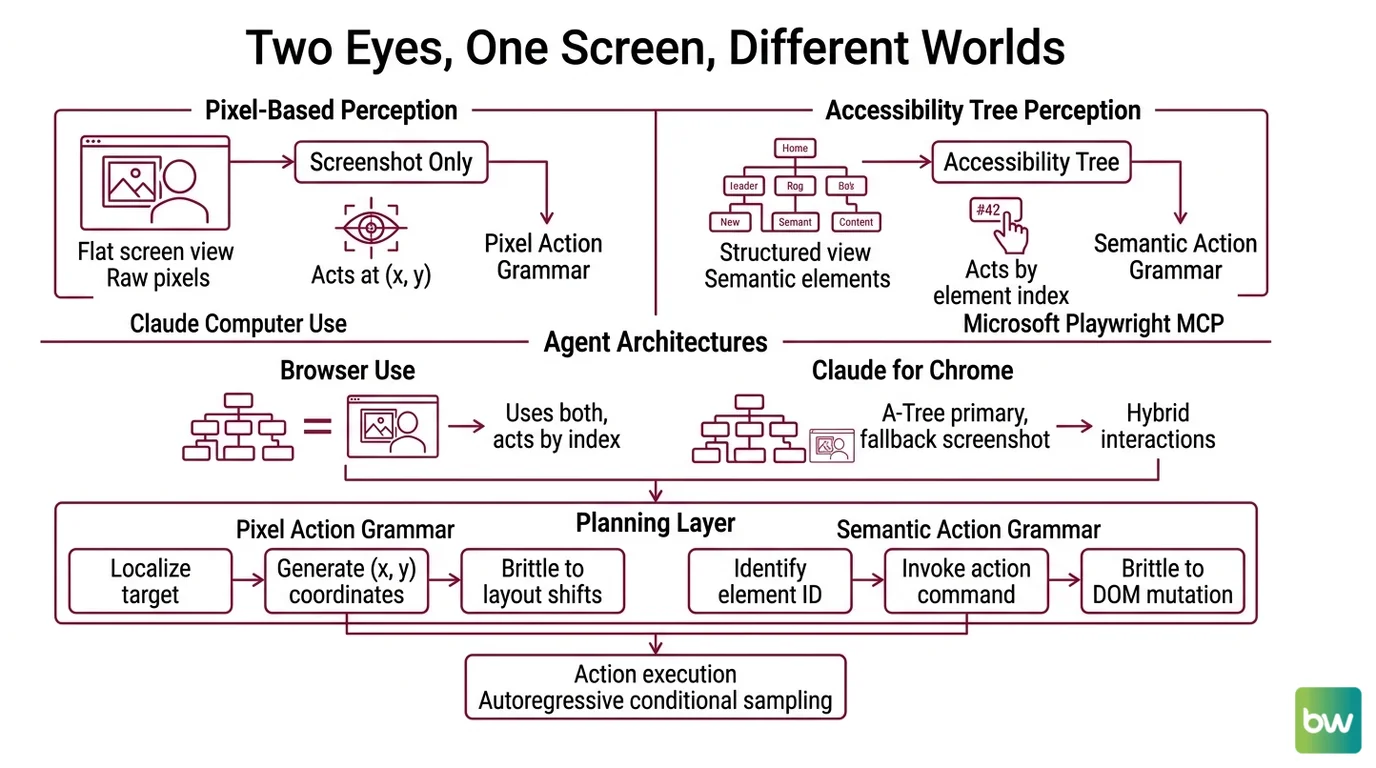
Computer use agents do not perceive a screen the way you do. They get one of two views — a structured semantic tree pulled from the operating system or browser, or a flat image of pixels — and occasionally a hybrid stitched from both. The architecture choice is upstream of every reliability claim that follows. Most readers come to this topic assuming the agent “looks at the screen.” It doesn’t, in any sense recognizable from your own perception.
What do I need to understand before working with computer use agents?
Three layers sit beneath every interaction, and skipping any of them makes the behavior look like magic — which is to say, unpredictable.
The first is the perception channel. There are two dominant strategies in 2026, and they are not interchangeable. Claude’s computer use mode receives screenshots and acts at raw pixel coordinates with no DOM access, per Anthropic Docs. Microsoft’s Playwright MCP, by contrast, exposes the page as an accessibility tree — semantic roles, names, and states extracted from the DOM, with no images involved at all, as documented in the Playwright MCP repository. Browser Use combines an accessibility tree with a screenshot and lets the agent invoke actions by element index. Claude for Chrome runs a hybrid: accessibility tree primary, screenshots as fallback. Each channel implies a different failure surface.
The second is the action grammar. Pixel-coordinate agents emit (x, y) clicks and keystrokes — a thin interface, but one that requires the model to localize targets visually on every step. Accessibility-tree agents emit something closer to click(element_42) where the index resolves to a DOM node. The first is brittle to layout shifts; the second is brittle to DOM mutations and dynamically rendered components. Neither is brittle in the same place.
The third is the planning horizon. Computer use agents are autoregressive at the action level — each step samples conditional on the previous step and the new screen state. There is no global plan that survives the first surprise. Anything you might call “agentic” emerges from this loop, not from a controller that lives above it. If you have worked with Workflow Orchestration For AI, the contrast helps: orchestrators commit to a graph, computer use agents commit to a step.
Together, these three layers explain why the same product can demo flawlessly on a clean Gmail inbox and stall on a Jira board with custom React modals. The model didn’t get worse. The perception channel did.
Pixels, accessibility trees, and the trade-off matrix
It is tempting to call one approach correct. The empirical record refuses to cooperate.
| Strategy | Strength | Where it breaks |
|---|---|---|
| Screenshot + pixel coordinates | Works on canvas apps, Flash-era pages, screen-shared remote desktops, anything the DOM doesn’t expose | Sensitive to anti-aliasing, scaling, OS theme; demands high-resolution vision; localization errors compound |
| Accessibility tree | Compact, semantic, fast; targets survive visual restyling | Fails when the DOM lies (rich text editors, shadow DOM, custom controls without ARIA), can’t see anything the OS won’t enumerate |
| Hybrid | Recovers when one channel fails; semantic when possible, visual when necessary | Two failure modes to debug instead of one; latency and token cost rise; coordination logic adds its own bugs |
Anthropic positions Claude Opus 4.7, released April 16, 2026, as the first Mythos-class Claude with computer use, and the model was given a 2,576-pixel vision input expressly to reduce localization error on dense interfaces, according to Tech Insider. That is not a marketing line; it is an acknowledgment that pixel-coordinate grounding scales with input resolution. Higher resolution buys precision, and precision is the bottleneck.
Not vision. Geometry.
The model still has to map a phrase like “the second-row delete button” to a coordinate. The accuracy of that mapping is what determines whether the click lands on the button, the row beneath it, or an empty pixel between them.
The Inefficiency Hidden Inside The Leaderboard Win
Crossing a benchmark threshold and matching human behavior are two different events. The first measures whether the agent ever lands the task; the second measures how. The gap between them is where production agents still fail in ways that do not show up on the leaderboard you screenshot for a board deck.
Why do browser agents still fail on OSWorld and WebArena tasks?
OSWorld scores 369 real-application desktop tasks across Ubuntu, Windows, and macOS, as defined in the OSWorld paper. As of mid-2026, Claude Opus 4.6 sits at the top with 72.7%, the LLM-Stats leaderboard records, which finally edges past the 72.36% human baseline reported on the OSWorld project page. WebArena — 812 web tasks across e-commerce, forums, code repos, and CMS surfaces — has agents hovering near the 70% mark, with leaderboard snapshots varying by source on the Awesome Agents leaderboard, while the human baseline sits around 78%.
The headline numbers say agents arrived. The diagnostic numbers say they’re limping.
The first reason is step inefficiency. The OSWorld-Human paper measures the ratio between the steps an agent uses and the steps a person uses, and the leading systems fall in the 1.4 to 2.7× range. An agent that takes three actions to find the right menu, then backtracks, then re-enters text it already typed, is not failing — it is succeeding expensively. In a benchmark, that’s a footnote. In a paid workflow, it’s a cost ceiling.
The second is cascading errors. Each action is sampled from a probability distribution conditioned on the current screen. A single misclick produces a new screen state the model never planned for, and the next sampled action conditions on that surprise. With no global controller, the agent has no way to “back out” except by sampling a recovery action that is itself a guess. Galileo’s agent failure-mode guide treats this as one of the dominant categories of agent breakage in field rollouts, alongside hallucination, scope creep, context loss, and tool misuse.
The third is perception-channel brittleness. Accessibility-tree agents lose grounding when a page rerenders a list and element indices reshuffle mid-task. Pixel-coordinate agents lose grounding when a notification toast slides in over the target. Hybrid agents lose grounding when their two channels disagree about which element is “the same” element. None of these failures look like the model “being wrong” in an LLM sense. They look like the model losing its place.
The fourth, quieter reason is hallucination at decision time. High-stakes evaluations from SuprMind report wide spreads — Claude at the low end of the field, Gemini substantially higher — but every system still confabulates targets that don’t exist on the current screen. An agent that imagines a “Confirm” button and clicks the empty pixel where it should be is not a benign error; it is a confident, plausible action with no referent. This class of failure tends to be invisible until it reaches a workflow where the next action assumes the previous one worked.
What the Grounding Strategy Predicts
Once you internalize that the perception channel determines the failure mode, you can stop being surprised. The mechanism predicts the symptoms.
- If your target application has a clean DOM with proper ARIA roles, accessibility-tree grounding will be faster, cheaper, and more reliable than pixel coordinates. Playwright MCP and Browser Use are the right shape for this.
- If your target is a canvas-rendered editor, a remote desktop, a Citrix session, or an Electron app with custom controls, the DOM doesn’t tell the truth about what’s on screen, and screenshot + coordinate grounding will work where the semantic channel cannot.
- If your task crosses surfaces — a SaaS dashboard plus a desktop installer plus a terminal — hybrid grounding is the only structural answer, and you should expect both classes of failure modes to surface during a single run.
- If your task length exceeds a few dozen steps, expect compounding error rates to dominate over single-step accuracy. The leaderboard scores describe end-state success on bounded tasks, not stability over long horizons.
- If your action set includes destructive operations — sending email, executing shell commands, transferring money — pair the agent with confirmation gates the way you would pair a Code Execution Agents system with a sandbox, and the way you would pair a Retrieval Augmented Agents system with source attribution. The control surface is your guardrail, not the model’s confidence score.
Rule of thumb: Pick the grounding strategy that matches the surface the user actually works in, not the one the benchmark rewards. Benchmark surfaces are clean; user surfaces are not.
When it breaks: Computer use agents fail hardest when the perception channel and the application diverge — accessibility-tree agents on canvas or shadow-DOM interfaces, pixel-coordinate agents on dense layouts with shifting overlays. The model is not confused; the channel never delivered a faithful representation of what the user sees.
Compatibility note:
- Claude Computer Use (October 2024 public beta): Production-grade computer use now lives in Claude Opus/Sonnet 4.6 and Opus 4.7 (April 16, 2026). Do not benchmark against or recommend the 2024 beta as current capability.
- OpenAI’s January 2025 CUA: Superseded by Codex Background Computer Use (April 16, 2026), which runs desktop-native with parallel sessions. The 38.1% OSWorld baseline of the older surface is no longer representative.
- Set-of-marks visual grounding: Still cited in 2024–2025 research, but largely displaced in production stacks by accessibility-tree grounding. Treat as historical context, not a 2026 default.
The Data Says
Computer use agents in 2026 have caught up to humans on benchmark outcomes and remain measurably worse than humans on benchmark efficiency. The grounding strategy you pick — DOM, pixels, or a hybrid — does not determine whether the agent works; it determines which failures you will spend the next quarter debugging.
AI-assisted content, human-reviewed. Images AI-generated. Editorial Standards · Our Editors